16
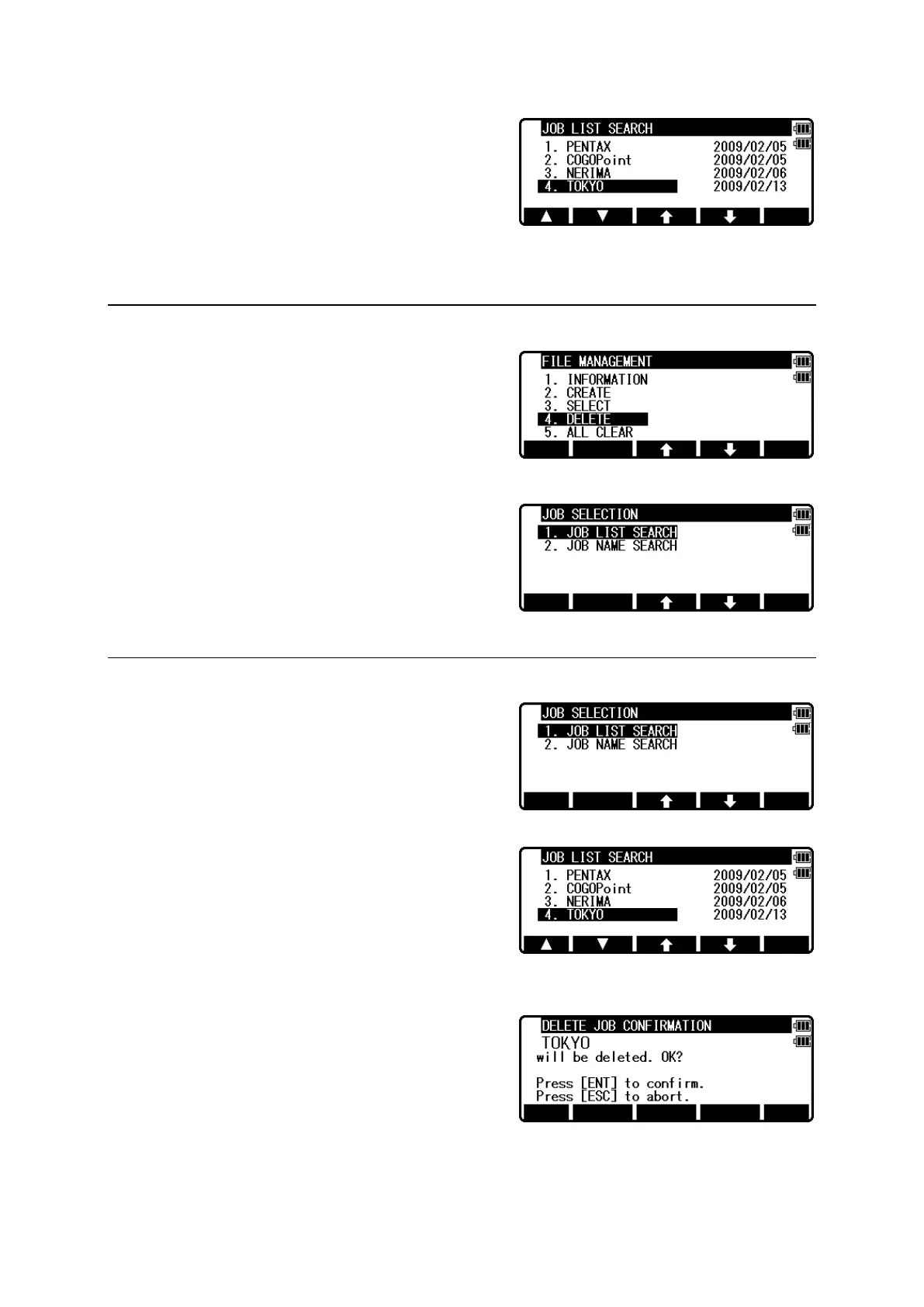
Input your desired JOB NAME and press [ENT] to
view the JOB LIST SEARCH screen.
Press [ENT] to select this.
3.4 Deletion of a Job name
Select 4. DELETE by pressing the down arrow key.
Press [ENT] to view JOB DELETION screen.
3.4.1 Deletion from a Job list
Select 1. JOB LIST SEARCH and Press [ENT] to
view its screen.
If TOKYO is selected, deletion confirmation screen
is viewed.
Press [ENT] to delete or [ESC] to abort.


 To Next Page
 Loading...