58
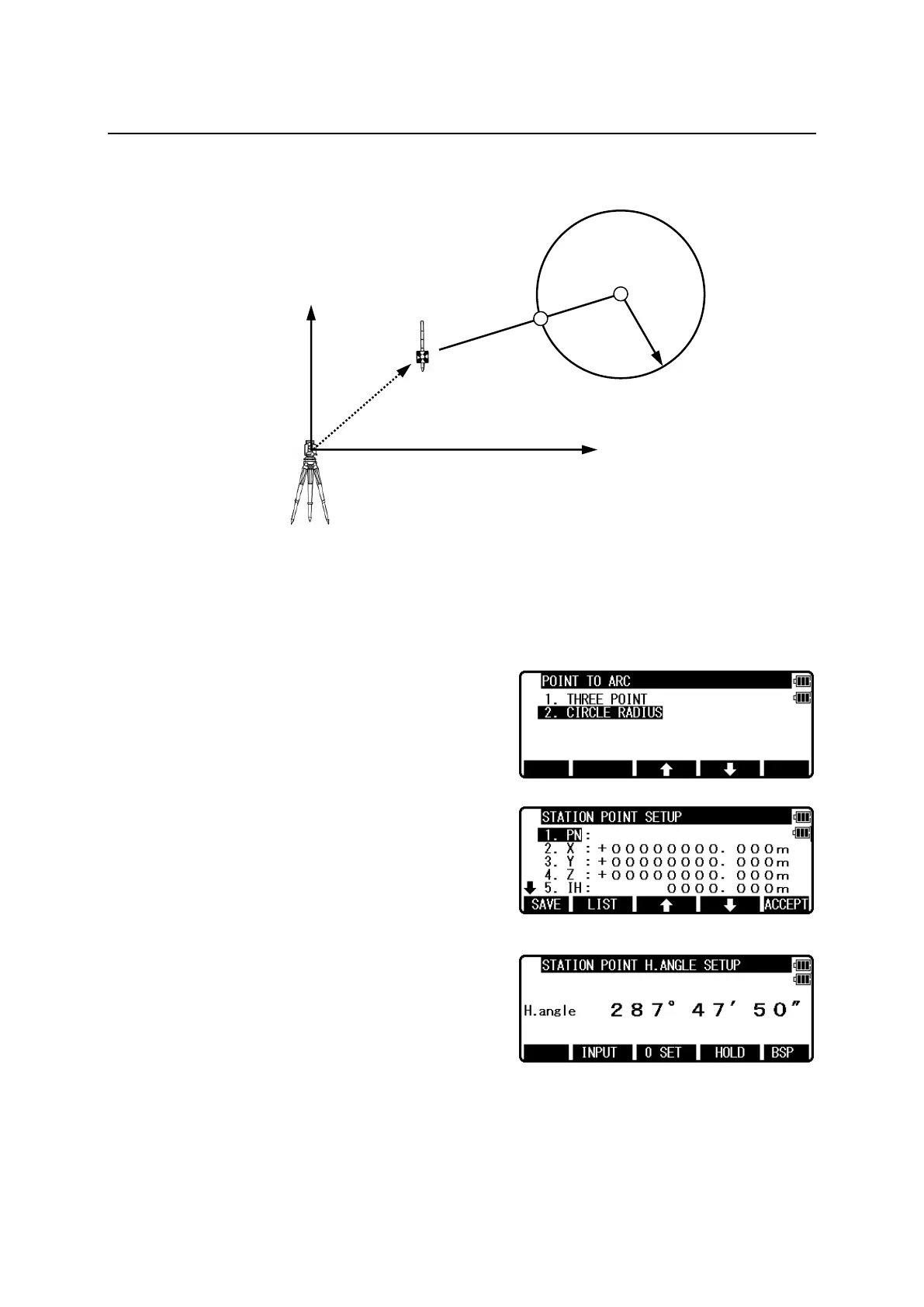
7.4.2 Circle radius
Input center coordinate of the circle and radius to make a circle, then obtain the distance from
the Stake Out Point to the circumference.
Select 1.THREE POINT and press [ENT] to view
the STATION POINT SETUP screen.
Open the PN, X, Y, Z, IH and PC input window and
input each. Save the data by pressing [F1][SAVE].
Press [ENT] to view STATION POINT H.ANGLE
SETUP screen.
Input the H. angle by pressing [F2][INPUT],
[F3][0SET] and [F4] [HOLD] or Backsight
Coordinates by pressing [F5][BSP].


 To Next Page
 Loading...