126
the definition of the “Coord. Axis” between settings in “Communication setup” and
settings in “Coordinate axis definition” when same coordinate systems are used.
• Factory default setting of RECEIVING
1. BAUD RATE: 1200
2. DATA LENGTH: 8
3. PARITY BITS: NIL
4. STOP BITS: 1
5. SIGNAL CONTROL: ON
6. XON/XOFF: ON
7. PROTOCOL: ON
8. RECORD DELIMETER: CR+LF
9. DISP.1 AXIS: BASIS DIRECT.
10. DISP.2 AXIS: RIGHT ANGLE
11. DISP.3 AXIS: HEIGHT
12. ROTATION: CW
13.3.3.2 Sending data setting
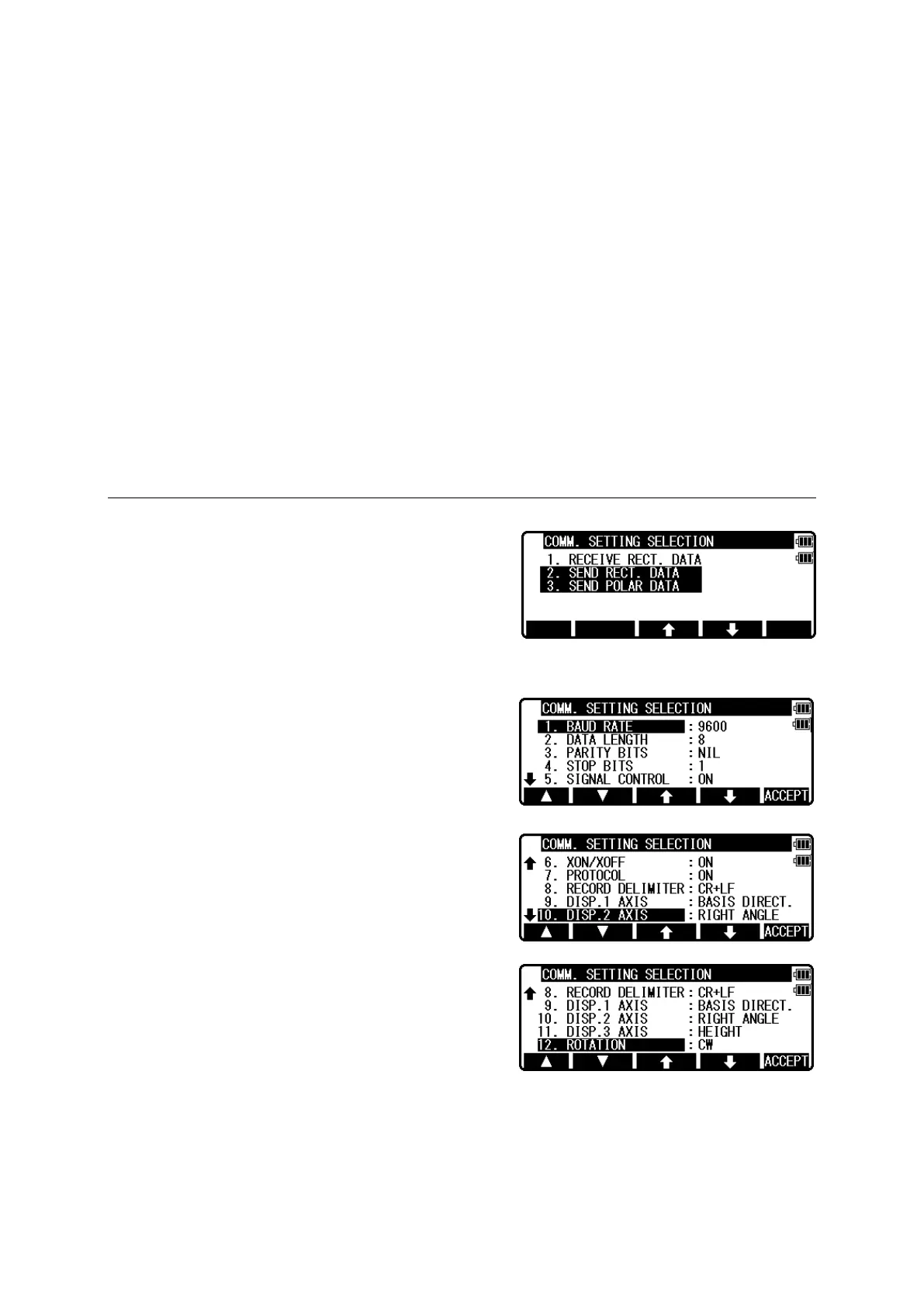
Select the 4. COMMUNICATION SETUP and press
[ENT] to view the COMM. SETTING
SELECTION.
[2. SEND RECT. DATA]
Select the 2. SEND RECT. DATA and press [ENT]
to view the following screen.
Press [ENT] to open the selection window. Select
each setting and press the [ENT].
Press [ACCEPT] when all selections are made.
• DISP.# AXIS: BASIS DIRECT, RIGHT ANGLE, or HEIGHT is selected when data
is transferred between the TS and PC. (cf.“14.2 Coordinate axis definition”)


 To Next Page
 Loading...