116
13.1 Text File read / write
Text file read/write allows you to input and output format and text data specified recording
media. Before taking this procedure, make sure of TextFile Setup ( refer to 13.1.3. Text file
Setup).
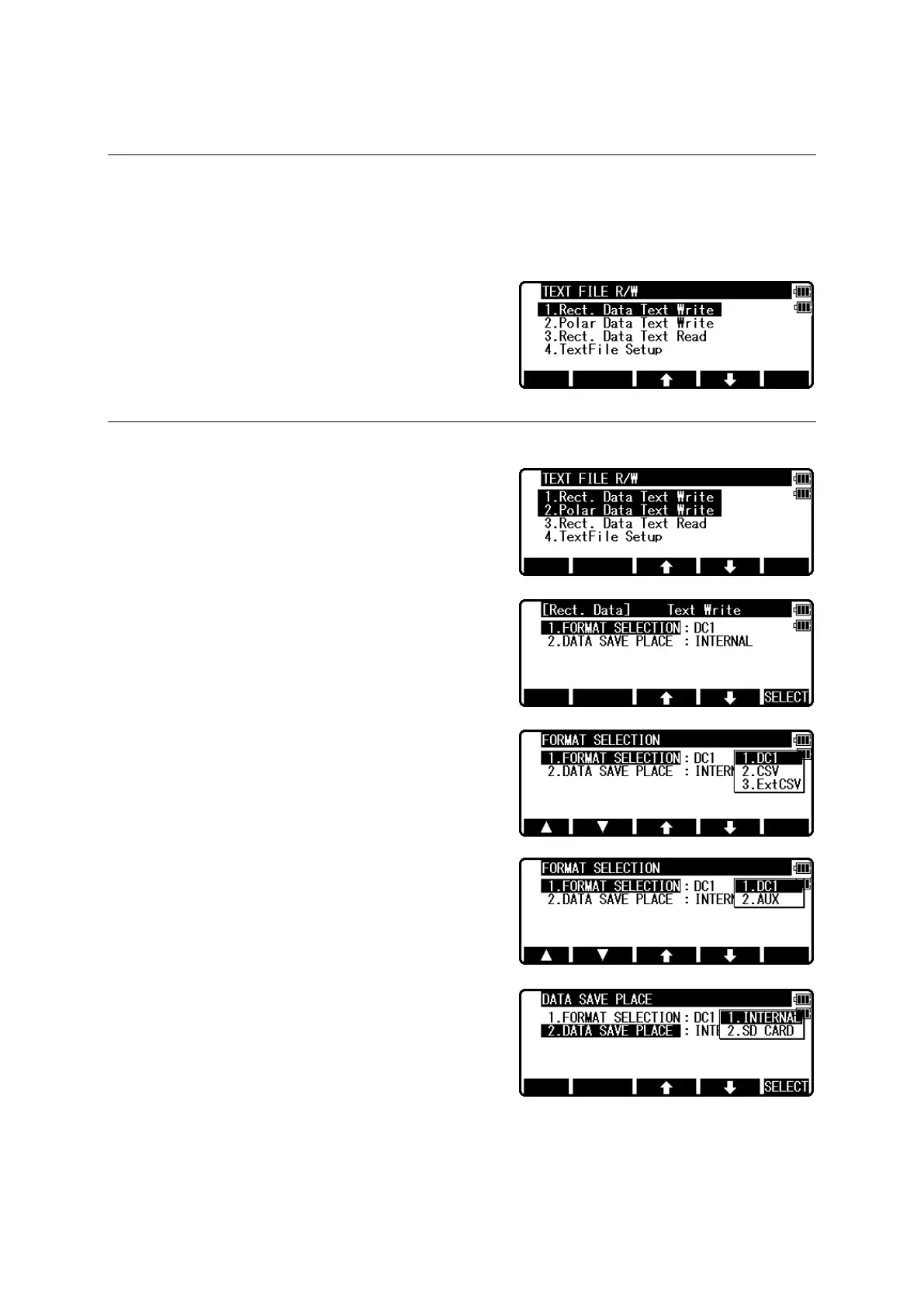
Press the [F2][FILE] of the TRANSFER MENU
screen to view the TEXT FILE R/W screen.
13.1.1 Writing to Text File
This command allows you to transfer the existing
measurement point data in the internal memory to
specified format per file.
When output Rectangular Data, select 1 and
in case of Polar Data, select 2, then press [ENT].
Press [F5][SELECT] to select format and data save
place, then press [ENT].
[FORMAT SELECTION]
Rectangular Data
• DC1 (Extension DC1)
• CSV (Extension CSV)
• ExtCSV (Extension CSV)
※ Be careful that extension of CSV and ExtCSV
will be the same.
Polar Data
• DC1 (Extension DC1)
• AUX (Extension AUX)
[DATA SAVE PLACE]
INTERNAL
Save data in the memory of the instrument.
Output file can be loaded to PC by connecting a
USB (Refer to 13.2 Communication with USB )
SD CARD
Save data in the SD card.
Output file can be loaded to PC by connecting a USB.
[DATA SAVE PLACE」is set in the SD card, you can use the SD card directly without
connection USB.


 To Next Page
 Loading...