148
Serial Port Profiles
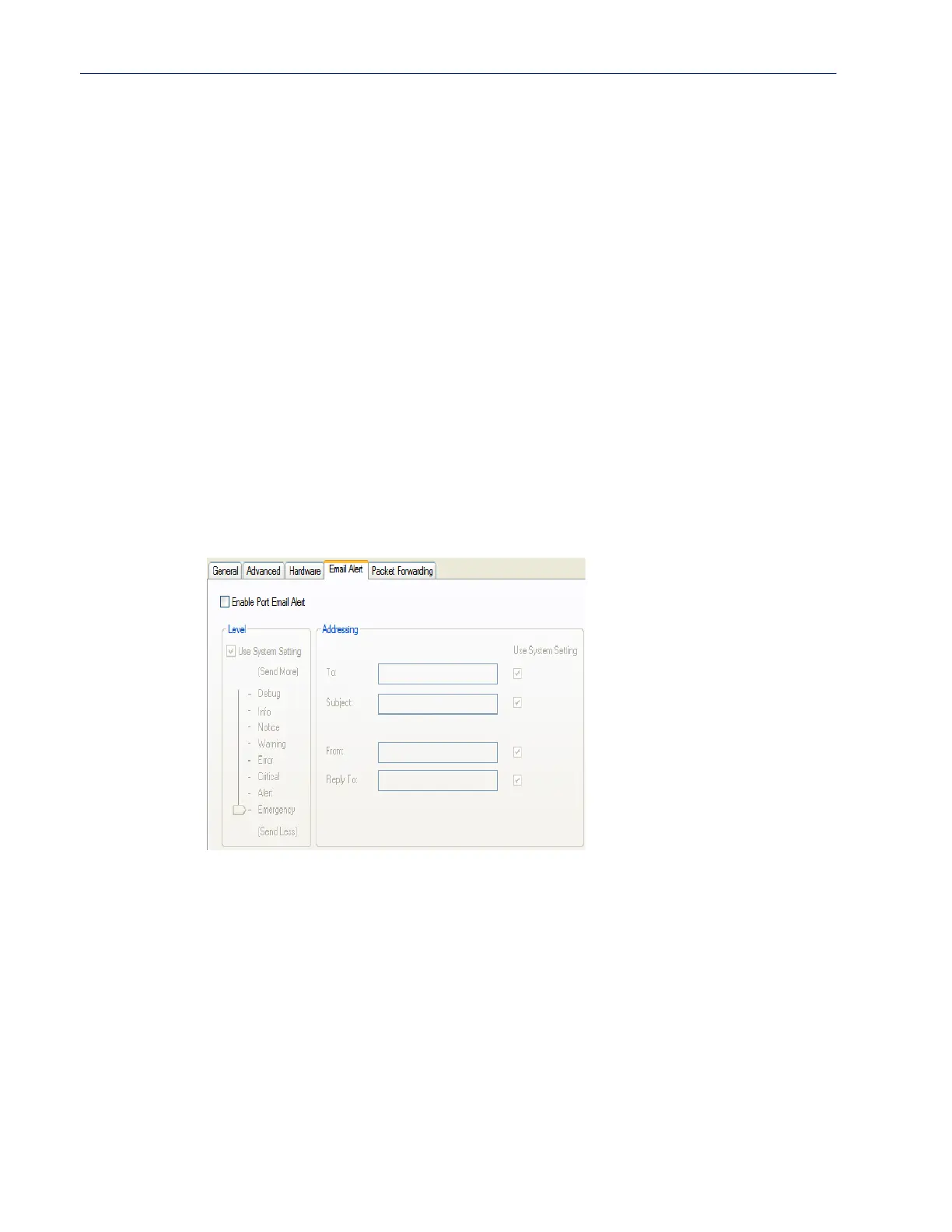
Email Alert Tab Field Descriptions
Email notification can be set at the Server and/or serial port levels. You can set unique email
notifications for each serial port because the person who administers the IOLAN might not be the
same person who administers the serial device(s) attached to the IOLAN port. Therefore, email
notification can be sent to the proper person(s) responsible for the hardware.
The following event triggers an email notification on the Serial Port for the specified Level:
z DSR signal loss, Warning Level
z I/O alerts, Critical Level
Configure the following parameters:
Enable Echo
Suppression
This parameter applies only to EIA-485 Half Duplex mode. All characters will
be echoed to the user and transmitted across the serial ports. Some EIA-485
applications require local echo to be enabled in order to monitor the loopback
data to determine that line contention has occurred. If your application cannot
handle loopback data, echo suppression should be enabled.
Default: Disabled
Enable Line
Termination
Used with EIA-422 and EIA-485 on SDS 8-port, 16-port and 32 port rack
mount IOLAN models, specifies whether or not the line is terminated; use this
option when the serial port is connected to a device at the end of the serial
network.
Default: Disabled
Enable Port Email
Alert
Enable/disable email alert settings for this serial port.
Default: Disabled
Use System Email
Alert Settings
Determines whether you want the Serial Port to inherit the Email Alert settings
from the
System Email Alert configuration. If this is enabled, System and
Serial Port notification events will have the same Email Alert setting.
Default: Enabled
Level Choose the event level that triggers an email notification.
Data Options: Emergency, Alert, Critical, Error, Warning, Notice, Info, Debug
Default: Emergency



 To Next Page