Hardware and Connectivity 48
Powering up your IOLAN
4. Plug the power supply into the electrical outlet.
5. A solid green LED indicates the unit is powered up.
For I/O models, you should set the IOLAN jumpers for Digital I/O (see Digital I/O Module ) or
Analog Input (Analog Input Module ) channels.
DC Power Models (excluding Electric Utility models)
To power up the IOLAN with DC power requirements, perform the following steps:
1. Verify that the power switch on the IOLAN unit and the power source is in the Off position.
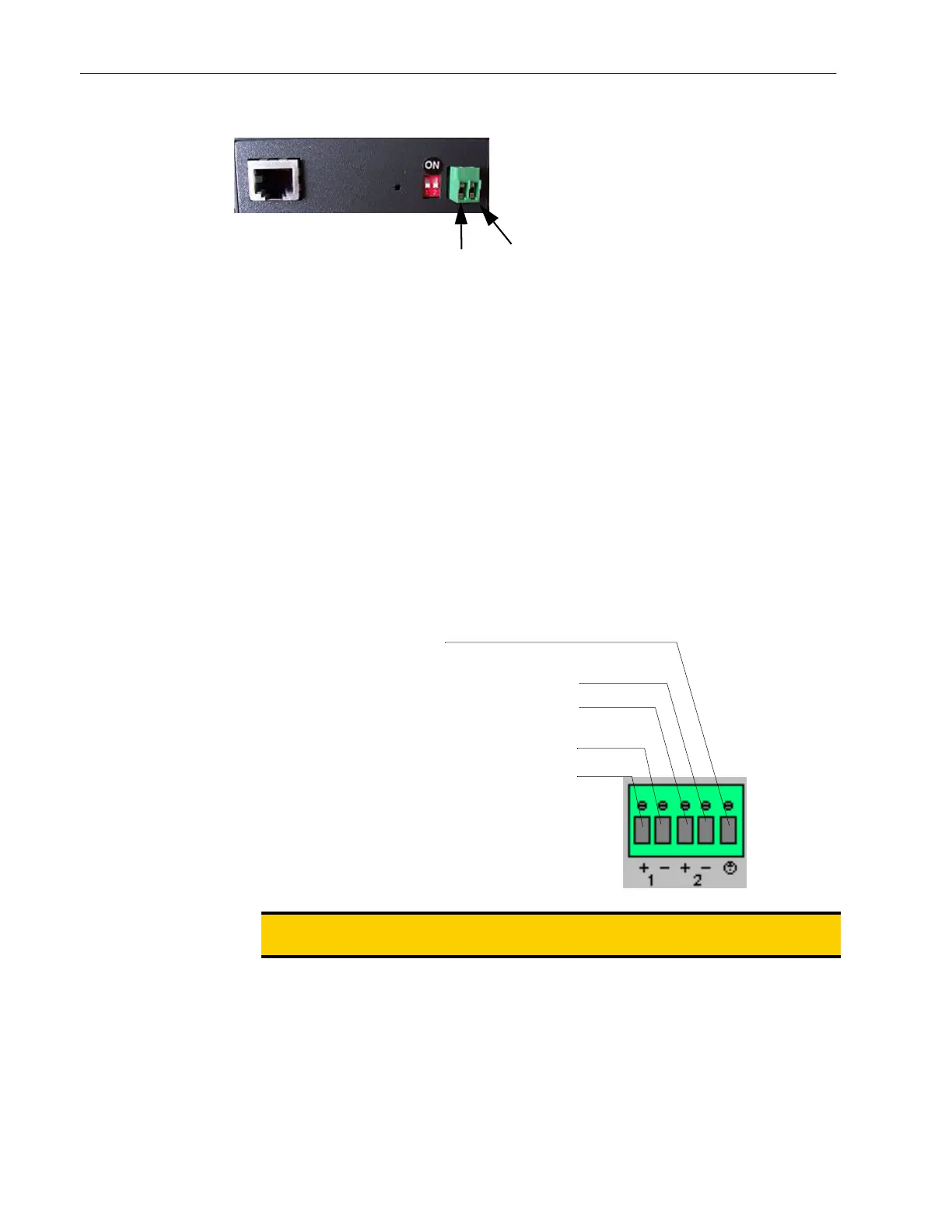
2. Connect the primary and secondary DC input using the following specifications:
a. Use wire gauge 12 to 22 AWG.
b. Strip insulation 7mm from wire ends. (If using stranded wire, twist all strands together to
ensure all wire strands are used for the connection.)
c. Connect supply with reference to the terminal block diagram and electrical specifications:
Primary Supply:
Positive (+) wire to Circuit 1, terminal marked +
Negative (-) wire to Circuit 1, terminal marked -
Secondary (back-up) Supply:
Positive (+) wire to Circuit 2, terminal marked +
Note:
When connecting only a single power supply source, ensure the connection is the
primary supply and the secondary terminals are left unconnected.
Left
Right
+
-
Earthing wire
Secondary Supply: Negative (-) wire
Secondary Supply: Positive (+) wire
Primary Supply: Positive (+) wire
Primary Supply: Negative (-) wire
DC Power Supply



 To Next Page