354
RPS Control
Plug Control
Overview
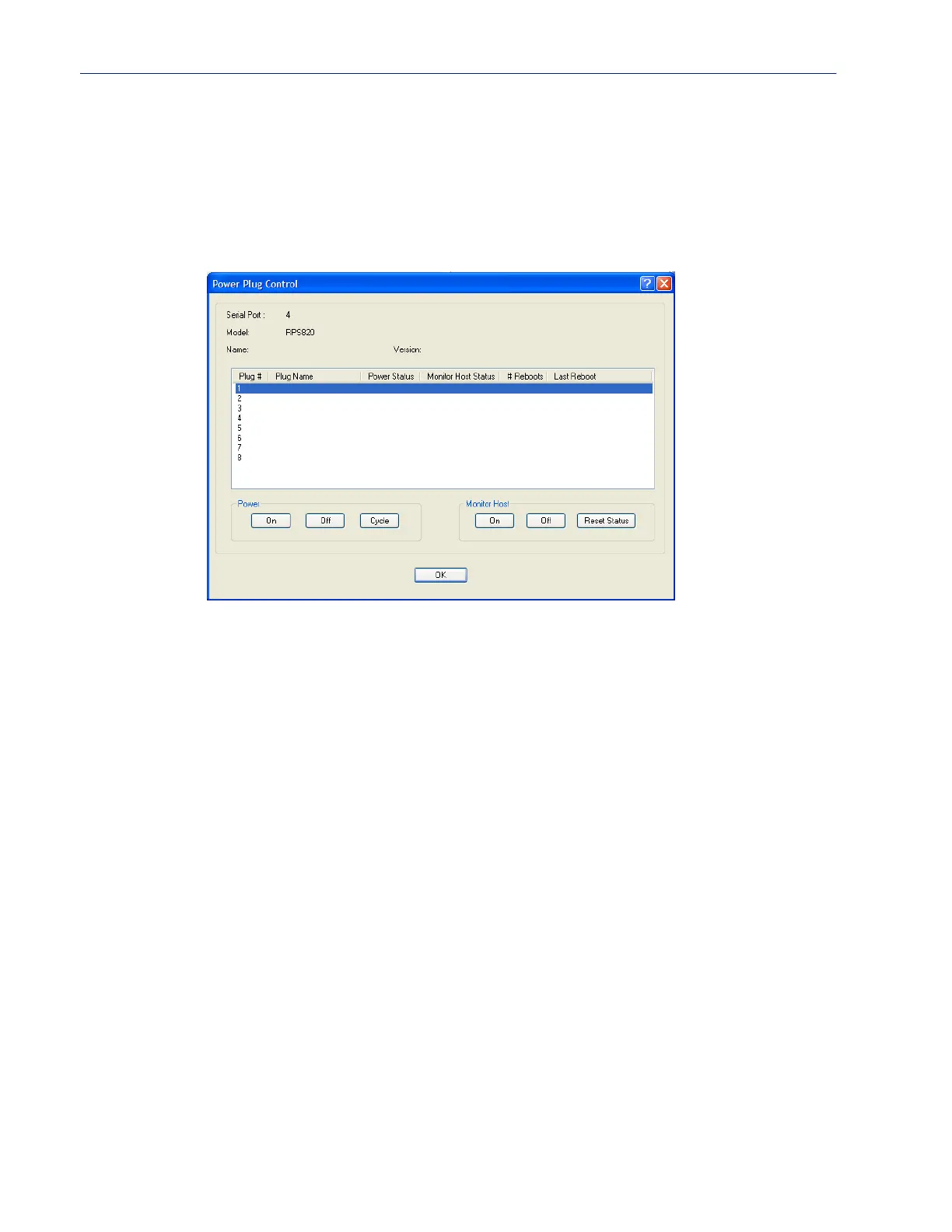
When you click the Plug Control button, you can power on/off individual plugs.
Field Descriptions
The “Power Status” field above can contain the following values;
• On - Power is currently being applied to the plug.
• Off - Power is currently not being applied to the plug.
The “Monitor Host Status” field above can contain the following values;
• Disabled - Feature is currently disabled.
• Discovering- Host has never responded to a PING. After a PING response is received once, the
status will not return to “discovering until a reboot is performed or a “kill line” is issued on this
port.
• Waiting reboot- Monitored host has not responded to all PING retries. It is now marked as
needing a reboot and is executing the “delay before reboot” (if configured).
• Rebooting- The monitor host has determined that the host is not responding and has initiated a
“power cycle” on the plug in order to re-boot the host.
• Monitoring- The host is being monitored and is responding to PING requests.
The “# Reboots” field above can contain the number of times that this power plug has been cycled
due to a failure to respond to the PINGs.
The “Last Reboot” field above can contain the date and time of the last reboot to take place due to a
failure to respond to the PINGs.
The following buttons are available:



 To Next Page