201
Serial Port Profiles
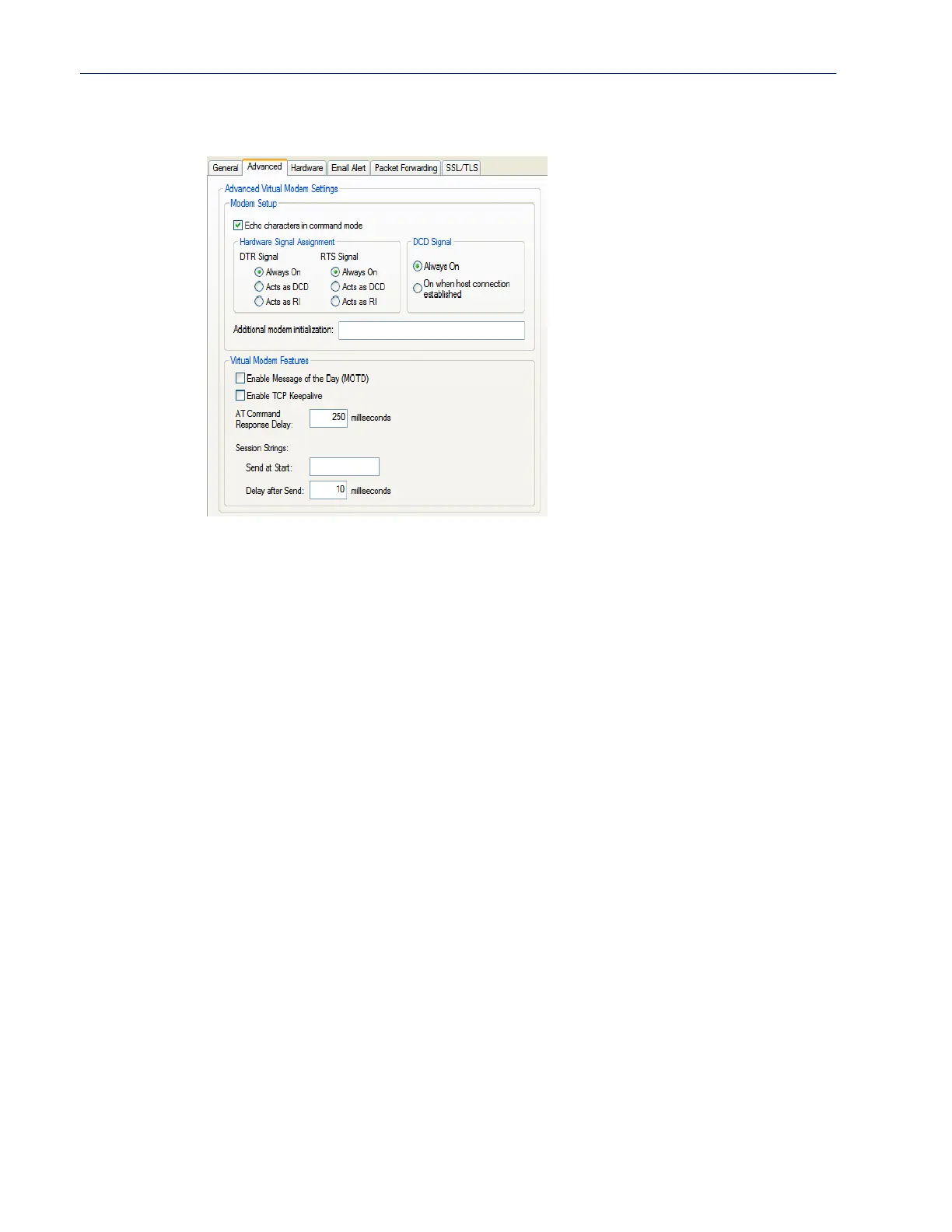
Advanced Tab Field Descriptions
Configure the following parameters:
Echo characters in
command mode
When enabled, echoes back characters that are typed in (equivalent to
ATE0/ATE1 commands).
Default: Disabled
DTR Signal Always
On
Specify this option to make the DTR signal always act as a DTR signal.
Default: Enabled
DTR Signal Acts as
DCD
Specify this option to make the DTR signal always act as a DCD signal.
Default: Disabled
DTR Signal Acts as
RI
Specify this option to make the DTR signal always act as a RI signal.
Default: Disabled
RTS Signal Always
On
Specify this option to make the RTS signal always act as a RTS signal.
Default: Enabled
RTS Signal Acts as
DCD
Specify this option to make the RTS signal always act as a DCD signal.
Default: Disabled
RTS Signal Acts as
RI
Specify this option to make the RTS signal always act as a RI signal.
Default: Disabled
DCD Signal Always
On
When you configure the DTR or RTS signal pin to act as a DCD signal, enable
this option to make the DCD signal always stay on.
Default: Enabled
DCD Signal On
when host
connection
established
When you configure the DTR or RTS signal pin to act as a DCD signal, enable
this option to make the DCD signal active only during active communication.
Default: Disabled



 To Next Page