177
Serial Port Profiles
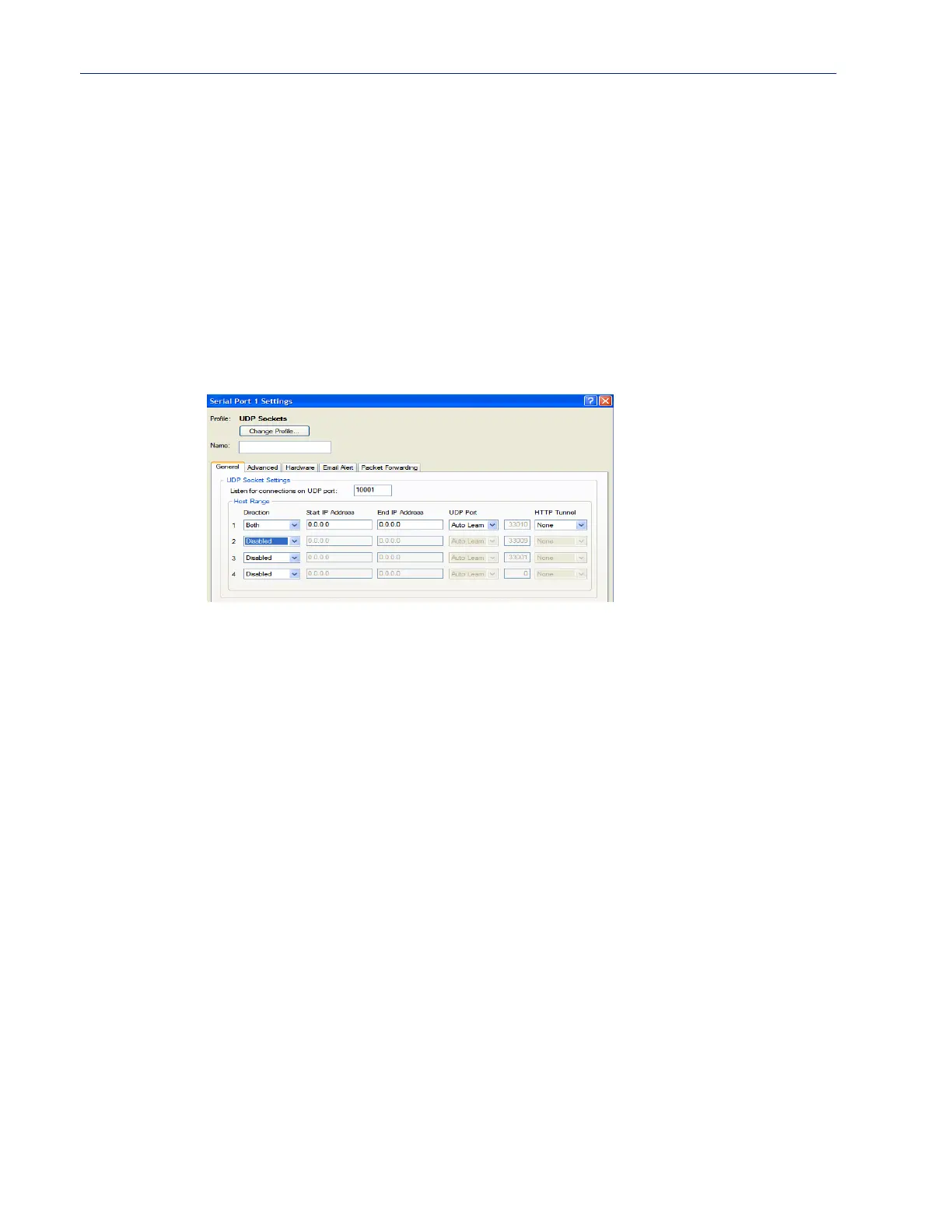
All hosts that have an IP Address that falls within the range of 172.16.1.75 to 172.16.1.80
and who listen to UDP
Port 33009 will receive UDP data from the serial device. No UDP data
originating from the hosts defined by this entry will be forwarded to the serial device.
z UDP Entry 3
All hosts that have an IP address that falls within the range of 172.16.1.1 to 172.16.1.20
and listen to
Port 33001 will be sent the data from the serial device in UDP format. The serial
device will only receive UDP data from the hosts in that range with a source UDP
Port of
33001. The IOLAN will listen for data on the port value configured in the Listen for
connections on UDP port
parameter. (10001 in above example)
z UDP Entry 4
This entry is disabled since Direction is set to Disabled.
General Tab Field Descriptions
Configure the following parameters:
Listen for
connections on
UDP port
The IOLAN will listen for UDP packets on the specified port.
Default: 1000+<port-number> (for example, 10001 for serial port 1)
Direction The direction in which information is received or relayed:
z Disabled—UDP service not enabled.
z LAN to Serial—This setting will allow UDP data to be received from one
or more hosts on the LAN and forwarded to the serial device attached to
this serial port.
z Serial to LAN—This setting will allow data originating from the serial
device attached to this serial port to be sent to one or more hosts on the
LAN using UDP datagrams.
z Both—Allows for data to flow from the serial device to the LAN and from
the LAN to the serial device.
Default: Both for UDP 1 and Disabled for all other UDP ranges
Start IP Address The first host IP address in the range of IP addresses (for IPv4 or IPv6) that the
IOLAN will listen for messages from and/or send messages to.
Field Format: IPv4 or IPv6 address
End IP Address The last host IP address in the range of IP addresses (for IPv4, not supported
for IPv6) that the IOLAN will listen for messages from and/or send messages
to.
Field Format: IPv4 address



 To Next Page