242
Authentication
Local
Overview
When Local authentication is selected, the user must either be configured in the IOLAN’s User List
or you must enable
Guest users.
Field Descriptions
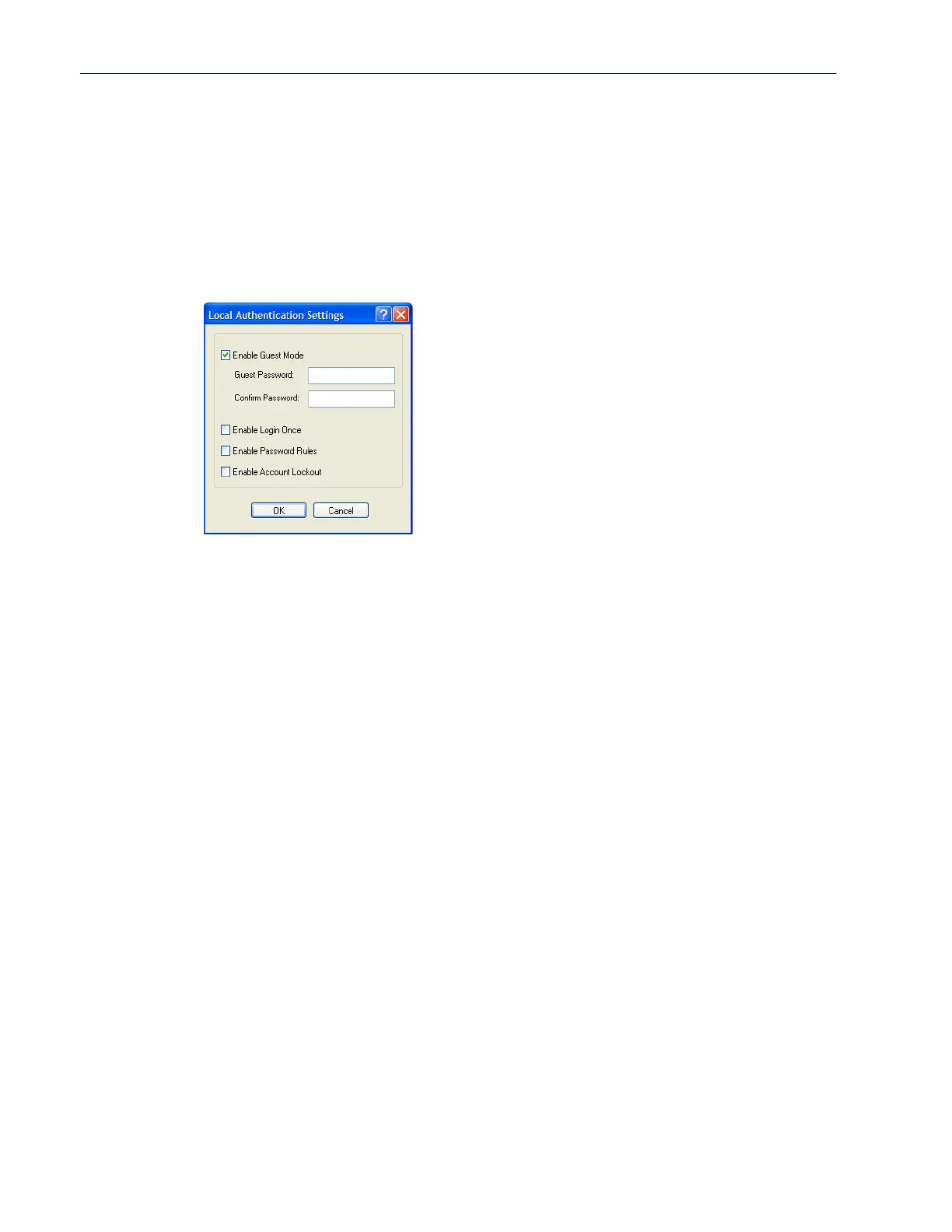
Configure the following parameters:
Enable Guest Mode Allow users who are not defined in the Users database to log into the IOLAN
with any user ID and the specified password.
Guest users inherit their settings
from the
Default User’s configuration.
Default: Disabled
Guest Password The password that Guest users must use to log into the IOLAN.
Confirm Password Type the Guest Password in again to verify that it is correct.
Enable Login Once
When this option is selected, only one user with the same username can be
signed in at one time. Should the same user with the same username attempt to
sign in again, their first session will be terminated and they will gain entry to
their new session.
Enable Password
Rules
When this option is selected, the following password rules will apply. The
password must be 8 characters long and contain at least one number.
Enable Account
Lockout
When this option is selected, the IOLAN’s internal local user database will
provide a 10 second delay after each invalid attempt. If 5 invalid attempts are
made within 1 minute the user will be locked out from further attempts for 5
minutes.



 To Next Page