368
Setting the IOLAN’s Date and Time
Setting the IOLAN’s Date and Time
When you set the IOLAN’s time, the connection method and time zone settings can affect the actual
internal clock time that is being set. For example, if you are connecting to the IOLAN through the
DeviceManager and your PC’s time zone is set to Pacific Standard Time (GMT -8:00) and the
IOLAN’s time zone is set to Eastern Standard Time (GMT -5:00), the IOLAN’s time is actually three
hours ahead of your PC’s time. Therefore, if you set the IOLAN’s time to 2:30 pm in the
DeviceManager, the IOLAN’s actual internal clock time is 5:30 pm. This is the only configuration
method that interprets the time and converts it between time zones, as necessary.
All other configuration methods set the IOLAN’s internal clock time to the time specified, with no
interpretation.
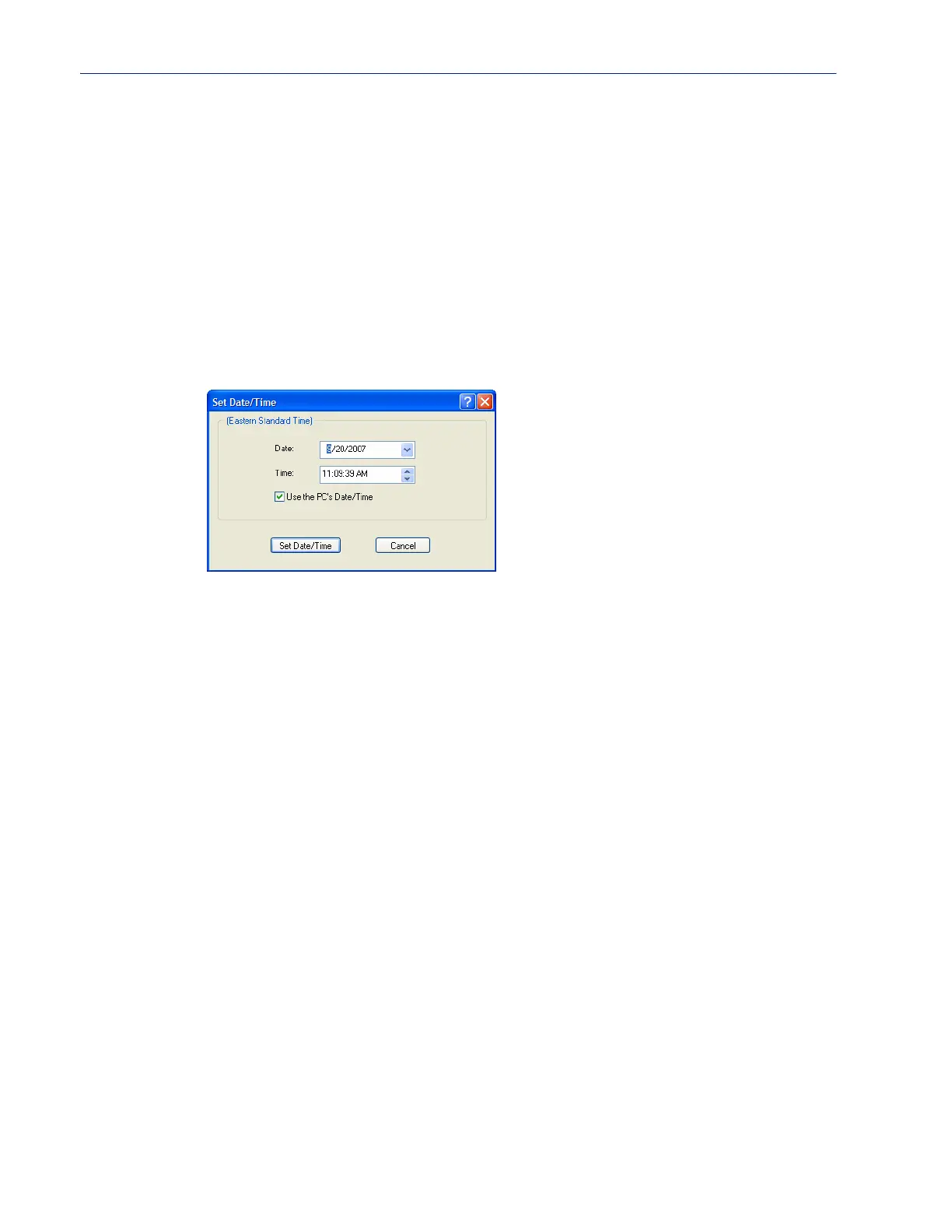
To set the IOLAN’s system clock in DeviceManager, select Tools, Advanced, Set Unit Time/Date
and in WebManager select
Administration, Date/Time. The Set Date/Time window is displayed.
Configure the following parameters:
Rebooting the IOLAN
When you download any file (configuration, keys, certificates, firmware, etc.) to the IOLAN, you
must reboot the IOLAN for it to take effect by selecting
Tools, Reset, Reboot Server in
DeviceManager and
Administration, Reboot Unit in WebManager.
Resetting Serial Port Statistics
You can reset the IOLAN’s serial port/s statistics back to zero.
Resetting the IOLAN to Factory Defaults
You can reset the IOLAN to its factory default configuration by selecting Tools, Reset, Reset to
Factory Default
in DeviceManager and Administration, Reset, Factory Defaults in WebManager.
Date The IOLAN’s date. The format of the IOLAN’s date is dependent on the
Windows operating system and regional settings.
Time The IOLAN’s internal clock time, based on your PC’s time zone. For example,
if your PC’s time zone is set to Pacific Standard Time (GMT -8:00) and the
IOLAN’s time zone is set to Eastern Standard Time (GMT -5:00), the IOLAN’s
time is three hours ahead of your PC’s time. If you set the IOLAN’s time to
2:30 pm, the IOLAN’s actual internal clock time is 5:30 pm.
Use the PCs
Date/Time
When enabled, sets the IOLAN’s time to the PCs time.
Default: Enabled
This option is unique to the DeviceManager.



 To Next Page