157
Serial Port Profiles
Console Management Profile
Overview
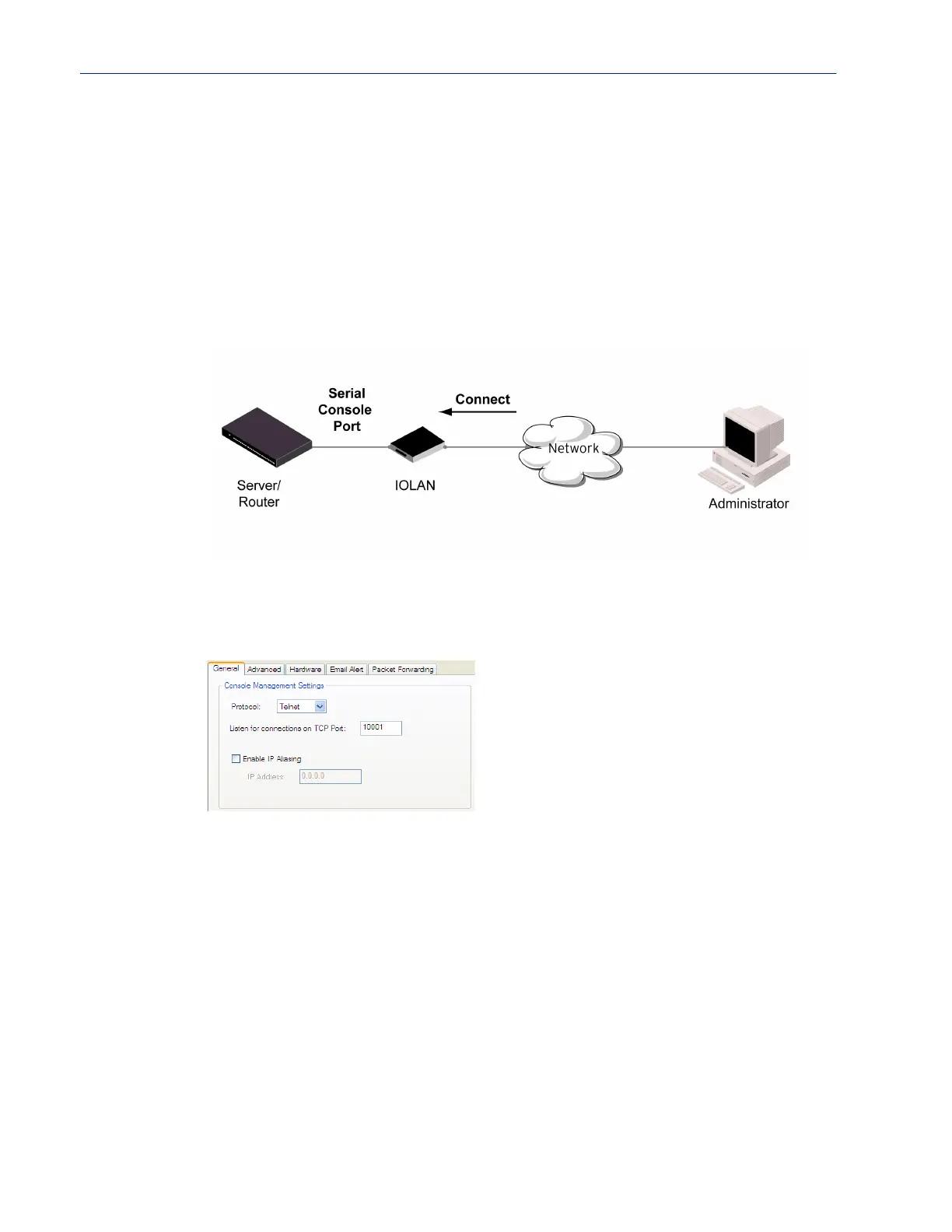
The Console Management profile provides access through the network to a console or administrative
port of a server or router attached to the IOLAN’s serial port. This profile configures the IOLAN’s
serial port to set up a TCP socket that will listen for a Telnet or SSH connection from the network.
Functionality
Use the Console Management profile when you are configuring users who need to access a serial
console port from the network.
General Tab Field Descriptions
The Console Management General tab configures how the serial port will be accessed by the user
through the network.
Configure the following parameters:
Protocol Specify the connection method that users will use to communicate with a serial
device connected to the IOLAN through the network.
Data Options: Telnet, SSH
Default: Telnet
Listen for
Connections on
TCP Port
The port number that the IOLAN will listen on for incoming TCP connections.
Note: if more then one serial port has the same TCP port number assignment,
this would create a hunt group senario, However, all operating parameters for
each serial port configuration need to be the same.
Default: 10001, depending on the serial port number
Enable IP Aliasing Enables/disables the ability to access a serial device connected to the serial port
by an IP address (or host name that can be resolved to the Internet Address in a
DNS network) instead of the IOLAN’s IP address and port number.
Default: Disabled



 To Next Page