333
Clustering Slave List
Advanced Clustering Slave Options
Overview
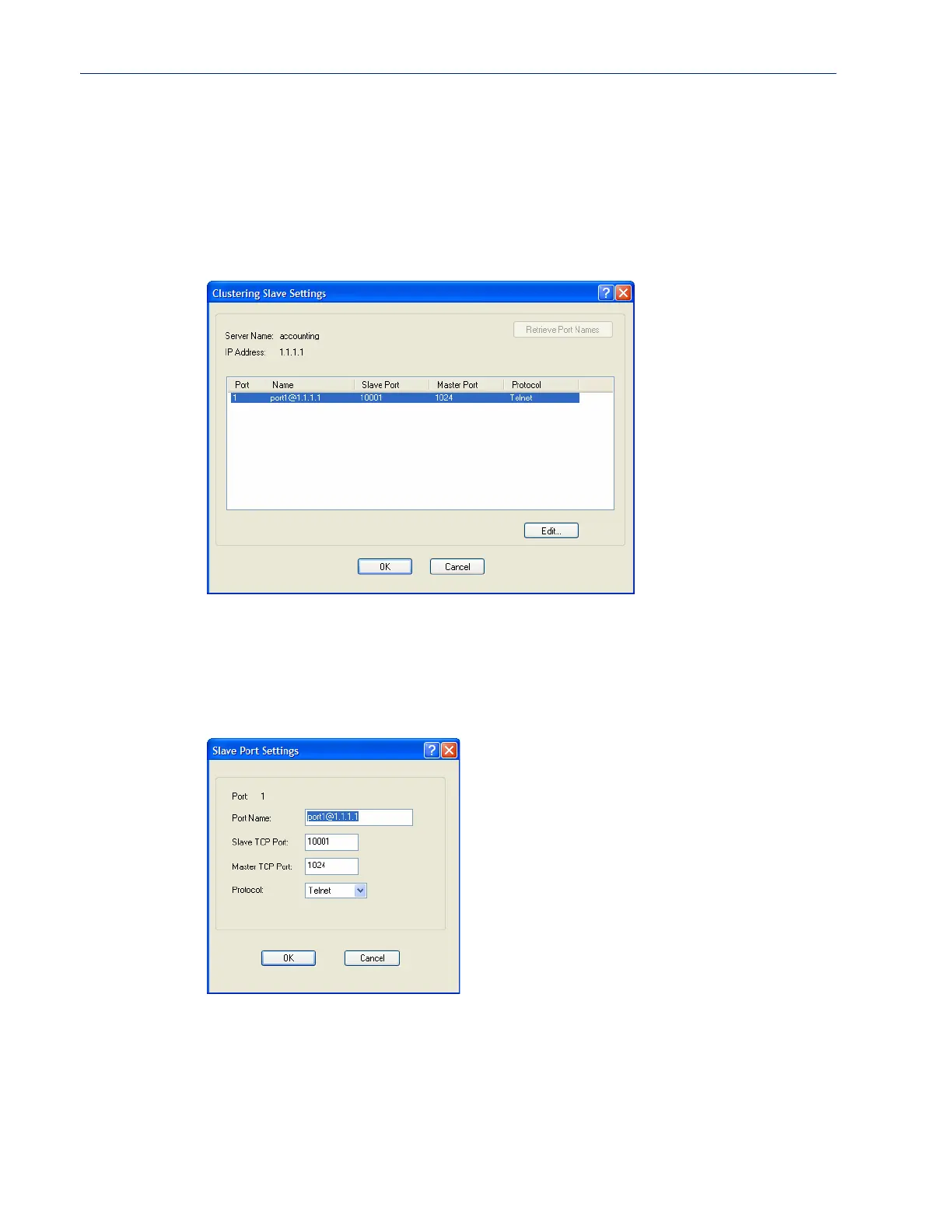
The Advanced button provides a means of configuring each individual serial port’s name, connection
protocol, and port association in the clustered IOLAN slave. The Clustering Slave Settings window
displays each clustered serial port slave entry, you need to click the
Edit button to configure the
individual serial port settings.
If you click the Retrieve Port Names button, the DeviceManager will connect to the clustering slave
IOLAN and download all the serial port names--you can change the names and other settings when
you click the
Edit button.
Editing Clustering Slave Settings
Change the individual serial port settings Slave Port Settings window.
Configure the following parameters:
Port Name Specify a name for the port.
Default: A combination of the port number, the @ symbol, and the IP address;
for example,
port1@172.22.23.101.



 To Next Page