15
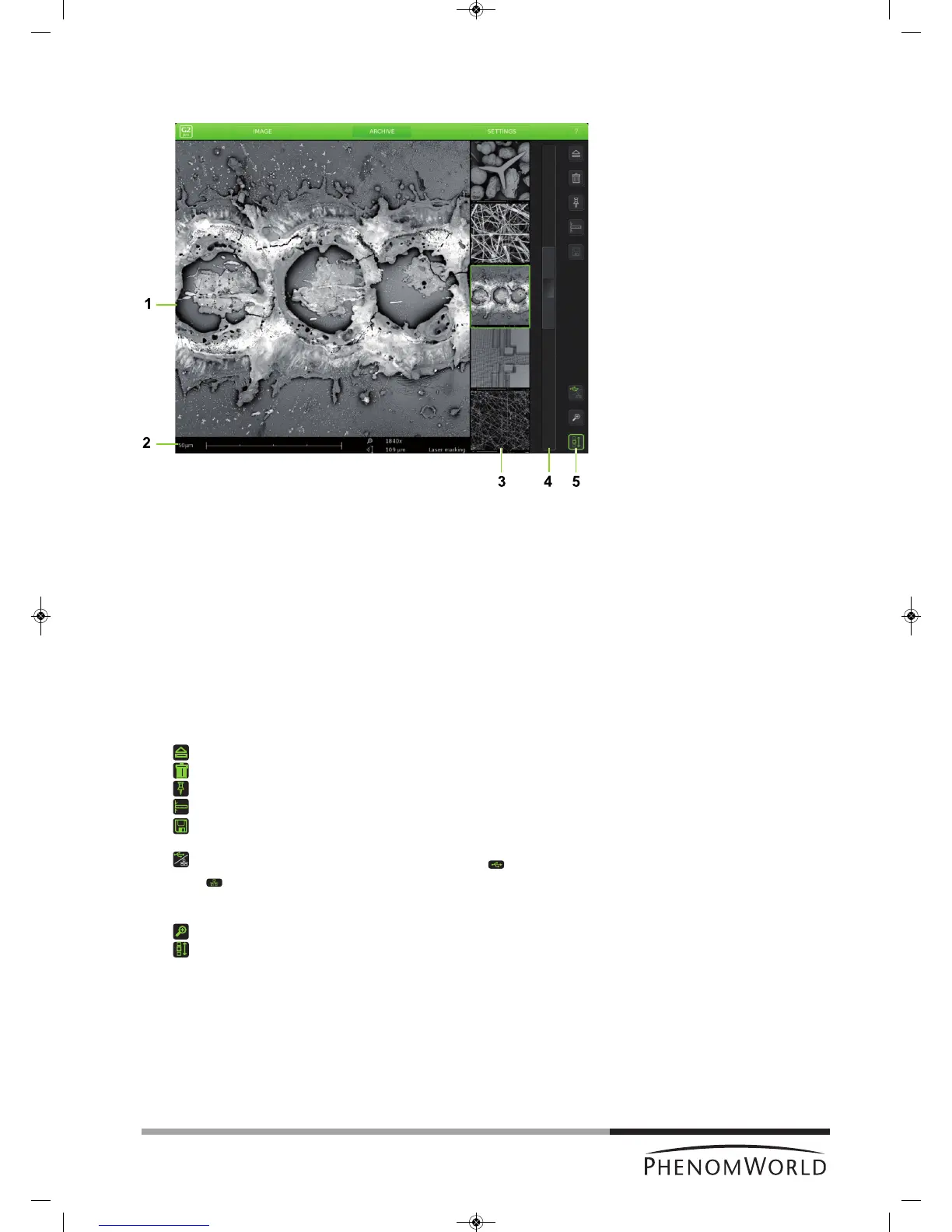
Archive screen
The Archive screen is used to view, compare and delete sample images stored on the
USB Flash drive or on a Windows network share.
1 Main viewing window
Displays currently selected image
2 Data bar
3 Thumbnail gallery
Shows your pictures in thumbnail format.
4 Scroll bar
Move the slider to scroll through your images.
5 Button bar
- Ejects sample and allows door to be opened.
- Deletes selected image.
- Holds the selected image so it can be compared with other images.
- Activates the measuring function.
- Stores a copy of a measured image on USB Flash drive or network share,
including measurement data.
- Shows archive images stored on the USB Flash drive ( ) or network share
( ). This button is only operational when both storage locations are available
and valid network settings have been set in the Settings screen. For this refer to
4.5.5 ‘Sample overview’ and 4.6.6. ‘Storing images’.
- Digital zoom: digitally magnifies the stored image.
- Scrolls through your stored images.
Fig.4



 To Next Page