Mechanical Instructions
EN 13BJ3.0E PA 4.
4.3.11 PDP Supply Panel
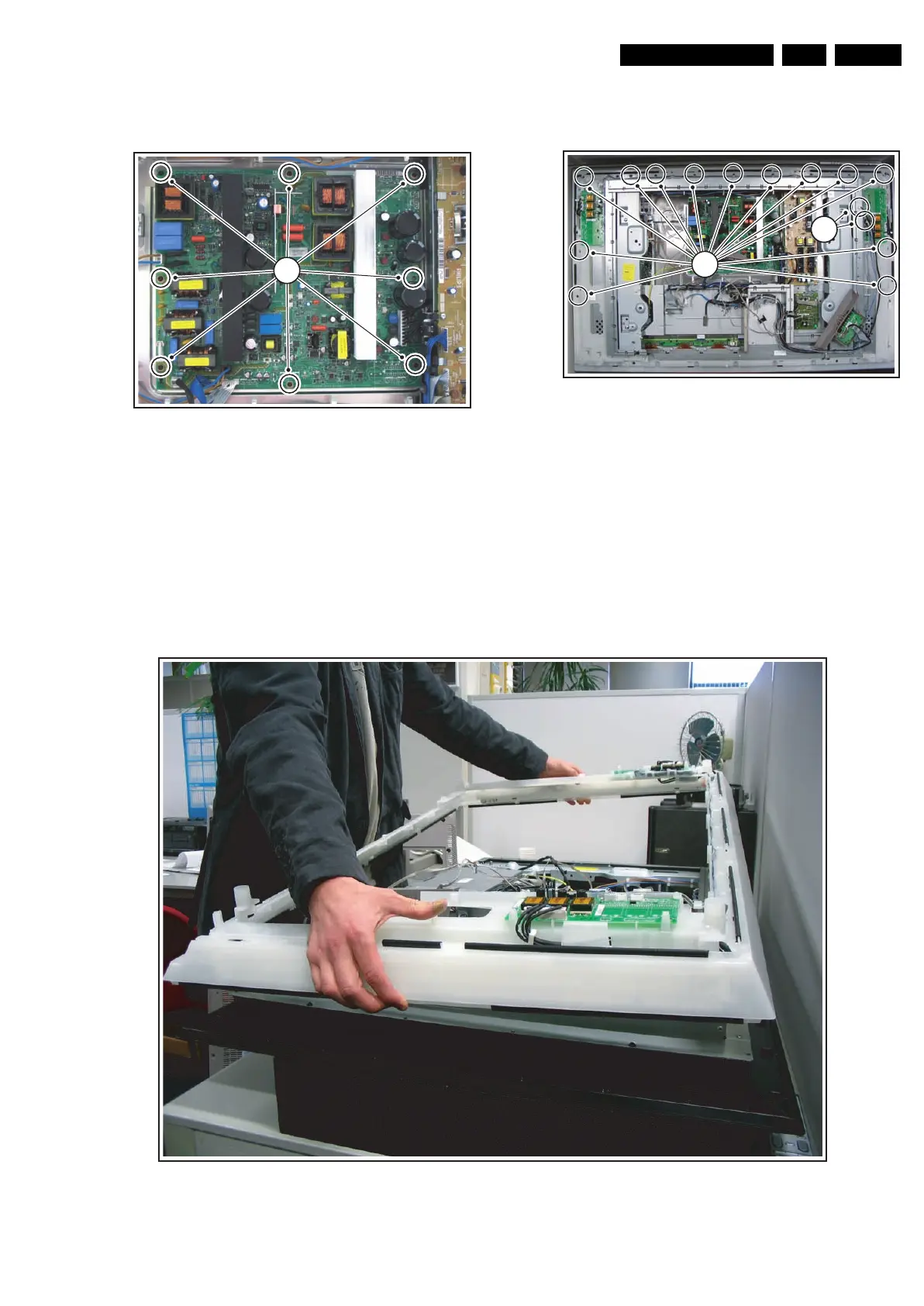
See Figure “PDP supply Panel Removal” for details.
Figure 4-16 PDP Supply Panel removal
1. Unplug all cables except the ones on the right side.
2. Remove the T10 tapping screws [1].
3. Carefully pull the panel to the left, unplug the remaining
cables and take the panel out.
4.3.12 AmbiLight Diffusor Frame
Before the AmbiLight lamp units can be removed, the
AmbiLight diffusor frame must be lifted. Before this, the
speaker frame must be removed, as described earlier in this
chapter. See figure “AmbiLight diffusor frame removal” for
details.
Figure 4-17 AmbiLight Diffusor Frame removal
1. Remove the remaining tapping T10 screws [1].
2. From the right AmbiLight Inverter Panel, unplug two cables
[2] that lead to the SSB.
3. Remove the side I/O panel and Control Panel as previously
described without unplugging the cables. Unclamp the
cables in the set and place the units in the centre of the set.
4. Carefully lift the plastic frame from the set. See Figure
“AmbiLight diffusor frame lift”.
Figure 4-18 AmbiLight diffusor frame lift
G_15960_091.eps
080306
21
G_15960_109.eps
080306
22
1
G_15960_104.eps
070306



 To Next Page