Alignments
EN 137BJ3.0E PA 8.
8.4.2 Dealer Options
For dealer options, in SAM select “Dealer options” and then
“Personal options”.
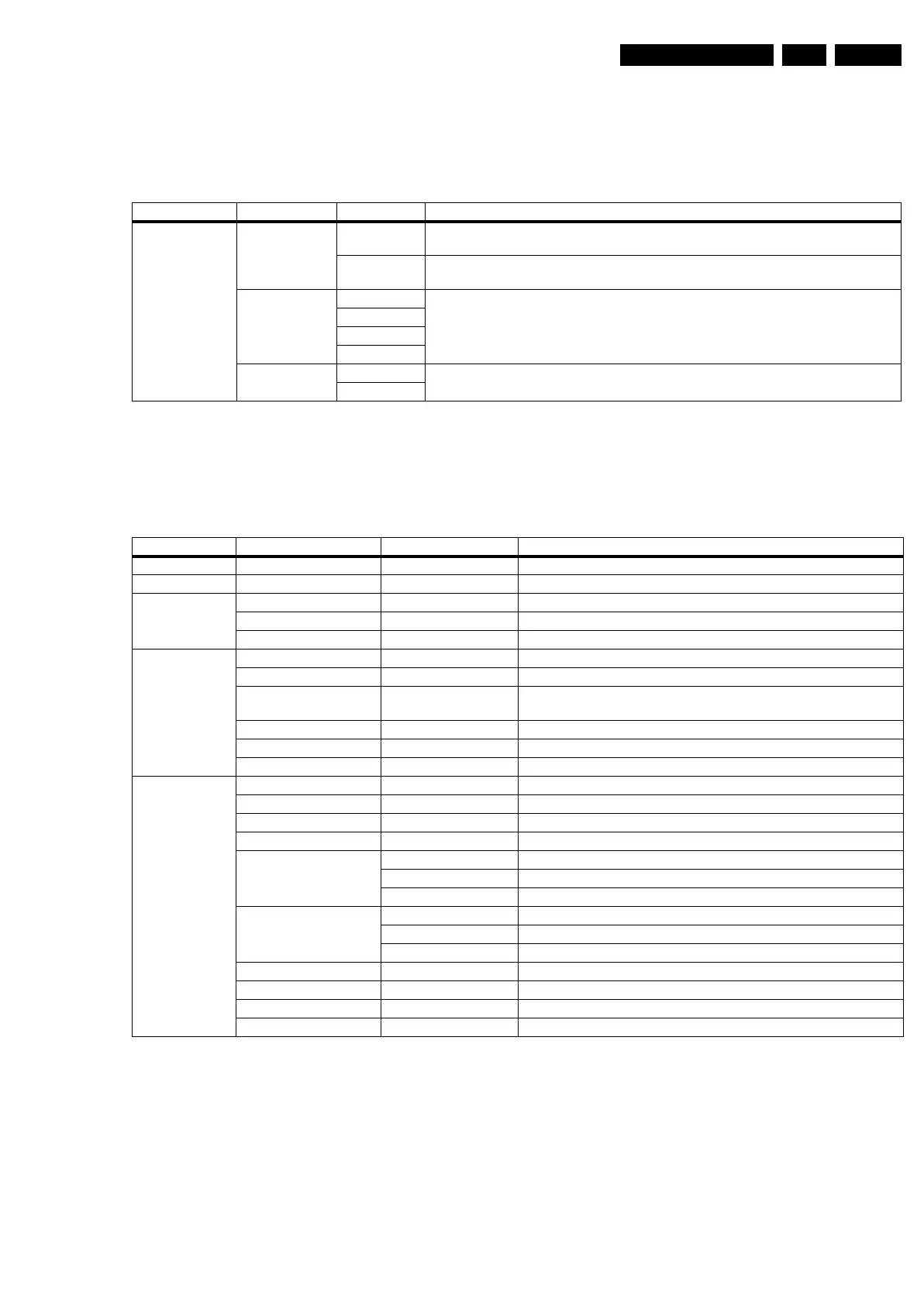
Table 8-3 Dealer options
8.4.3 (Service) Options
Select the sub menu's to set the initialization codes (options) of
the set via text menus.
Table 8-4 Service options
Menu item Subjects Options Description
Personal Options Virgin Mode On TV starts up (once) with a language selection menu after the Mains switch is turned
"on" for the first time (virgin mode)
Off TV does not start up (once) with a language selection menu after the Mains switch is
turned "on" for the first time (virgin mode)
Autostore Mode None Determines where the set distracts the information from for the autostore functionality
PDC/VPS
TXT page
PDC/VPS/TXT
PDP Contrast
Reduction
On Avoids PDP damage by reducing contrast in case of a still picture or in case of no user
interaction during teletext reception
Off
Menu-item Subjects Options Description
PIP/DS Dual Screen None no DS
Data EPG - Electronic Program Guide
Display Screen “Value” Used screen size, type, and resolution
Clear LCD On / Off Feature present / not present
Dimming Backlight On / Off Feature present / not present
Video Repro Picture Processing No Spider / Spider Feature present
Combfilter None / 2D / 3D Only selectable when Columbus is present
Ambient Light None / Mono / Stereo/
Triple / Quad
Inverter not present / one inverter / two inverters / three inverters / four
inverters
Pacific 3 On Feature present
MOP Off Feature present / not present (for sets with AmbiLight this is “on”)
Light sensor Off / On Sensor active / not active
Source Selection EXT1 type CVBS RGB
EXT2 type CVBS Y/C RGB P50
EXT3 type YPbPr LR HV
EXT4 type None
HDMI 1 None No HDMI
With analog audio DVI
Without analog audio HDMI
HDMI 2 None No HDMI
With analog audio DVI
Without analog audio HDMI
USB version 2.0 + CR USB 2.0 in cardreader panel
Ethernet Off Connector not present
VGA Off
S/PDIF inputs 1 connector 1 connector present (in)



 To Next Page