Service Modes, Error Codes, and Fault Finding
EN 26 BJ3.0E PA5.
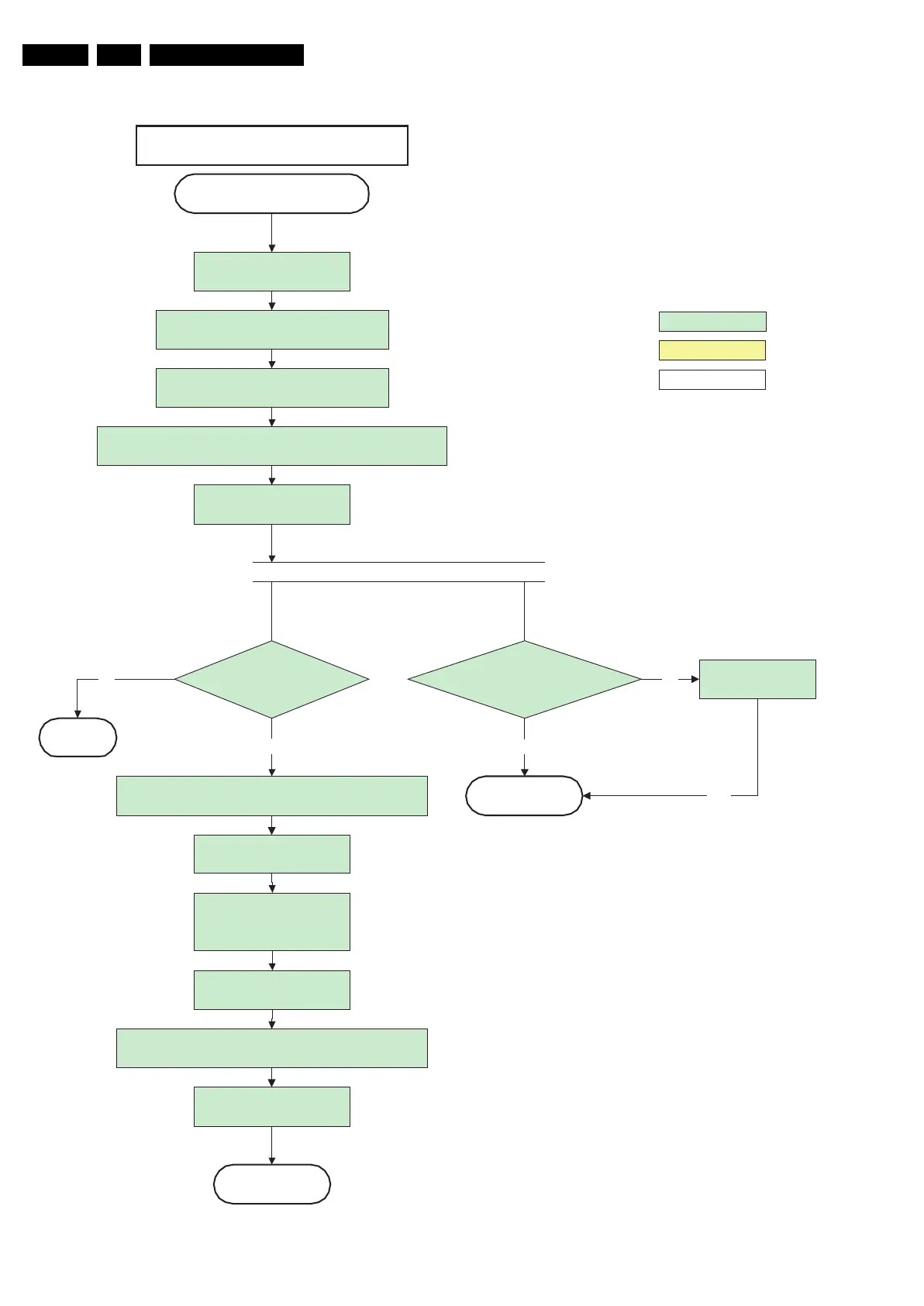
Figure 5-7 “Semi Stand-by” to “Active” flowchart 42” FHP 1080i A4
G_15960_124.eps
100306
action holder: MIPS
autonomous action
action holder: St-by
Mak e PDPG O high:
Vs and Va become active
Unblank by sending ADEN = 1
to PDP display
Switch off RGB blanking after valid, stable video, corresponding to
the requested output is delivered by the Viper
Active
Semi Standby
Initialize audio and video processing IC's and
functions according needed use case.
Assert RGB video blanking
and audio mute
42" FHP 1080i A4
Wait until QVCP generates a valid lvds output
clock.
Switch Audio-Reset and sound enable low and demute
(see CHS audio LdspMute interface).
Switch on LVDS transmitter
(PNX2015)
Enable anti-aging through
Anti-agingEnable interface of
CHS displays
Start polling PDP-IRQ
Power-OK display
detected within 2s after
switching PDPGO?
MP
No
PDPON mode [CNDC] = 4
detected within 10s after
switching PDPGO?
No
Yes
Log display error
Yes
Return
Yes
Add 800ms delay before resuming startup to avoid transients
because of slow rising high tension voltages



 To Next Page