USER MANUAL
URM18PH392 Rev A. May 2020 Page 21 of 86
2.3 EXTERNAL SYNC
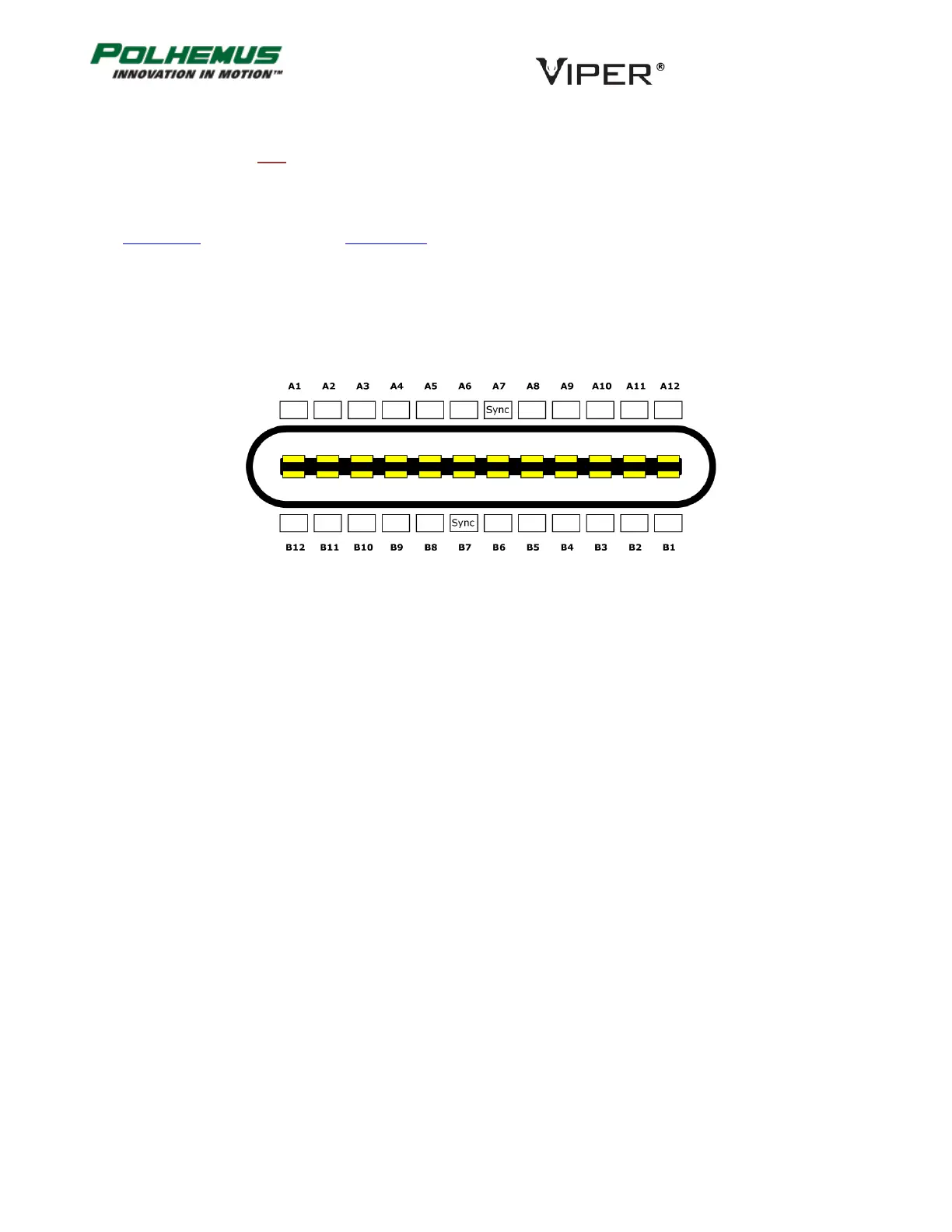
The VIPER™ External Sync port accepts a standard USB Type C connector. Pins A7 and B7 are the active sync pins
as illustrated in Figure 9 below.
Functionally, VIPER™ External Sync hardware can operate in two modes. These modes are configured using the
SYNC MODE command, detailed in Section 4.2.3.
Internal Sync Mode: A 3.3V sync pulse is output simultaneously with each P&O frame output. The pulse has
duration of 10µs and occurs at the beginning of the data collection cycle. This is the default mode.
External Sync Mode: When the external device applies a ground pulse (minimum duration of 10µs), P&O
computation is initiated using sensor data immediately preceding the ground pulse.
2.4 SOFT RESET
Pin 7 on the RS-422 connector port can be used to soft-reset the SEU. Apply GND to this pin for duration of 10ms
to force a soft reset.
FIGURE 9. VIPER™ EXTERNAL SYNC PINOUT



 To Next Page