USER MANUAL
Page 50 of 86 URM18PH392 Rev A. May 2020
4.2.14.2 SENSOR ORIGIN COMMAND
Note: SENSOR ORIGIN is an advanced feature that is applicable only in rare and
very specific circumstances.
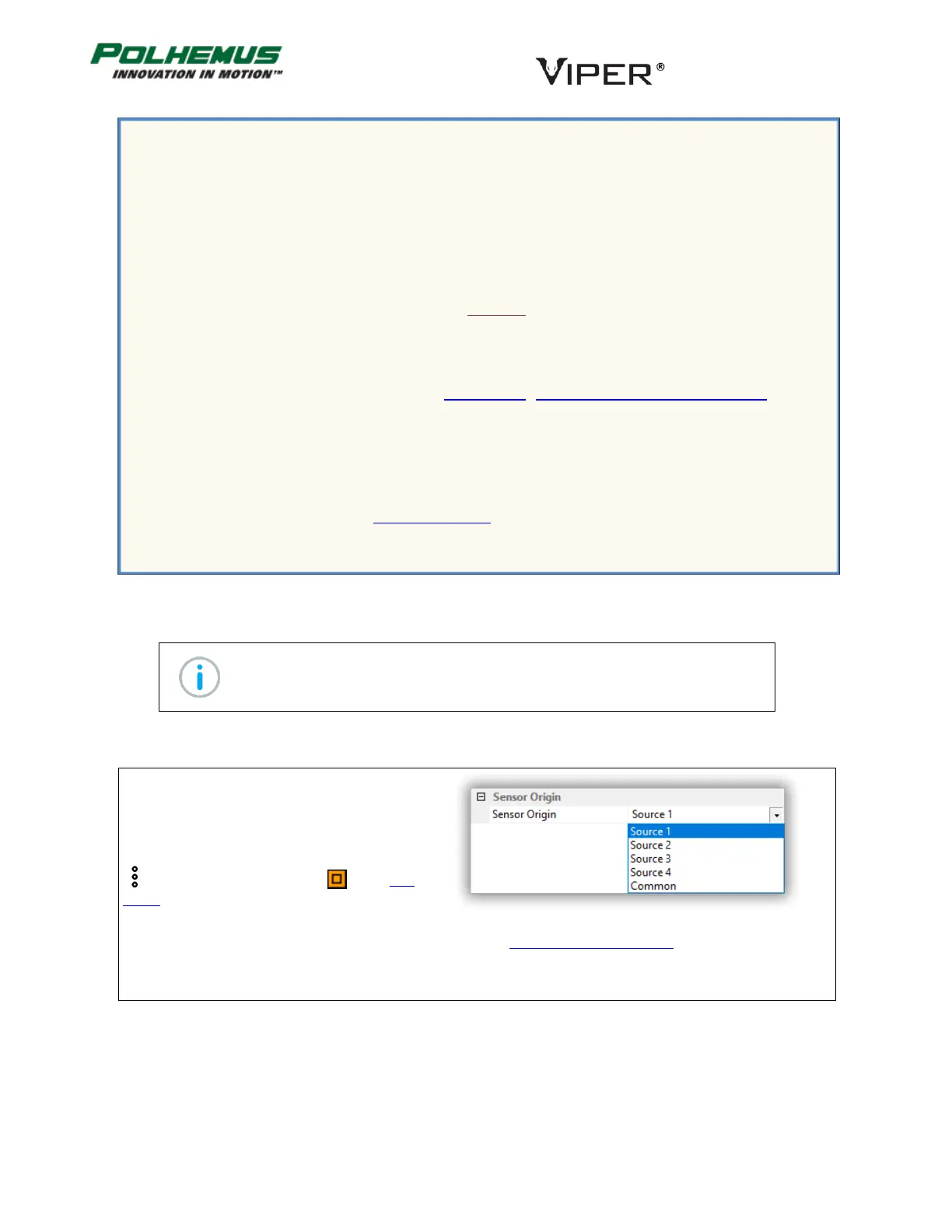
The SENSOR ORIGIN command is used to configure the Sensor’s P&O reference.
In VIPER™ Command Manager, Sensor Origin is
configured in the Sensor Block Config panel in the
Sensor Origin group.
Access the Sensor Block Config panel by selecting
to the right of a Sensor icon in the Edit
Mode Status Pane.
Default: The Source local to the Sensor, or Common Origin if SOURCE CONFIGURATION command is applied.
Example Scenario: SOURCE SELECT
Your project design uses different types of Sensors and Sources simultaneously:
10 Micro Sensors in ports 1-10 and 2 TX1 Sources in source ports 1 and 2 for close-range
“micro” tracking
6 FT-Standard sensors in port 11-16 and 2 TX4 Sources in source port 3 and 4 for Expanded
Area “macro” tracking.
You want the Micro Sensors to track using only the EM fields emitted by the TX1 Sources.
You want the FT-Standard Sensors to track using only the EM fields emitted by the TX4 Sources.
Because you are using the two TX4 Sources for Expanded Area Tracking you must first apply Source
Configuration settings for Sources 3 and 4. See Section 4.2.7 “SOURCE CONFIGURATION command.”
Then, use the SOURCE SELECT command to configure:
Micro Sensors 1-10 to track using the TX1 Sources 1 and 2.
FT-Standard Sensors 11-16 to track using the TX4 Sources 3 and 4.
Finally, you will want to execute the PERSIST command to save these settings to VIPER™ FLASH
memory so that when VIPER™ reboots, the settings will persist.



 To Next Page