USER MANUAL
Page 42 of 86 URM18PH392 Rev A. May 2020
PREDICTION FILTER COMMAND 4.2.8
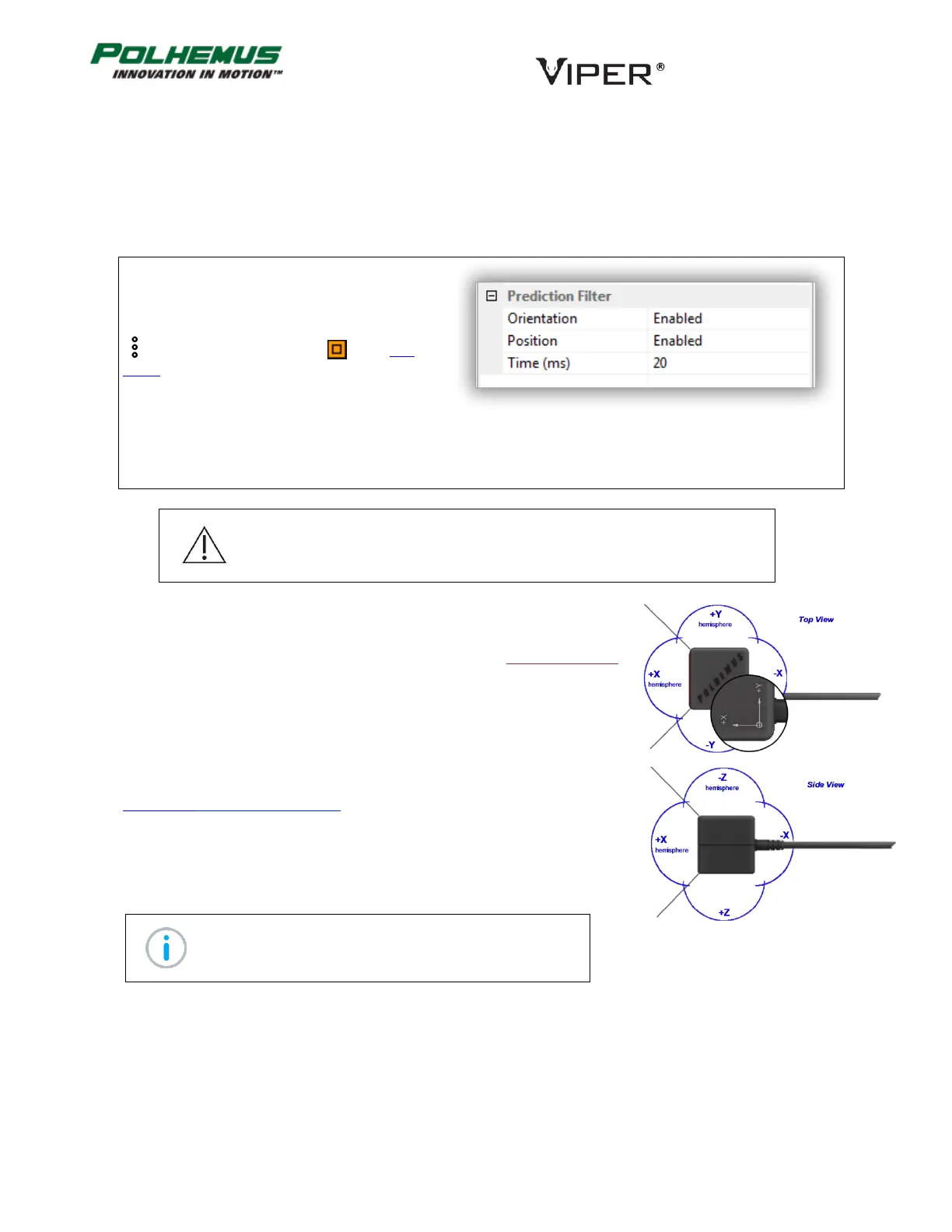
The PREDICTION FILTER command enables and disables the VIPER™ Prediction Filter for Position and/or
Orientation tracker data.
When enabled, VIPER™ predicts current and future Sensor P&O based on previous P&O data. Prediction time is
configurable from 1ms.
In VIPER™ Command Manager, Prediction Filter is
configured in the Sensor Block Config panel in the
Prediction Filter group.
Access the Sensor Block Config panel by selecting
to the right of a Sensor icon in the Edit
Mode Status Pane.
Default: Disabled for both Position and Orientation. Default time is 20ms
Note: Operating the tracker with maximum capacity Sensors and Sources at
the highest FRAME RATE (960Hz) and Prediction Filter enabled on multiple
Sensors may cause a slight reduction in actual frames-per-second output.
HEMISPHERE COMMAND 4.2.9
This command allows the user to configure the VIPER™ Auto-Hemisphere
feature or to manually configure Sensor hemisphere of operation.
Hemisphere of operation is the half of the sphere surrounding the Source that
can be used at any one time without ambiguity in the sign of a Sensor’s
reported X, Y, Z measurements. This is due to the symmetry of magnetic fields
emitted by the Source. For more information about this phenomenon, see
Appendix B. SOURCE Hemispheres.
Automatic Hemisphere Detection
With FT-Sensors, VIPER™ automatically detects and tracks Sensor hemisphere of
operation when Auto-Hemisphere is enabled.
Note: The FT-Sensor must move initially for Auto-
Hemisphere detection to engage.
Manual Hemisphere Configuration
Without Auto-Hemisphere, X, Y, Z sign ambiguity can occur if correct hemisphere of operation is not manually
configured.



 To Next Page