USER MANUAL
URM18PH392 Rev A. May 2020 Page 27 of 86
DISPLAYING VIPER™ P&O DATA 3.4.1
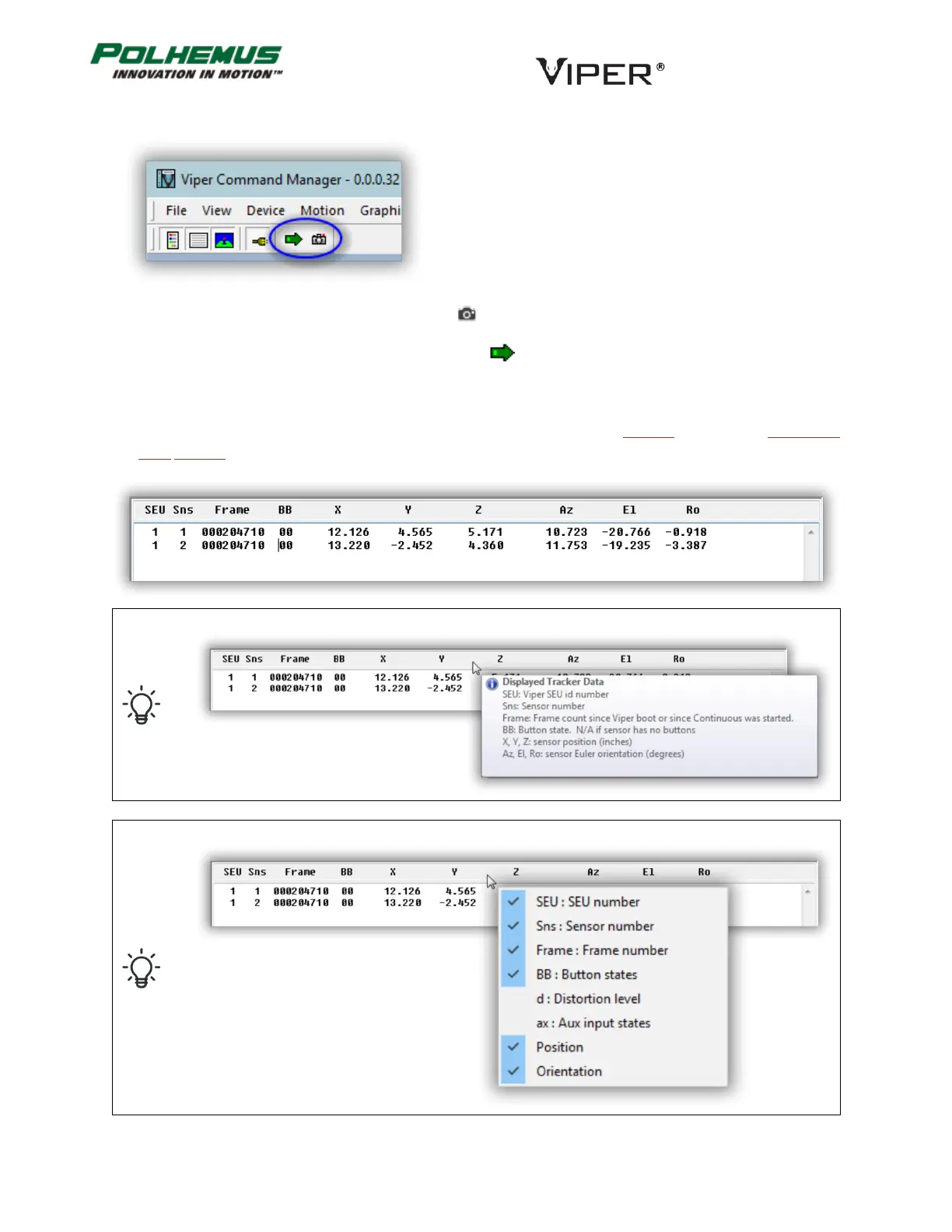
To collect and display a single frame of data, click on in the toolbar or type p.
To collect and display continuous streaming data, click on in the toolbar or type c.
P&O data is displayed in text format in the Text Pane and graphically by animated avatars in the Graphics Pane.
By default, VIPER™ outputs SEU number and Sensor number, Frame Number, Position in inches and Orientation
in Euler Degrees.
Hover the mouse pointer over the title bar in the text pane to see what data is currently displayed.
Right-click the mouse over the title bar in the text pane to select data to be displayed.



 To Next Page