USER MANUAL
Page 54 of 86 URM18PH392 Rev A. May 2020
TIP OFFSET is expressed in current tracker position units as configured by the UNITS command.
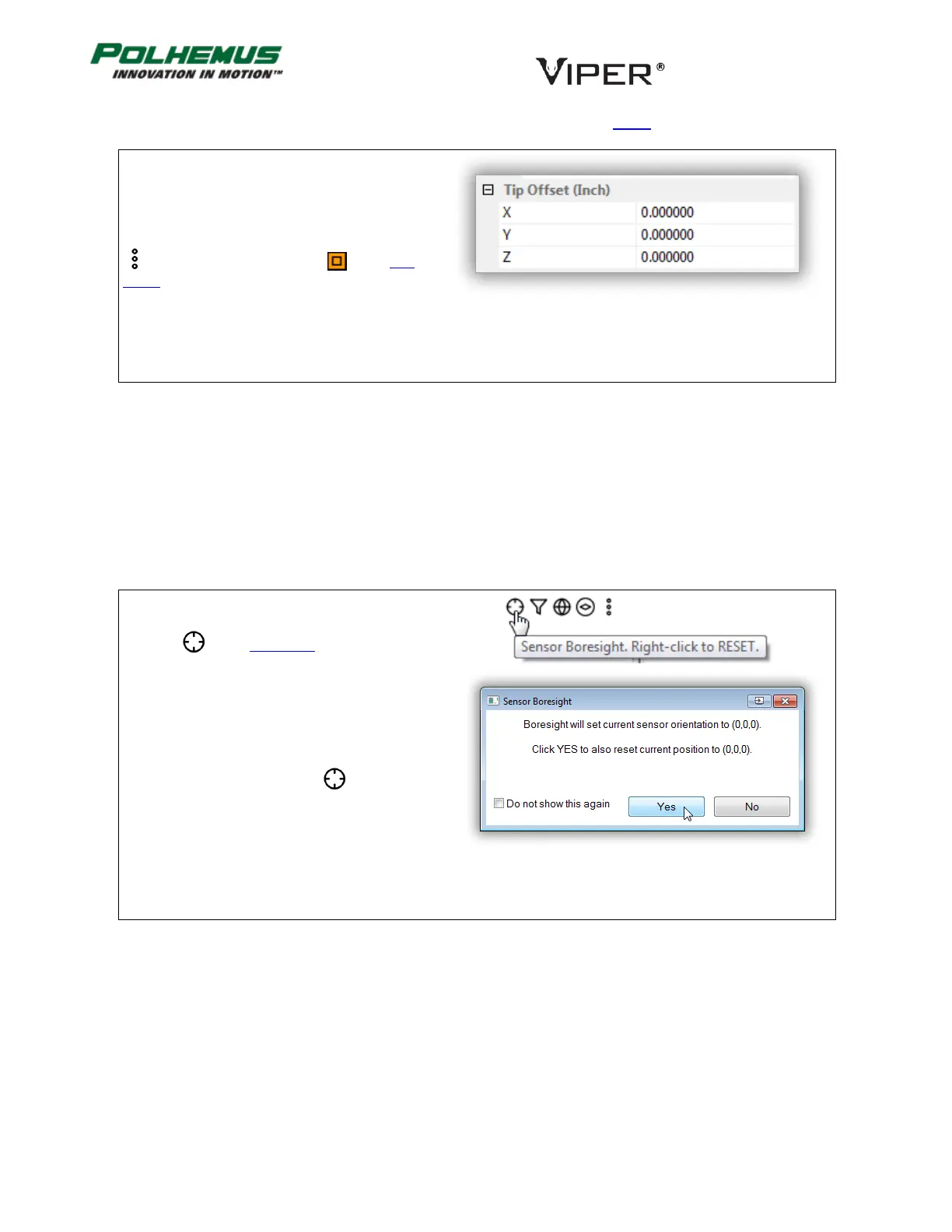
In VIPER™ Command Manager, Tip Offset is
configured in the Sensor Block Config panel in the
Tip Offset group.
Access the Sensor Block Config panel by selecting
to the right of a Sensor icon in the Edit
Mode Status Pane.
Default: Factory Calibrated
BORESIGHT COMMAND 4.3.4
This command causes the Sensor to be electronically aligned in orientation (and optionally, position) at the
current coordinates and establishes the boresight reference angles for the Sensor. If a “Reset Origin” command
argument is applied, X, Y and Z outputs will equal 0,0,0 at the boresight position. VIPER™ then produces P&O
outputs relative to the reference(s). Any Sensor orientation can be designated as the zero orientation point.
A Sensor may be un-boresighted by RESETTING the command.
In VIPER™ Command Manager:
BORESIGHT is SET for all checked Sensors by
selecting in the Edit Mode Status Pane with
the LEFT Mouse Button.
BORESIGHT SET will also reset the current Sensor
position to (0,0,0) by clicking YES in the Sensor
Boresight popup window
BORESIGHT is RESET by clicking with the right
mouse button



 To Next Page