USER MANUAL
URM18PH392 Rev A. May 2020 Page 53 of 86
Host-side RS-422 settings usually also include Data Bits, Stop Bits and Handshaking/Flow Control parameters.
When setting up the Host RS-422 port, use the following additional settings:
8 Data Bits
1 Stop Bit
No Handshake/Flow Control
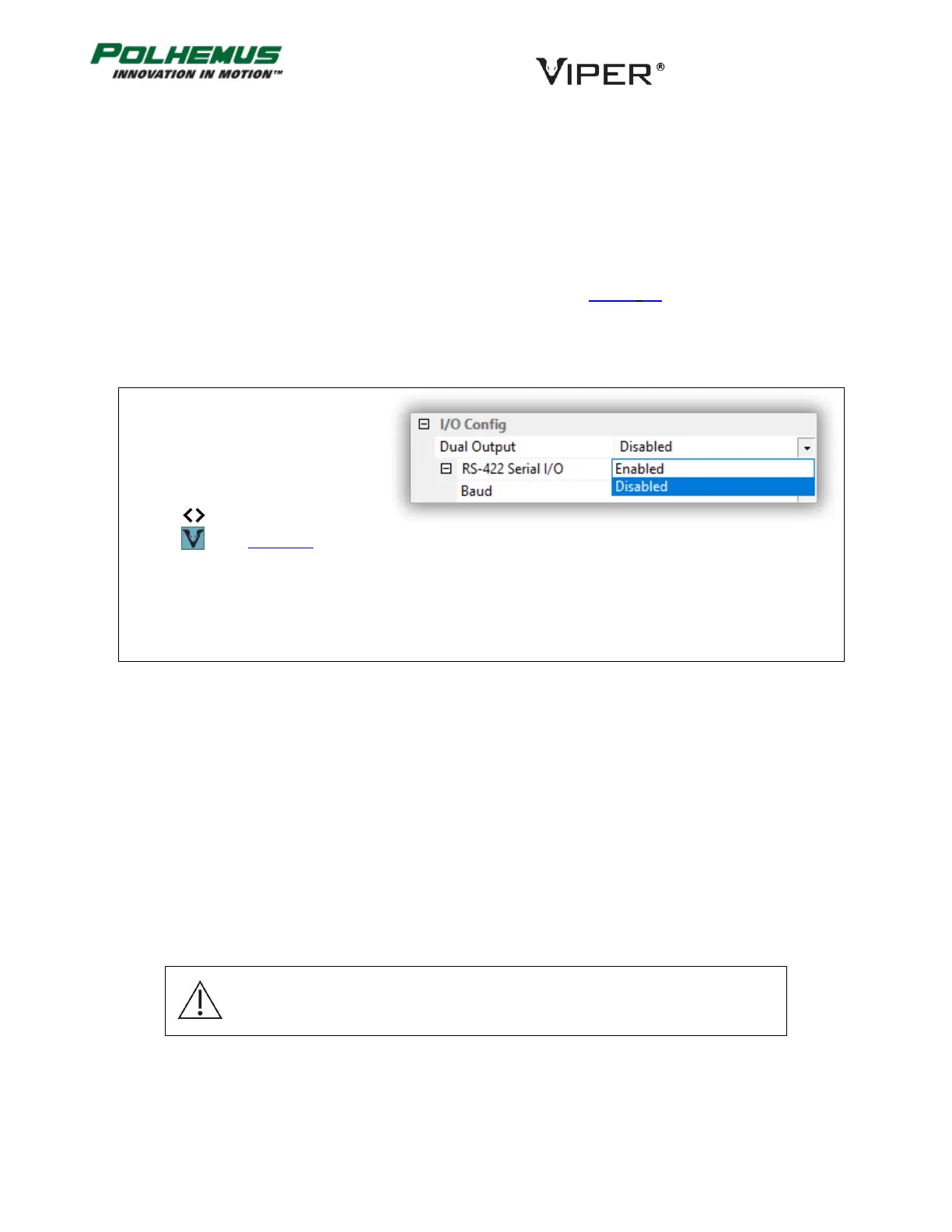
DUAL OUTPUT MODE COMMAND 4.3.2
This command enables and disables Dual Output Mode described in Section 2.2. By default, VIPER™ emits
command responses and data to the I/O port from which the command was received. This includes streaming
P&O data. When Dual Output Mode is enabled, P&O data is output to both USB and RS-422 ports. Command
responses are also output to both ports.
In VIPER™ Command Manager, Dual
Output Mode is configured in the SEU
Block Config panel in the I/O Config
group.
Access the SEU Block Config panel by
selecting to the right of the VIPER™
SEU icon in the Edit Mode Status
Pane.
TIP OFFSET COMMAND 4.3.3
The TIP OFFSET of a VIPER™ Stylus is the positional offset of the Stylus tip from the electromagnetic (EM) center
of the Sensor coil inside the Stylus handle. Each VIPER™ Stylus is factory calibrated with a tip offset. This allows
the tip of the Stylus pen to act as the measurement reference.
For all other VIPER™ Sensor components, there is no factory calibrated tip offset.
For Stylus and Sensor components, the TIP OFFSET values cause VIPER™ to produce P&O for a point other than
the electromagnetic (EM) center of the Sensor coil.
Applying the TIP OFFSET command to a Stylus overrides the factory calibrated offset that is read by VIPER™ when
the SEU is started. In most circumstances it is not recommended to apply this command to a Stylus.
Note: Applying the TIP OFFSET command to a Stylus overrides the factory
calibrated offset that is read by VIPER™ when the SEU is started. In most
circumstances it is not recommended to apply this command to a Stylus.
TIP OFFSET may be useful for a Sensor when the Sensor is mounted on a custom instrument, where the Position
of the tip of the instrument is of interest rather than the Sensor itself.



 To Next Page