USER MANUAL
URM18PH392 Rev A. May 2020 Page 37 of 86
4.2 CONFIGURATION COMMANDS, PERSISTENT
FRAME RATE COMMAND 4.2.1
This command sets the update rate of frames per second. The frame rate can be set to 30Hz, 60Hz, 120Hz, or
240Hz for all VIPER™ SEUs. VIPER™ 8 and VIPER™ 16 systems may also be set to output data at 480Hz or 960Hz.
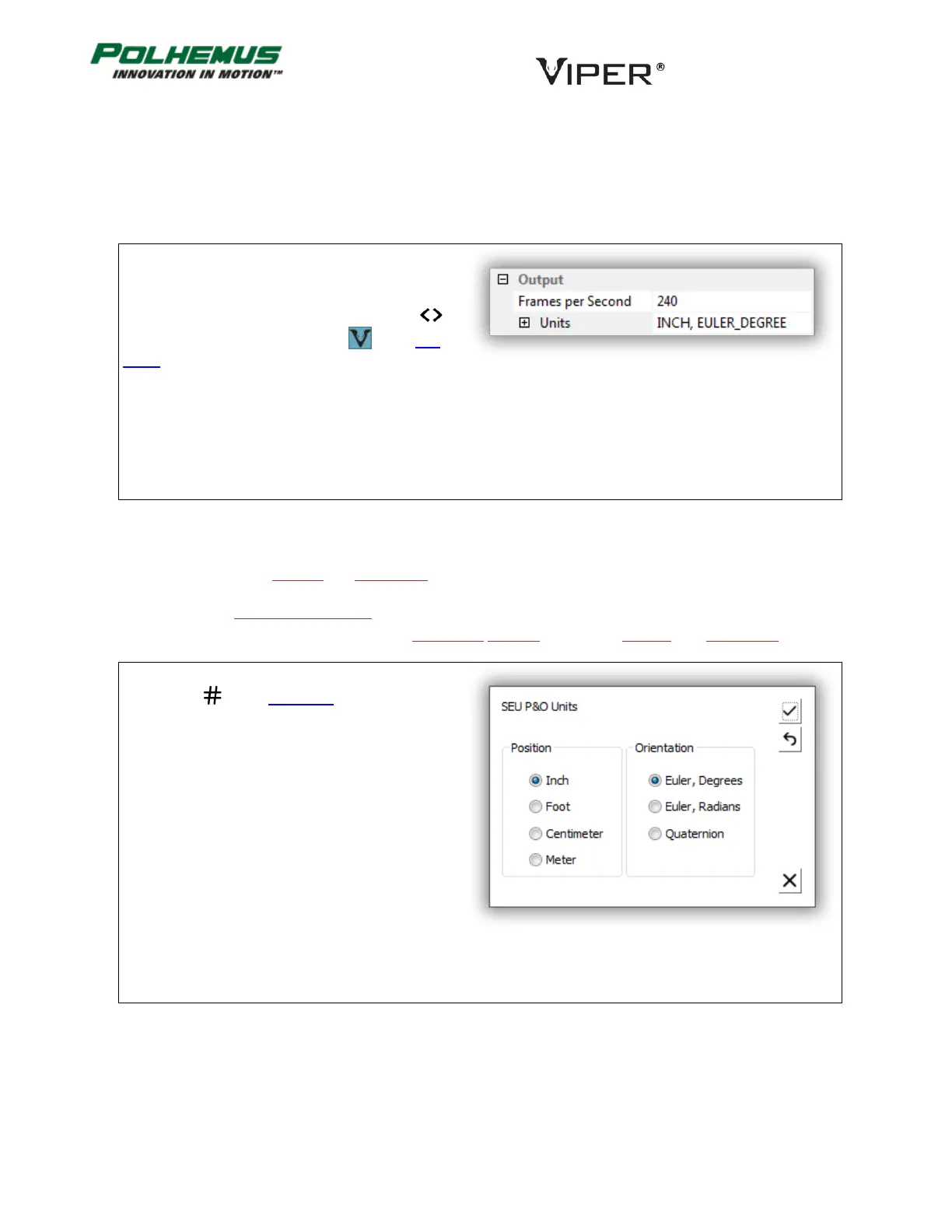
In VIPER™ Command Manager, Frame Rate is
configured in the SEU Block Config panel in the
Output group.
Access the SEU Block Config panel by selecting
to the right of the VIPER™ SEU icon in the Edit
Mode Status Pane.
UNITS COMMAND 4.2.2
This command sets the Position and Orientation output units.
Position Cartesian coordinates output units options are Inch, Foot, Centimeter, and Meter.
Orientation output units options are Euler Angle Degrees, Euler Angle Radians, and Quaternion.
In VIPER™ Command Manager, Units are configured
by selecting in the Edit Mode Status Pane.
Default: Inches, Euler Degrees.



 To Next Page