USER MANUAL
Page 34 of 86 URM18PH392 Rev A. May 2020
3.6 USING A STYLUS WITH VIPER™
To use the VIPER™ Stylus as a point digitizer:
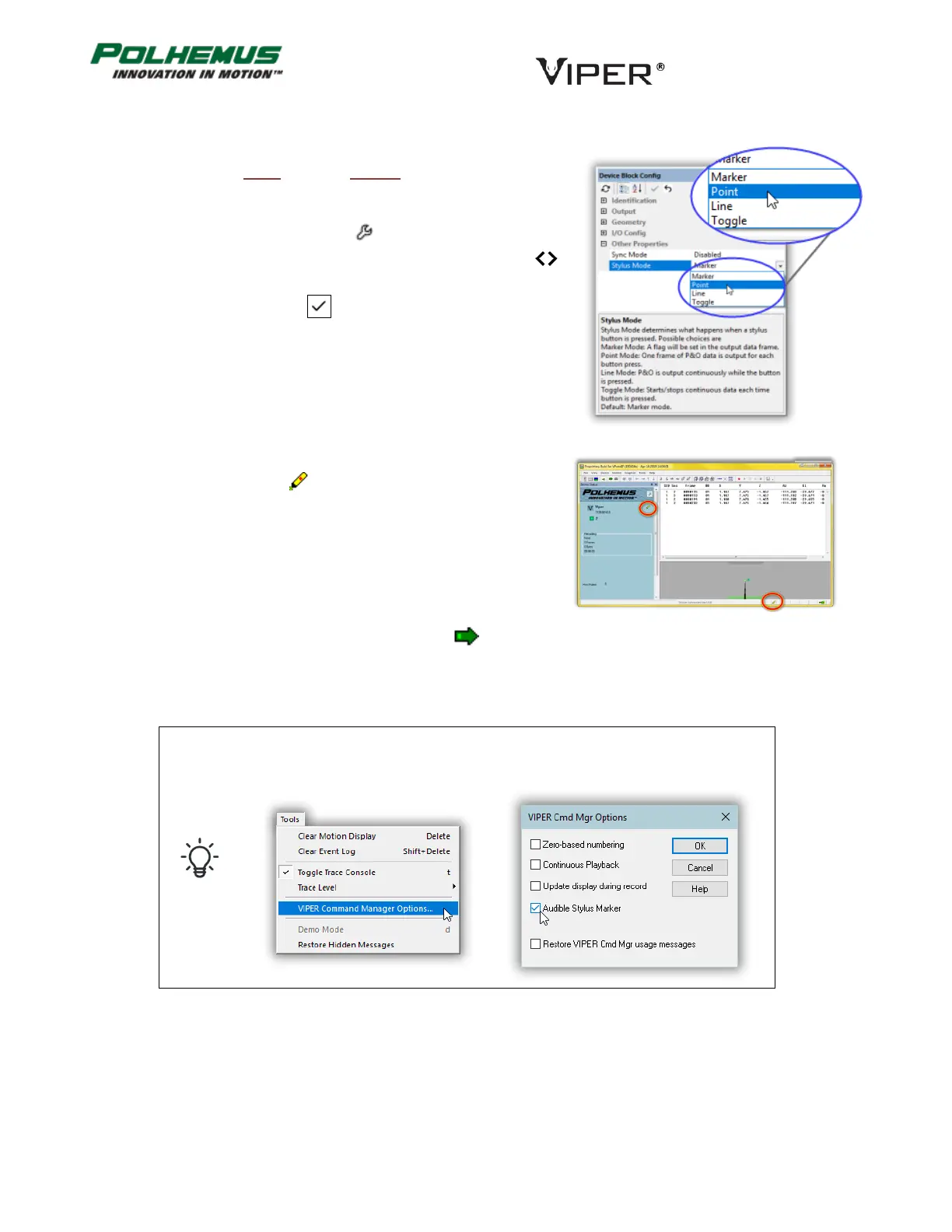
1. Set the SEU Stylus Mode setting to Point Mode.
a. Enter Edit Mode by clicking .
b. Display Advanced SEU configuration settings by clicking .
c. Select Stylus Mode→Point.
Click on the Apply Changes button at the top of the SEU Block
Config Pane.
The Digitizer Mode icon will display in the Status Bar at the
bottom of the screen and on the Status Pane next to the SEU glyph.
2. Now start VIPER™ Continuous Mode by clicking or typing c.
Now in Continuous Mode with Stylus Point Mode enabled, each press of the Stylus button will produce one
frame of data in the VIPER™ Command Manager display.
To make VIPER Command Manager emit an audible tone when the stylus button
is pressed, enable Audible Stylus Marker in VIPER Command Manager Options
from the Tools Menu.



 To Next Page