USER MANUAL
URM18PH392 Rev A. May 2020 Page 25 of 86
3.3 RUN VIPER™ COMMAND MANAGER
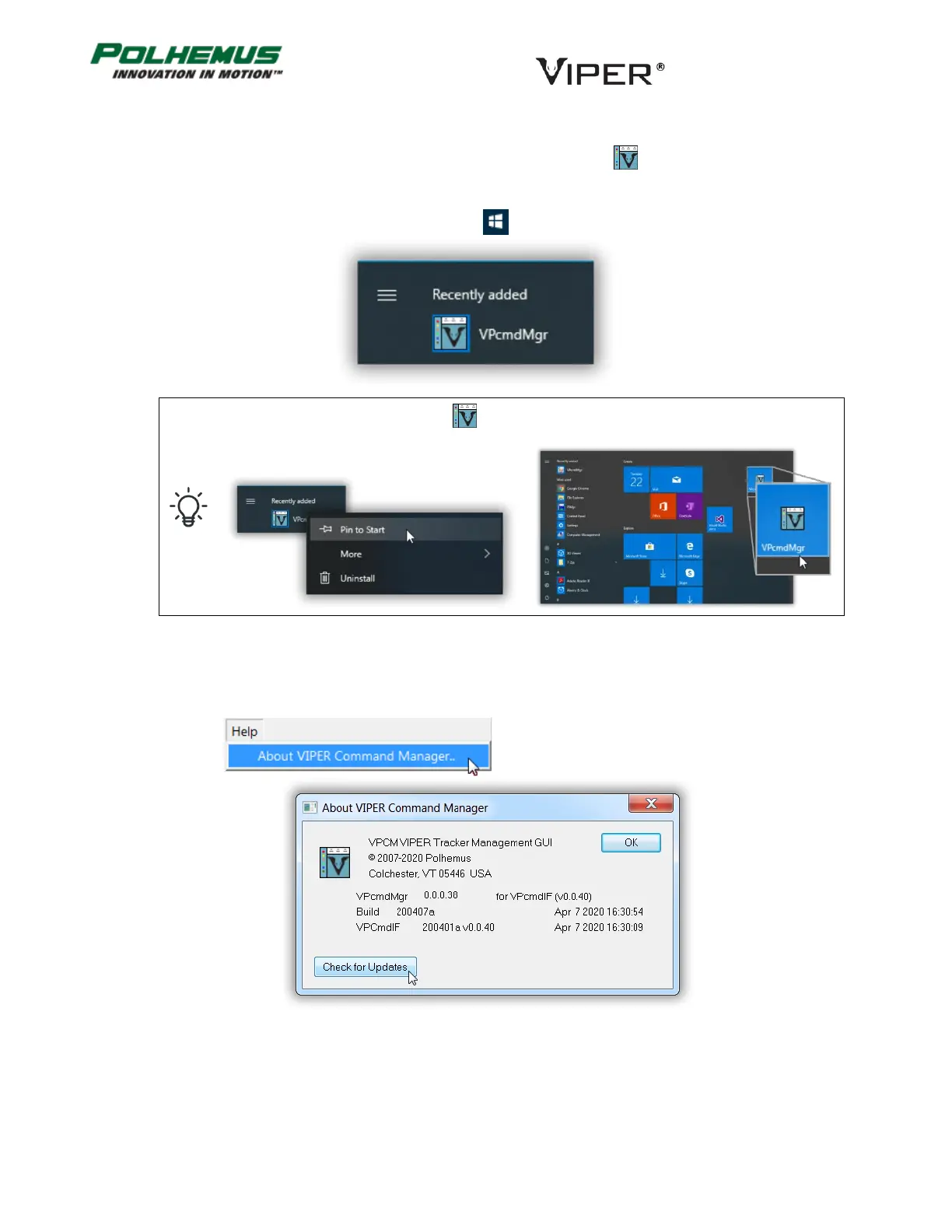
Start the VIPER™ Command Manager (VPcmdMgr) application by clicking the icon that was installed with the
Host Software.
On Windows® 10, this icon will appear in the Start Menu under “Recently Added:”
For easy access to the VPcmdMgr icon directly under the Windows® 10 Start Menu, right-
click and select Pin to Start.
→
UPDATE VIPER™ COMMAND MANAGER 3.3.1
After installing VIPER™ Command Manager for the first time, check for available updates to the program.



 To Next Page