USER MANUAL
Page 30 of 86 URM18PH392 Rev A. May 2020
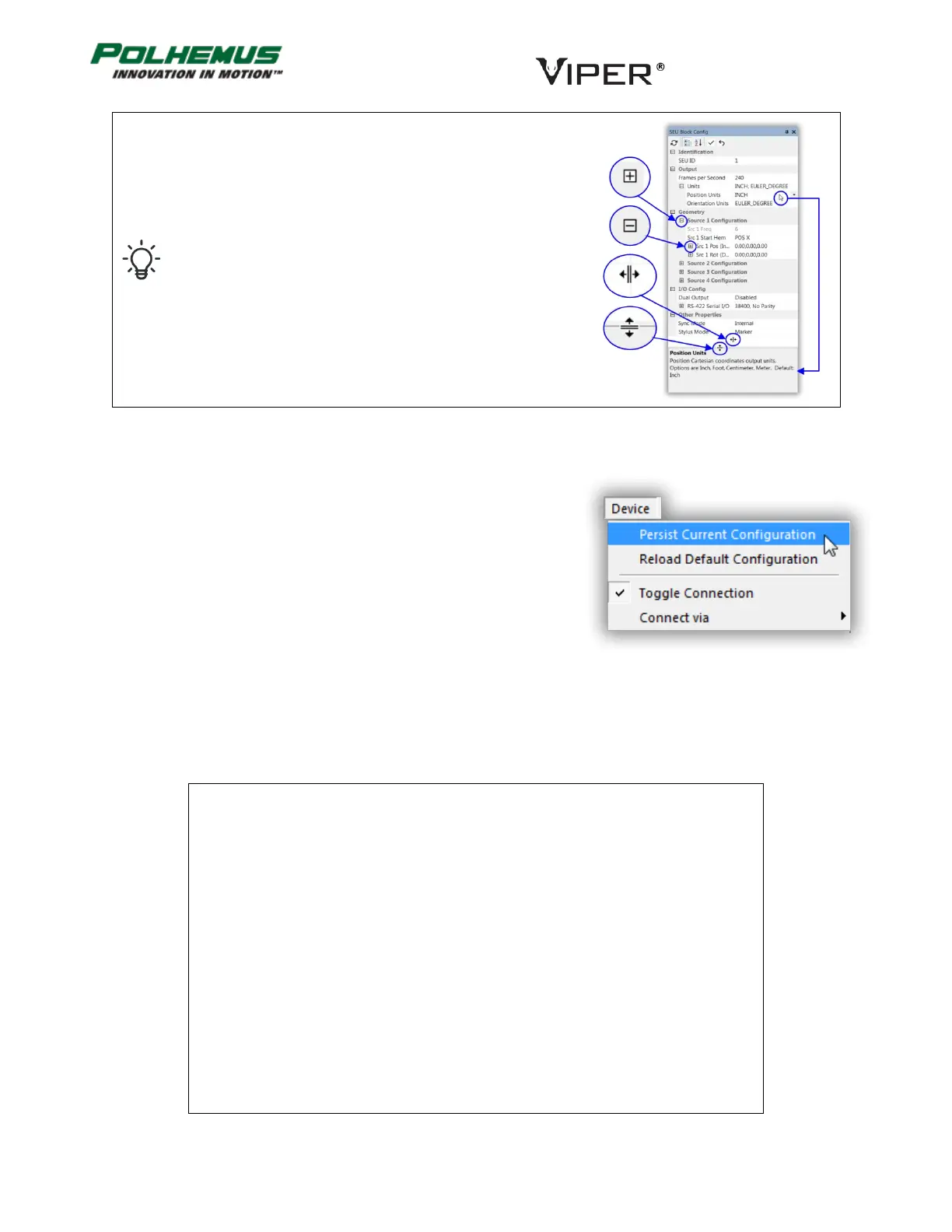
The Block Configuration Panels have several controls to
manipulate the display.
1. Click in any field to see reference information about
the VIPER™ setting it controls in the description pane
at the bottom.
2. Click on the + and – buttons to expand and collapse
groups of settings.
3. Columns and rows are resizable vertically and
horizontally. Click on boundaries between panes to
activate resizing handles.
3.4.2.3 PERSISTENCE
With few exceptions, the settings accessed through the Advanced
Block Config panels are persistent settings.
This means that these settings can be stored in VIPER™ flash memory.
Stored persistent settings are activated each time VIPER™ is powered
ON. To store the currently active settings to flash, select Device
Menu→Persist Current Configuration.
To revert to factory default configuration, select Reload Default
Configuration. Then, to restore factory settings to flash memory, select Persist Current Configuration again.
KEYBOARD SHORTCUTS 3.4.3
VIPER™ Command Manager keyboard shortcuts are not case-sensitive.
B..............................
Apply Boresight command to all Sensors
Control-B .................
C ..............................
Toggle Continuous data streaming
Control-E .................
Delete key ...............
Shift-Delete .............
P ..............................
Collect a Single frame of P&O data
Q .............................
Toggle FTT® Mode ON/OFF for all Sensors
F2 ............................
F3 ............................
← ............................
Rotate scene clockwise about the vertical screen axis
→ ............................
Rotate scene counter-clockwise about the vertical screen axis
↓ ............................
Rotate scene toward the eye about the horizontal screen axis
↑ ............................
Rotate scene away from the eye about the horizontal screen axis
TABLE A. VIPER™ COMMAND MANAGER KEYBOARD SHORTCUTS



 To Next Page