USER MANUAL
Page 46 of 86 URM18PH392 Rev A. May 2020
Note: If the FILTER command is used to set the Enhanced Filter on a non-FT
Sensor, VIPER™ responds to the command with a warning and the Traditional
Medium Filter is enabled for that Sensor.
If the Enhanced Filter was previously enabled and the detected Sensor is not an
FT Sensor, the default Traditional Medium filter will be engaged.
INCREMENT COMMAND 4.2.11
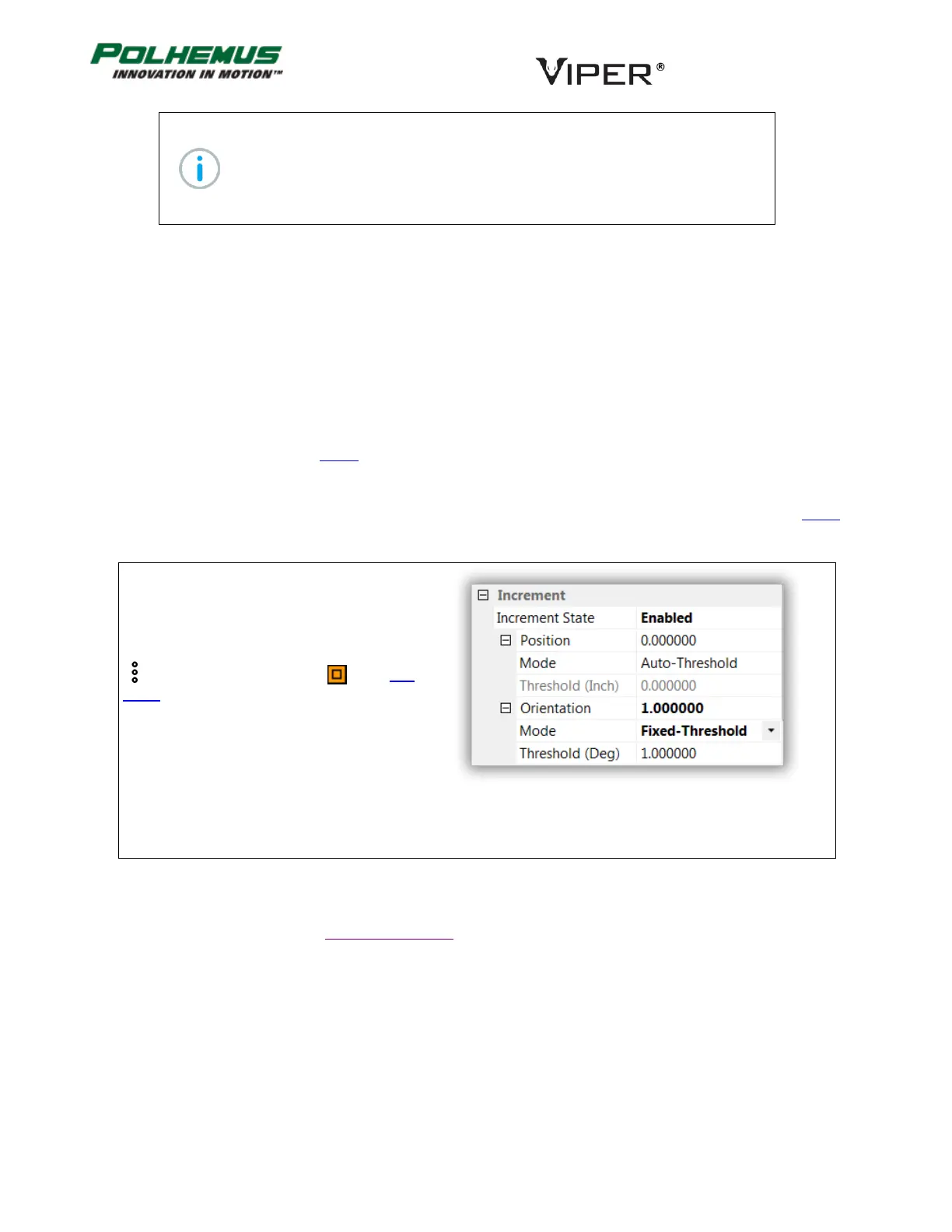
When enabled, INCREMENT operates in one of two modes:
Fixed-Threshold: New P&O data is reported when changes in position and/or orientation have satisfied the user-
defined movement threshold. (Unchanged P&O data is output until movement threshold is satisfied.)
Auto-Threshold: VIPER™ continuously evaluates electromagnetic (EM) signal strength and noise in the
environment and dynamically and automatically establishes increment thresholds based on those conditions.
Refer to the Example Scenario below for a more detailed description of the difference between Fixed- and Auto-
Threshold.
Fixed Increment thresholds are expressed in current tracker units of measure as configured by the UNITS
command.
In VIPER™ Command Manager, Increment is
configured in the Sensor Block Config panel in the
Increment group.
Access the Sensor Block Config panel by selecting
to the right of a Sensor icon in the Edit
Mode Status Pane.
Default: Disabled for both Position and Orientation
FTT MODE COMMAND 4.2.12
This command configures the VIPER™ FTT® Mode on FT Sensors. At initial release, FTT® has two modes of
operation. Be sure to understand the difference between the modes and select the best one for your tracking
applications.
Stationary Source Mode: This mode is for configurations that involve VIPER™ Sources that do not move in 3D
space during tracking (for example, a Source mounted in a fixed location on a wall in a building or on a table;
suspended from a ceiling; or embedded in a static position inside a manikin).



 To Next Page