USER MANUAL
Page 40 of 86 URM18PH392 Rev A. May 2020
SOURCE CONFIGURATION COMMAND 4.2.7
Source configuration allows the user to configure Position and Orientation for all Sources in the Expanded
Tracking Area Mode of operation, detailed in Section 3.5.5. Setting the P&O of each source in this way effectively
defines the frame of reference for Sensor P&O that is output by the tracker.
Source Position and Orientation configured by this command is expressed in current tracker units of measure as
configured by the UNITS command.
The Startup Hemisphere configured by this command describes the direction with respect to that Source from
which Sensors enter the tracking area or approach the Source. At runtime, Sensors begin tracking by detecting
the EM fields emitted by the sources in the tracking area. Correct computation of P&O depends upon prior
knowledge about which side of the Source the Sensor is expected to be on when the Source is initially detected.
(This moment of initial detection occurs when the SEU is powered ON.)
Possible Startup Hemisphere values are ±X, ±Y, ±Z or Auto:
±X, Y, Z values correspond to the source hemispheres depicted previously in Figure 11.
Auto engages Auto-Hemisphere, discussed below in Section 4.2.9
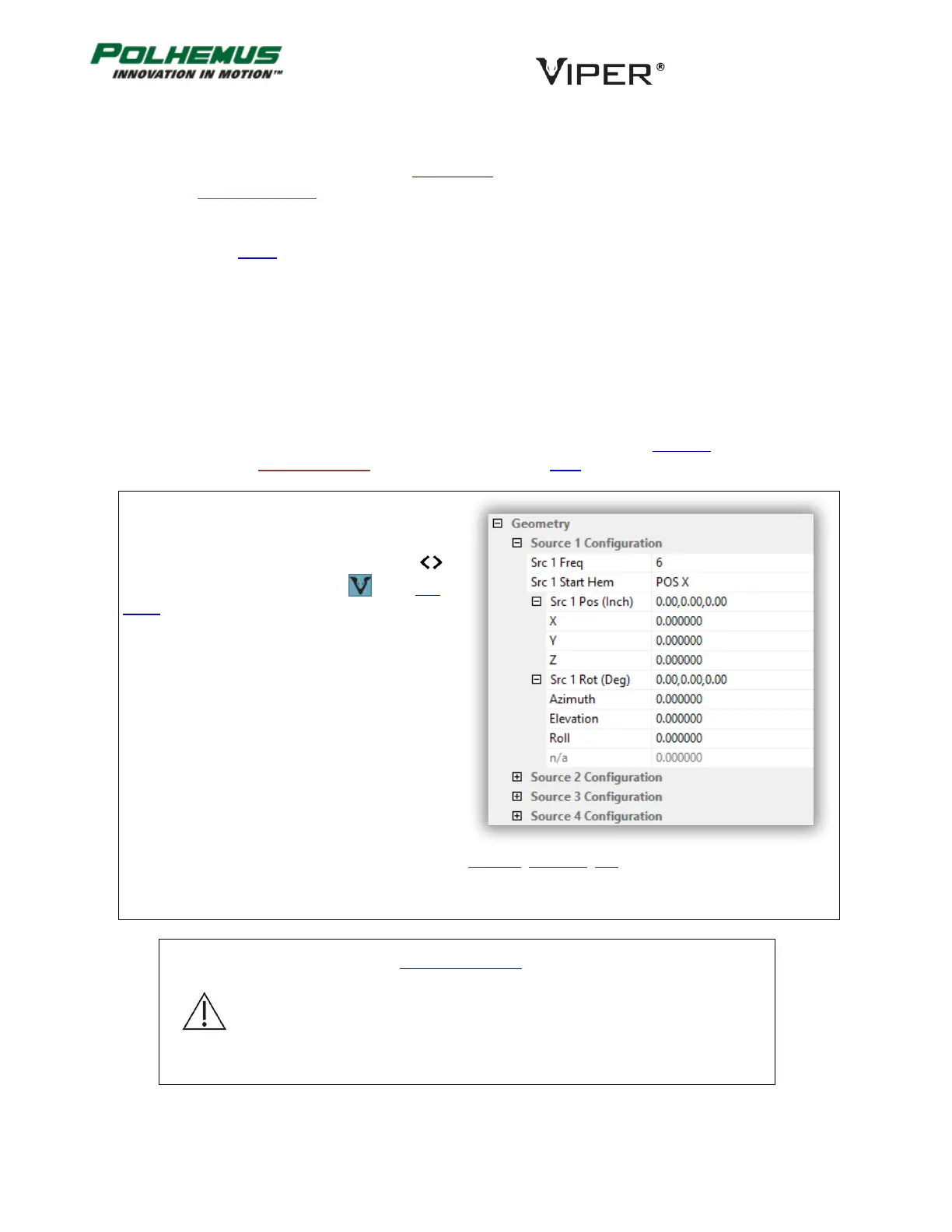
In VIPER™ Command Manager, Source Configuration
is configured in the SEU Block Config panel in the
Geometry group.
Access the SEU Block Config panel by selecting
to the right of the VIPER™ SEU icon in the Edit
Mode Status Pane.
Default: None (Position (0,0,0) and Orientation (0,0,0) Azimuth, Elevation, Roll for all Sources)
Note: Do not use the SOURCE ROTATION command when the SOURCE
CONFIGURATION command is in use.
Note: Auto Startup Hemisphere requires FT Sensors to function.
Non-FT Sensors will assume POS X Startup Hemisphere for Source(s) with Auto
Startup Hemisphere configured.



 To Next Page