USER MANUAL
URM18PH392 Rev A. May 2020 Page 49 of 86
SOURCE CONFIGURATIONS AND MODES OF OPERATION 4.2.14
For more information about these commands, please refer to Section 3.5 “Configuring VIPER™ multi-source
modes of operation.”
4.2.14.1 SOURCE SELECT COMMAND
Note: SOURCE SELECT is an advanced feature that is applicable only in rare and
very specific circumstances.
Each Sensor uses one or more detected Sources for determining P&O. These are the Sensor’s Source Selection.
The default Source Selection in various Multi-Source modes as described in Section 3.5 are determined by which
Sources are plugged into VIPER™.
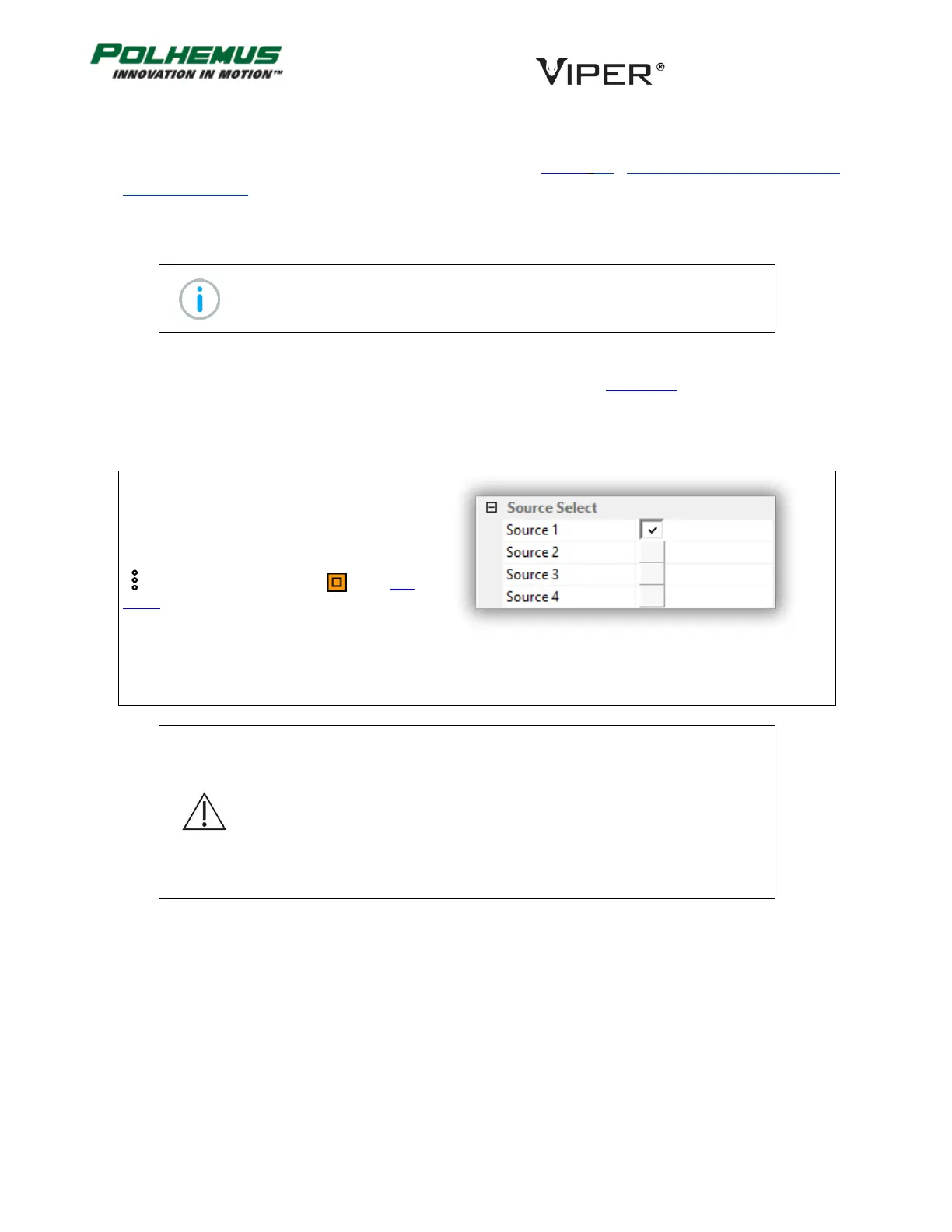
The SOURCE SELECT command is used to override the default Source Selection when multiple Sources are used.
In VIPER™ Command Manager, Source Select is
configured in the Sensor Block Config panel in the
Source Select group.
Access the Sensor Block Config panel by selecting
to the right of a Sensor icon in the Edit
Mode Status Pane.
Default: Selected according to detected Sources
Note: Sensors should not come closer than approximately 4 inches from
Source(s) that are not in the Sensor’s Selected Source list. Degraded tracking
performance may result temporarily in this case, but the condition will be
resolved when the Sensor is moved away.
For example, a system has connected Sensors 1-12 and Sources 1-3. If Sensor
2 has Source Selection 1 and 2, that means Sensor 2 is using only Sources 1
and 2 for P&O calculation. Sensor 2 should stay at least 4 inches away from
Source 3.



 To Next Page