USER MANUAL
Page 52 of 86 URM18PH392 Rev A. May 2020
4.3 CONFIGURATION COMMANDS, NOT-PERSISTENT
RS-422 SERIAL PORT CONFIGURATION COMMAND 4.3.1
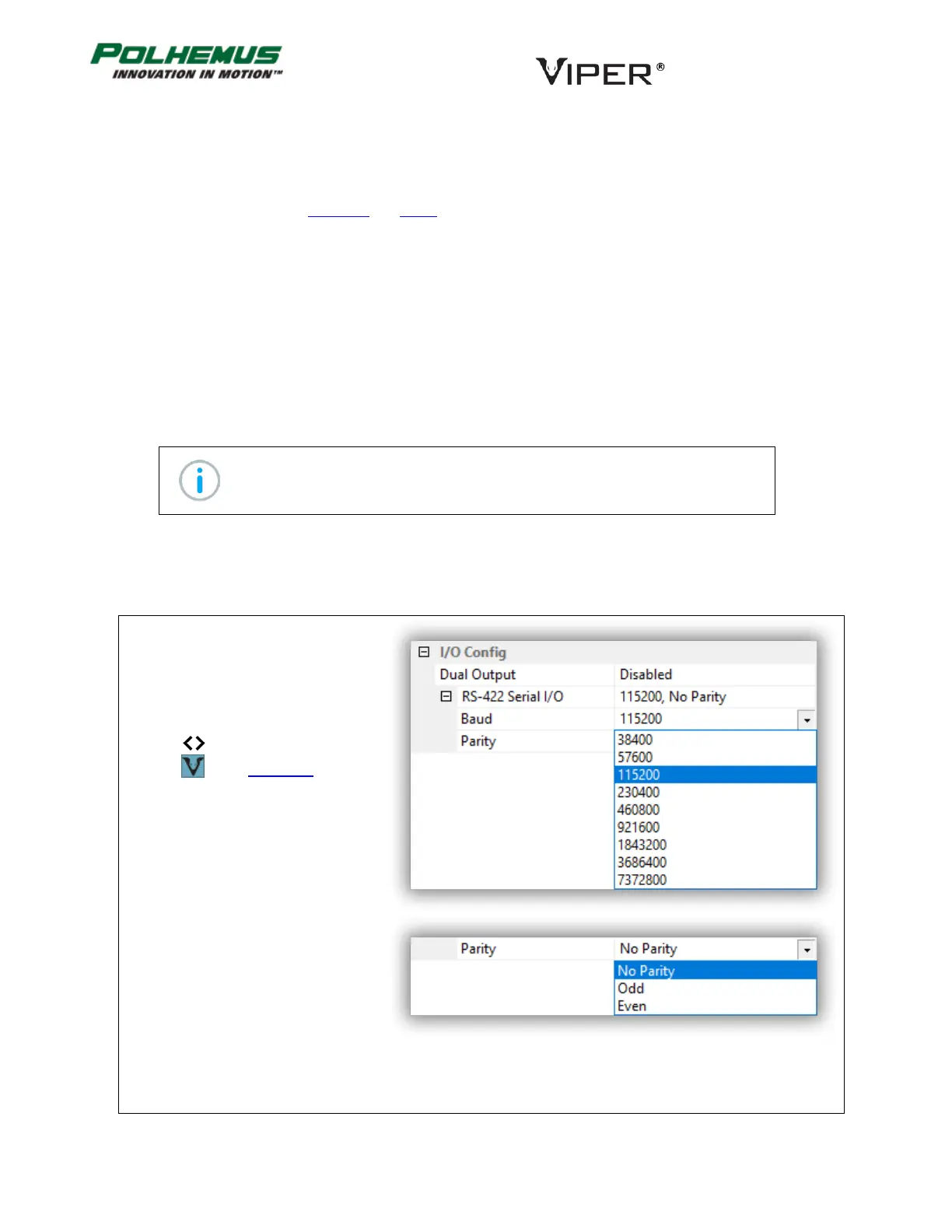
This command programs the baud rate and parity settings in the VIPER™ UART for the RS-422 I/O port.
Available Parity settings
*Note: RS-422 Serial port output has been tested up to 921.6K baud.
The RS-422 Serial Configuration settings are not persistent. If it is necessary to use the RS-422 channel for
command I/O, the host program must first connect at the default setting and then change the setting to the
desired configuration.
In VIPER™ Command Manager, Serial
I/O Port settings are configured in the
SEU Block Config panel in the I/O Config
group.
Access the SEU Block Config panel by
selecting to the right of the VIPER™
SEU icon in the Edit Mode Status
Pane.
Default: 115200 baud, No Parity



 To Next Page