USER MANUAL
URM18PH392 Rev A. May 2020 Page 45 of 86
Enhanced Filter
VIPER™ Enhanced Filter mode is now available with FT Sensors. The added capabilities of FT Sensors lead to a
powerful new filtering mode that has excellent characteristics with respect to low noise and low latency.
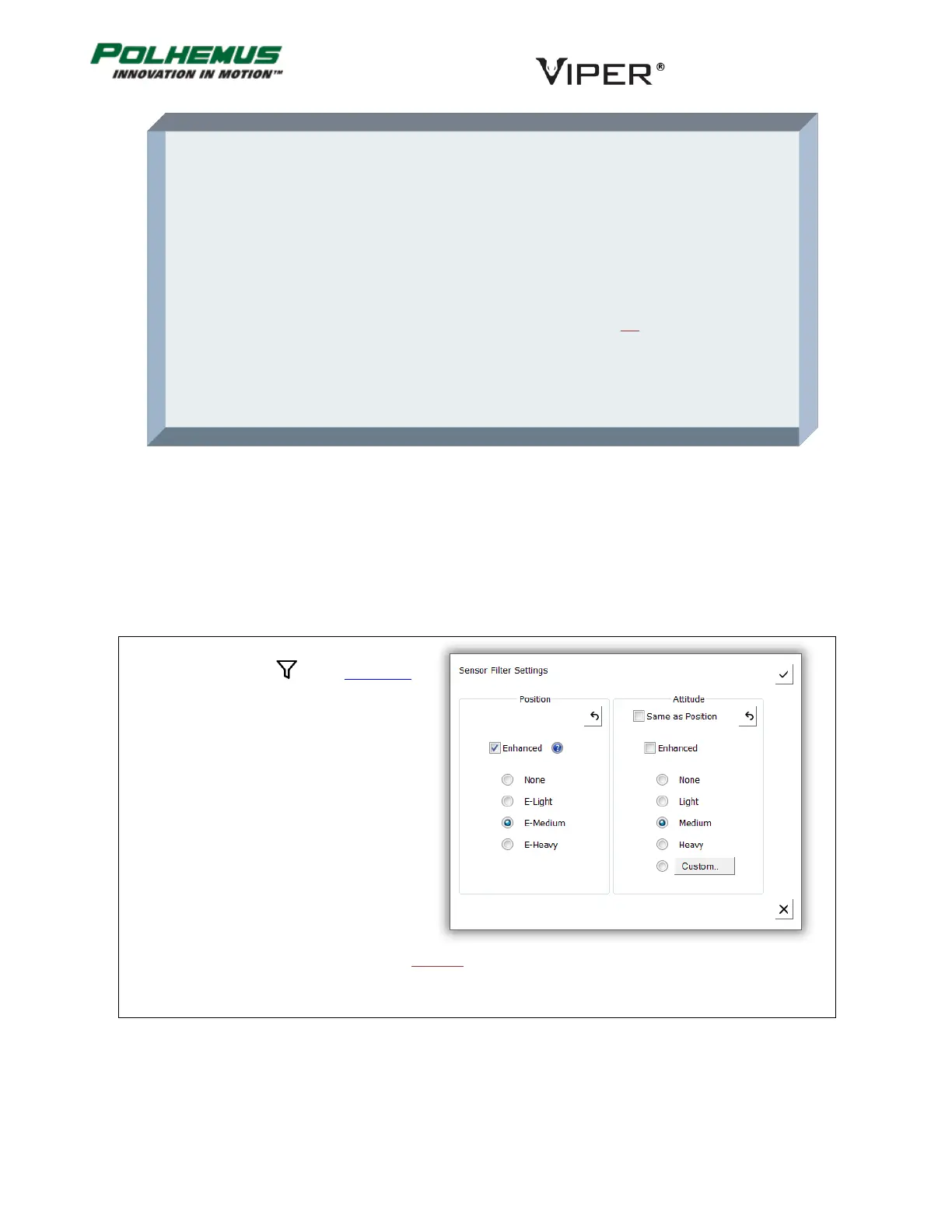
Enhanced Filters have pre-configured Light, Medium and Heavy presets available. These are identified as E-Light,
E-Medium and E-Heavy in the Filter Settings controls.
In VIPER™ Command Manager, Filters are
configured by selecting in the Edit Mode
Status Pane.
Default: Traditional Medium for Position and Attitude, all Sensors
About Polhemus Traditional Adaptive Filters
The Traditional filter used by VIPER™ is a single-pole, low-pass filter with an adaptive pole
location. The pole location is constrained within user-specified boundary values F-Low and
F-High but is continuously self-adaptive between these limits as a function of a user-
specified sensitivity parameter F and the sensed input conditions (ambient noise plus
rotational rate). For input “rate” conditions that fall within the adaptive range, the adaptive
feature varies the pole location between the F-Low and F-High limits to maximize the
output resolution for static inputs while minimizing the output lag for dynamic inputs.
Whenever the input conditions cause the filter to make a transition to a narrower
bandwidth (i.e., increased filtering), the transition rate of the pole location is constrained to
a user-specified maximum allowable rate (F-Max Trans).



 To Next Page