100
Polyend Play Manual Rev 1
NOTES
Sequencing Patterns
6
▌ SELECTING VIEW MODE
1. Press [View] to select the view keyboard mode.
2. If in view mode, it will be deselected if then selecting perform mode.
3. The four right side pad columns will revert to the view keyboard
controller. The pads will illuminate yellow. The upper row green pads,
coloured violet in MIDI mode, controls the keyboard octave
transposition.
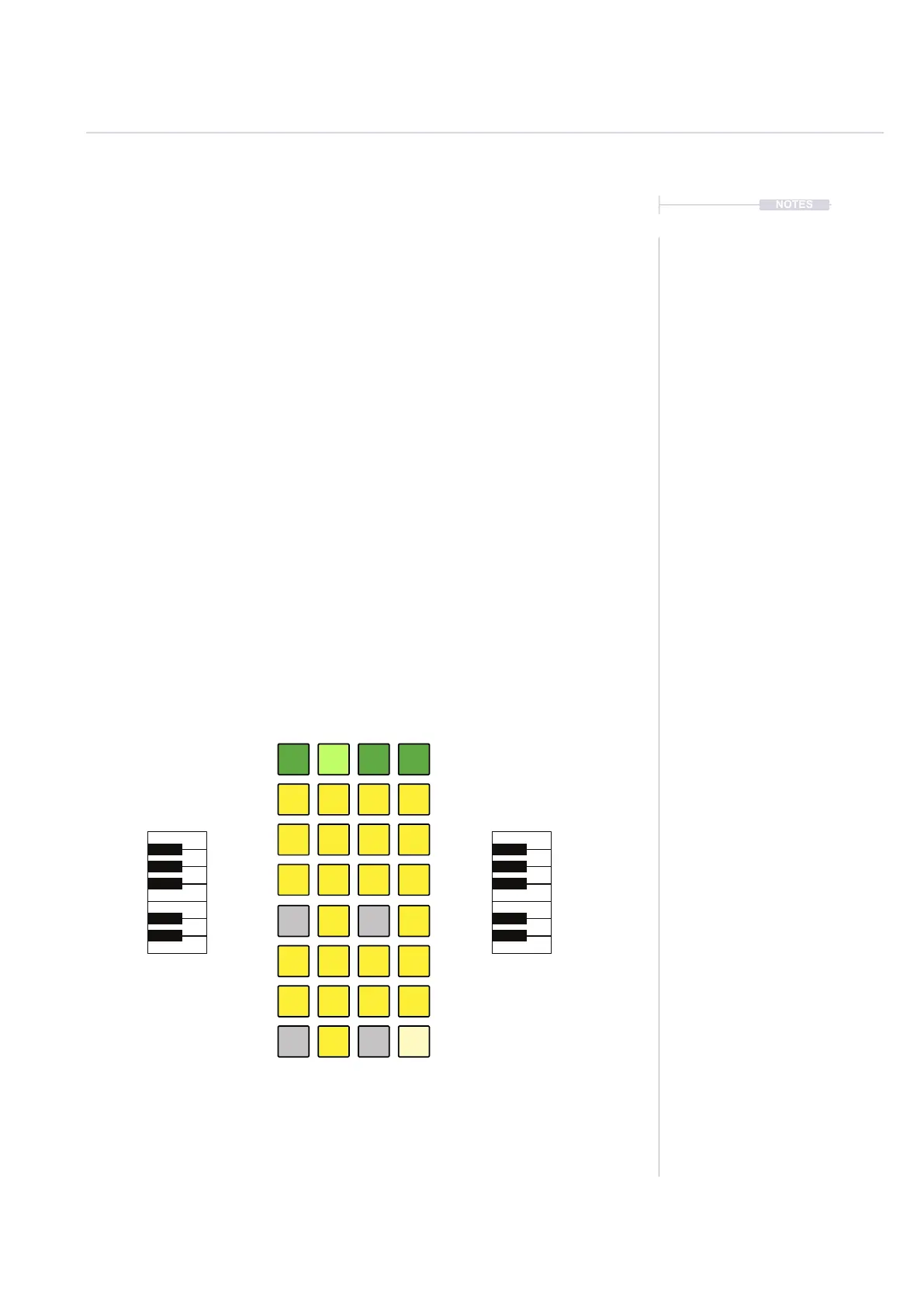
4. Press one of the green function buttons, top row to select an octave
range for the view keyboard. The top left most pad covers 2 Octave
range of notes C1-B2. Top right most pad covers 2 Octave range C7-
B8. The central left and right buttons cover C3-B4 and C5-B6 ranges
respectively.
5. The yellow pads are laid out in a keyboard format with each octave
represented by the rst two columns and second two columns. Bottom
right most pad is note C and top right most pad note B. This is repeated
for the other octave. White keys are represented by the ‘Solo’ and
‘Select’ columns and black keys by ‘Mute’ and ‘Variation’ columns. The
view keyboard is inuenced by the scale settings selected.
F#4
G#4
A#4
C#4
D#4
C4
D4
E4
F4
G4
A4
B4
F#3
G#3
A#3
C#3
D#3
C3
D3
E3
F3
G3
A3
B3
C1-B2
C3-B4
Chromatic Keyboard
Default Scale: Chromatic Default Root Note: C
The octave range row pads are coloured green in audio mode and violet in MIDI mode.
The option to change from piano notes view to grid notes view is possible from within
the main menu settings options.
C5-B6 C7-B8



 To Next Page