AFV
+
Series High Power Programmable AC Power Supply
3-56
3.5.2.6 Automatic Screen Lock Setting
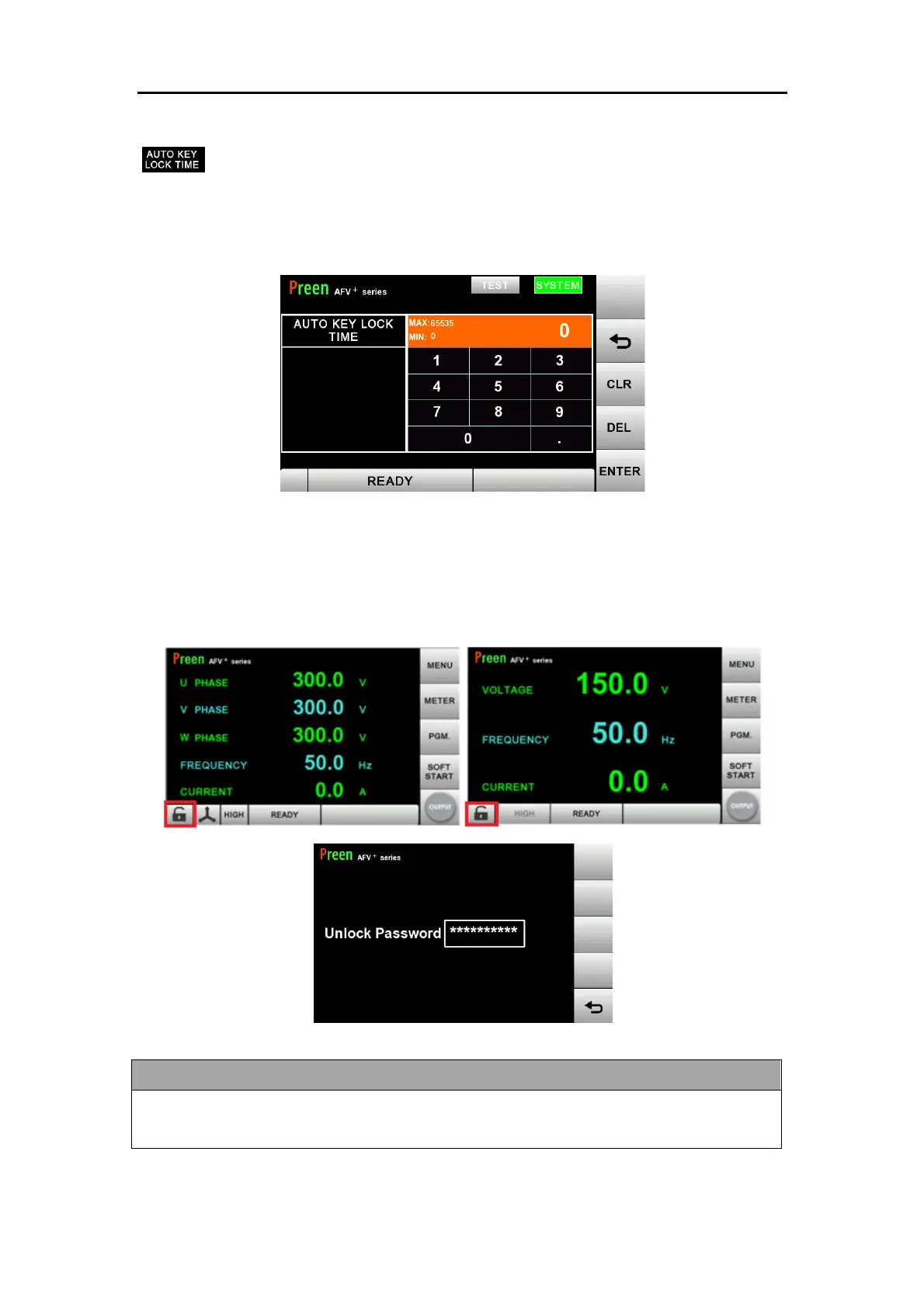
User can set time for AUTOMATIC SCREEN LOCK function. The time can be
set from 0 to 65,353 seconds or enter 0 to disable the function. The screen will be
locked automatically according to the time setting. The time to lock is based on the
idle time of the touch screen.
Figure 3.27 automatic screen lock setting
When the screen is automatically locked, press the screen lock icon on the bottom
left corner of main page and enter the screen lock password to unlock it.
Figure 3.28 Unlock password entry page
If user forget the password and would like to unlock the screen, please enter 8888 to
unlock.



 To Next Page