104
MBOX® USER MANUAL
Linking Files to Timecode - MediaTimeCodes.plist le
For the time being, the MediaTimeCodes.plist le can be used to create a MediaInfo.plist. This can be useful to translate
an existing MediaTimeCodes.plist le from Mbox v3 for use with Mbox v4. As noted above, this method is deprecated
and results in the information being copied into a new MediaInfo.plist le only if one does not already exist.
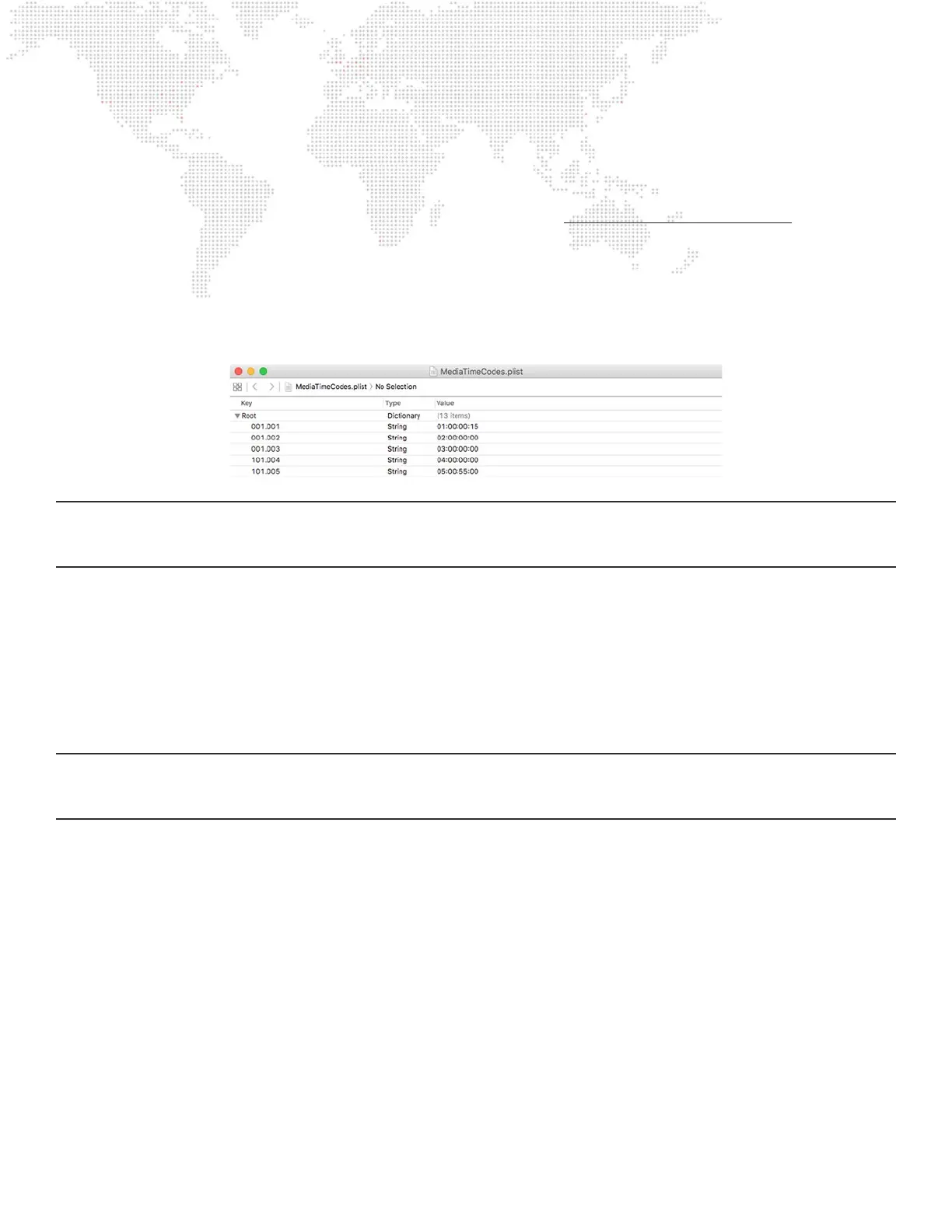
The data formatting in the MediaTimeCodes.plist le is different to that found in the MediaInfo.plist. The root of the plist
has keys that are strings (not dictionaries), with each key’s name being the Folder.File index for a le (e.g. 001.002) and
the value for each key being a string representing the start time for the le in HH:MM:SS:FF format.
In the illustration below, Folder 101.File 004 has a start time of 04:00:00:00 and Folder 101.File 005 has a start time of
05:00:55:00:
IMPORTANT! All values entered in the MediaInfo.plist and MediaTimeCodes.plist les must have the padding zeros.
Folder and le numbers must have three digits, and each eld in the timecode values must have two digits. Incorrectly
formatted values will result in those entries being ignored.
Linking Files to Timecode - Layer DMX Timecode
In addition to assigning timecode values to individual media elements using the one of the .plist methods (refer to
previous page), the timecode start value for a movie on a specic layer can be modied by using the Layer DMX
Timecode parameters on each layer.
Mbox v4 has permanently added four control parameters to every layer - Hours, Minutes, Seconds, and Frames. These
parameters can be used to set the timecode start time to any value, regardless of other methods. Using these controls,
the control console may be used to instantly set the timecode start time on the corresponding layer.
Note: Layer DMX Timecode values override all other timecode linking methods. If all four Layer DMX Timecode
parameters are set to 0 or if one or more of the parameters are set to invalid values, timecode sync for the media on the
layer will revert back to one of the other methods mentioned above.
Using Timecode Sync Playmodes
Timecode Sync does not control any properties of a layer except the playback position and rate. All other functions (e.g.
opacity, folder, le) must still be programmed separately. If layer is set to one of the three Timecode Sync playmodes,
the movie on the layer will sit, paused on its in-frame until the linked time is reached. At that point, the movie will play
based on the selected Timecode Sync playmode’s characteristics until reaching its out-frame, at which point it will stop
on that frame. The movie will not loop or fade out.
There are three Timecode Sync playmodes, each of which has its own benets:
+ 130 > 134 = TC Sync - strict lock to timecode; movie waits for appropriate timecode to initiate playback, and if
timecode stops or goes away, the movie playback stops.
+ 135 = TC Sync then Freewheel - movie waits for appropriate timecode to initiate playback, but then ignores
timecode for the remainder of that movie’s playback
+ 136 = TC Jam Sync - movie waits for appropriate timecode to initiate playback, if timecode stops or goes away, the
movie freewheels. However, if timecode returns, then the movie will resync to the incoming timecode.



 To Next Page