57
MBOX® USER MANUAL
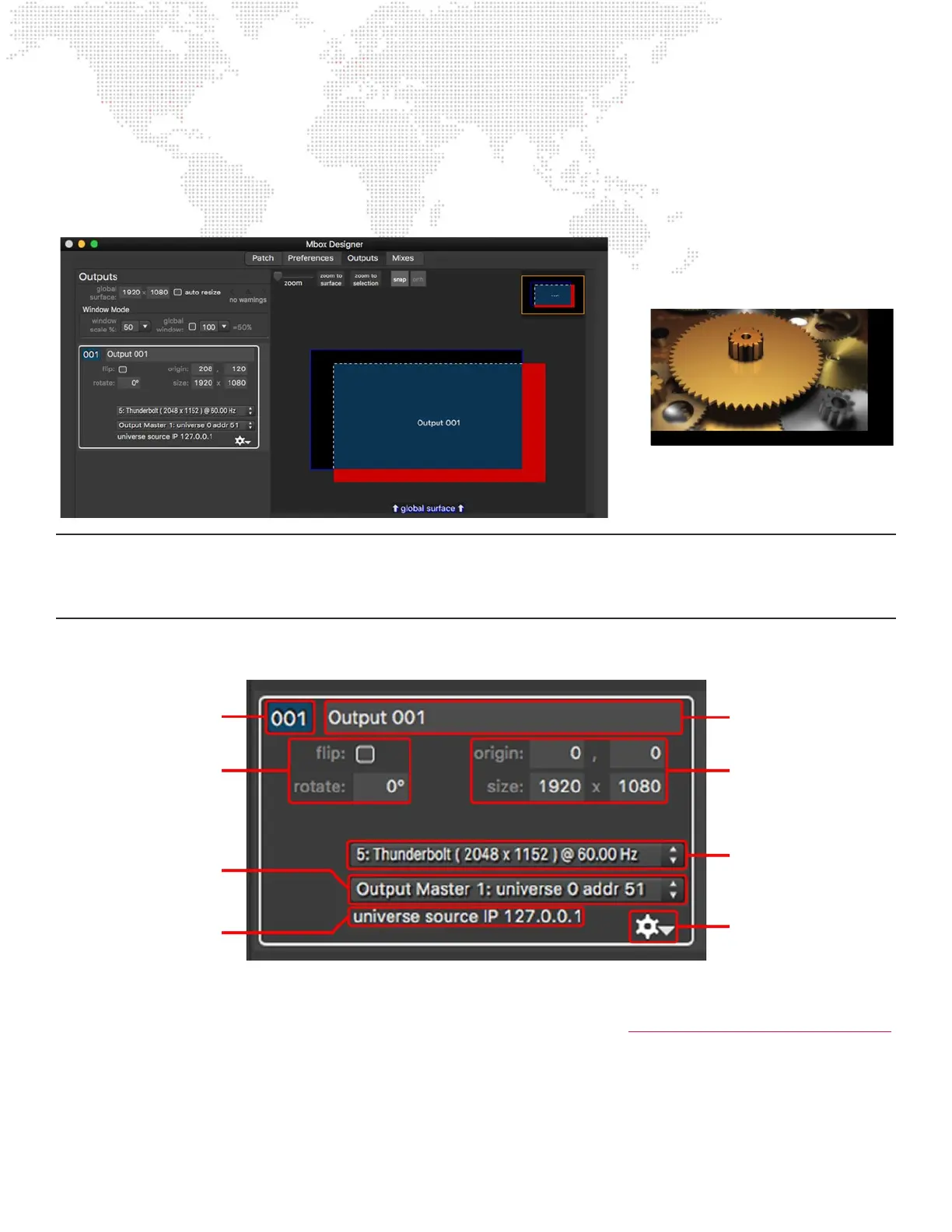
Outputs and may be placed anywhere on the global surface. It is possible to move outputs such that some or all of their
area is not on the global surface. If a portion of an output extends outside the boundary of the global surface, this is
indicated on the layout view by showing that portion of the output with red highlighting. The red area of the output will
never display any content since content is only ever rendered on the global surface.
Note: Having a portion of an output outside the boundary of the global surface is not normal practice. If an output
or mix extends outside the global surface’s boundaries but needs to render content across its entirety, then either the
output needs to be moved back so that all of it is on the global surface, or the global surface needs to be resized to fully
enclose the output.
Outputs Tab: Output Conguration
Index Number
Every output has a unique index number with a value of 001 - 032. This index number is used both for organizational
purposes and also for assigning layers to the output when programming. (Refer to “Using Outputs and Mixes for Layers”
on page 74) When an output is added, it is given the next available index number. Output index numbers may be
changed at any time, keeping in mind that two outputs can’t have the same index number and that any programming
that assigns a layer to an output by index number will need to be modied if the index numbers change.
Output index number
Flip and rotation
conguration. Rotation is
accurate to two decimal
places.
Output origin (X/Y) and
size (width x height)
conguration. All values are
measured screen pixels and
must use integers.
Pop-up menu used to
assign a display to the
output.
Pop-up menu used to
assign an output master to
the output.
Shows if control data is
being received on the
universe for the output
master.
Setup for HUDs, t mode,
and window grouping.
Output name
=



 To Next Page