24
MBOX® USER MANUAL
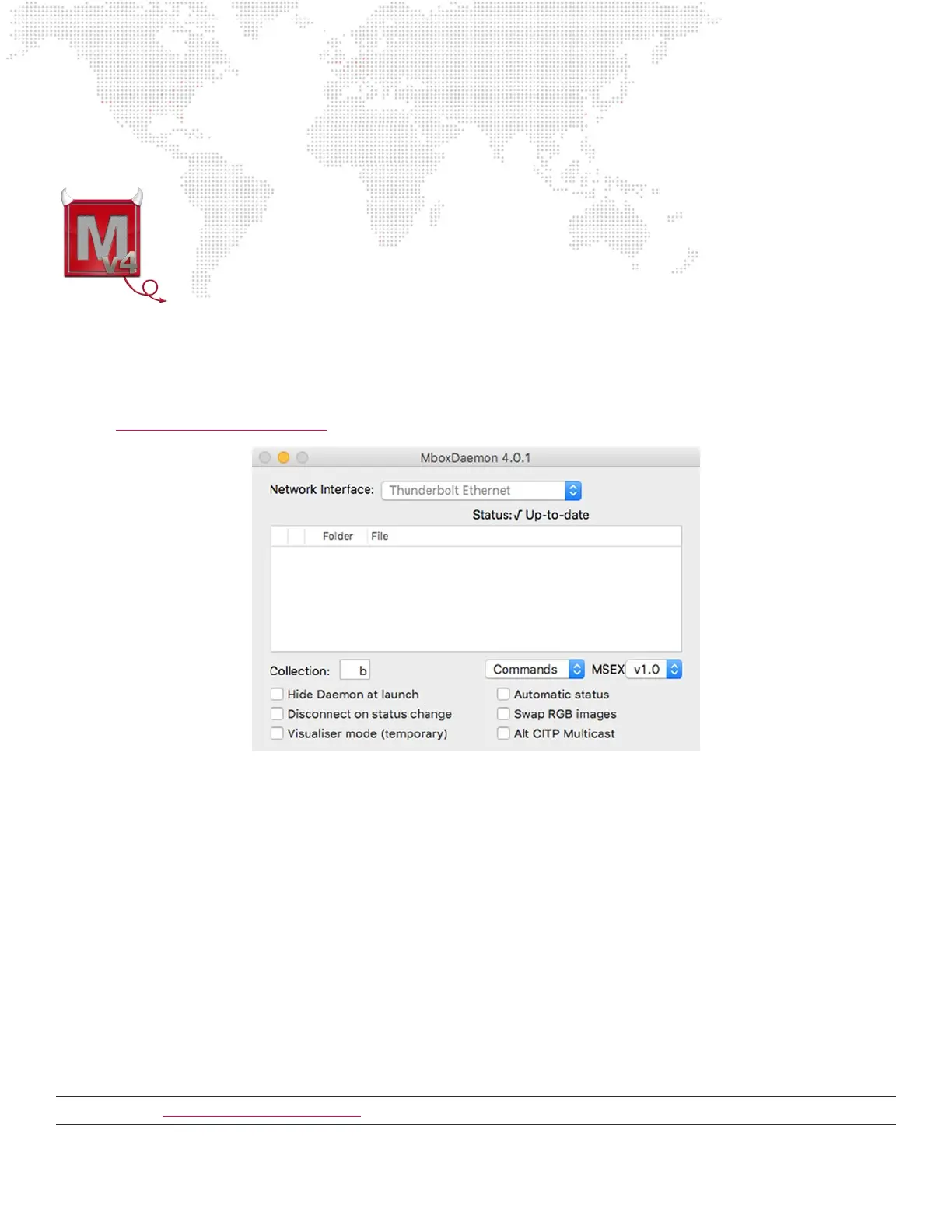
Mbox Daemon
Mbox network communication involves an application called Mbox Daemon. This application is
required on all Mbox servers to enable remote feedback and conguration. When the Mbox application
is launched, it will automatically launch the most recent version of Mbox Daemon that was used on that
computer.
To view the Daemon interface if it is not visible, click on its icon in the dock or press [⌘D] while the
Mbox application is the active application.
The Mbox Daemon screen will always reect the Network Interface setting as congured as the Management interface
on the Preference tab of the Mbox application. While the Network Interface setting can be changed on the Mbox
Daemon window, this is not recommended since the setting WILL NOT be retained if the Mbox application is restarted.
Refer to “Network Interfaces for Mbox” on page 77 for additional information on the network conguration for Mbox.
Adding Content
Use the following guidelines when adding content:
+ 2D content (Textures) must be placed inside the /Mbox/Media folder.
+ 3D content (Objects) must be placed inside the /Mbox/Models folder.
+ The use of both Textures and Objects relies on the correct structure of their parent folders and the correct numbering
of folders and les. Mbox Designer allows up to 65535 Textures and up to 65535 Objects. Mbox Studio and Mini
allow up to 65535 Textures and up to 255 Objects.
+ /Mbox/Media Folder - Texture les may be numbered from 0 to 255 and must be placed into folders numbered 0 to
255 inside the Media folder. Folders 0 and 255 are used for built-in functionality and should be avoided, but can be
used if absolutely necessary.
+ /Mbox/Models Folder - Object les may be numbered from 0 to 255 and must be placed into a numbered folder
inside the Models folder. The Mbox installer will create folder 000 and place some les inside. These les can be
replaced as desired and others added. If using Mbox Designer, more folders can be added.
Note: Refer to “Folder and File Numbering” on page 36 for examples of Media and Model folder and le structuring.



 To Next Page