168
MBOX® USER MANUAL
Linking Files to Timecode Values (for timecode playmodes)
Previous versions of Mbox supported two different methods of permanently assigning timecode start times to movie
les. These two methods included appending a sufx to the le name (e.g. “TC-01-00-00-00”) and also using a separate
le, the MediaTimeCodes.plist le.
In Mbox v4, using the TC le name sufx has been eliminated completely and is no longer supported. The
MediaTimeCodes.plist can be used to create data in the new format, but has been replaced by the MediaInfo.plist.
Mbox v4 has also made the DMX Timecode controls (extra parameters on each layer) a standard patched feature. This
means that presetting the timecode start time for les may not be necessary as they can be changed in a live fashion.
The MediaInfo.plist le
Mbox v4 uses a new plist le for metadata for 2D content. The MediaInfo.plist le supports timecode start time
assignment, enabling embedded audio playback, and setting the framerate for image sequences. In future versions of
Mbox this le will provide additional functionality.
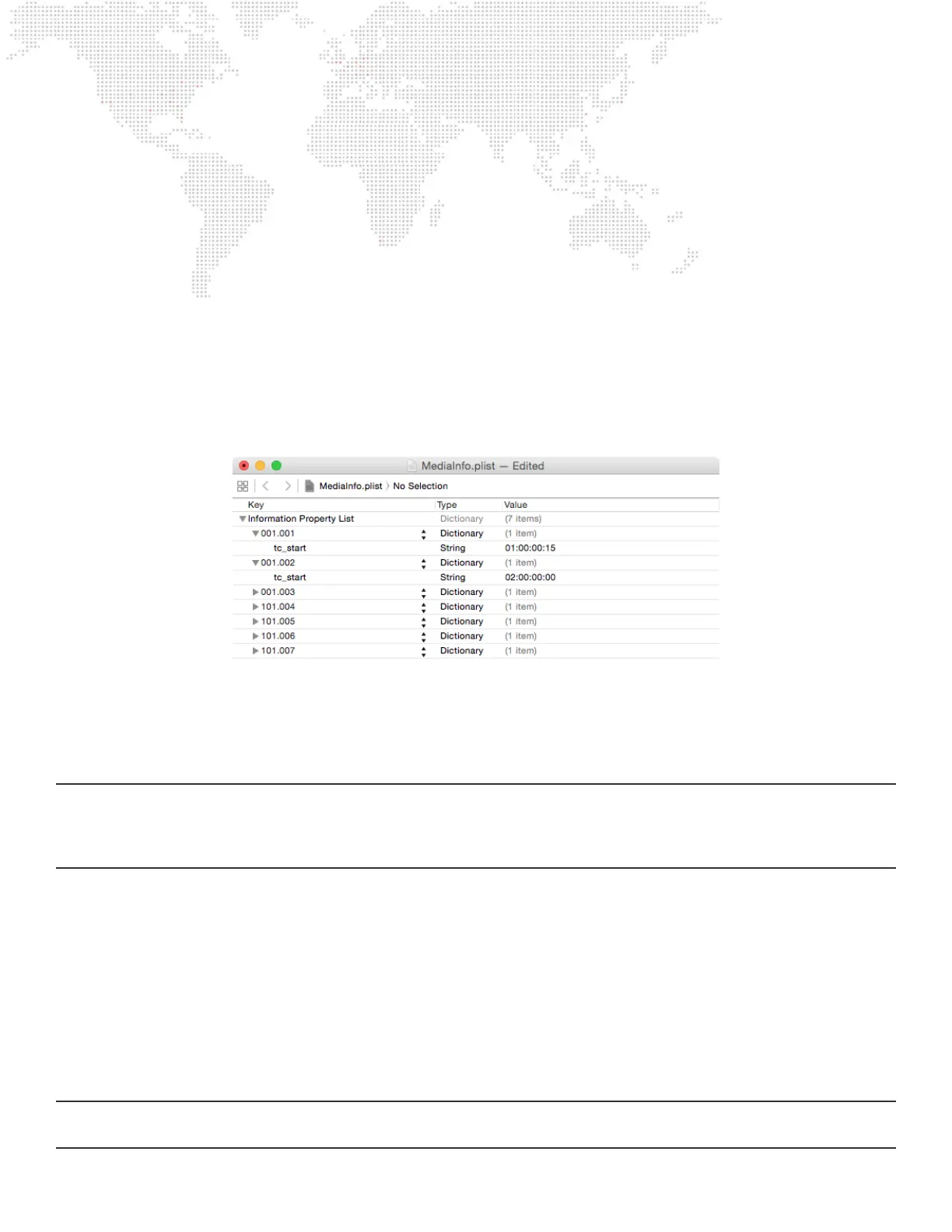
The MediaInfo.plist le is located in the /Mbox/Media folder and can be edited using standard plist editing applications.
The le’s structure is quite simple. The root of the plist holds specically named dictionaries for each media le that has
active metadata, and each dictionary holds the metadata keys and their values.
The “tc_start” key is used to assign a timecode start time to the le, and uses a string value to designate that time.
IMPORTANT! The formatting of both the le index and the start time are critical, and incorrect formatting will lead to the
metadata not being applied. The le index must be formatted as Folder.File, using a period between the two numbers
and the numbers must have padding zeros - e.g. 001.100. The timecode value must use the HH:MM:SS:FF format, with
the numbers separated by colons and all numbers using padding zeros.
If no MediaInfo.plist le exists, Mbox v4 automatically creates an empty le. The empty le can be used as the basis
for new metadata by manually adding new items. If a MediaTimeCodes.plist le is placed into the Media folder and no
existing MediaInfo.plist le exists, Mbox v4 will automatically create a new MediaInfo.plist le using the data from the
MediaTimeCodes.plist the next time the application is launched. Once the data has been copied into the MediaInfo.plist
le (or if the le already exists), the MediaTimeCodes.plist is ignored.
DMX Timecode controls
The last four parameters on each layer of Mbox v4 may be used to directly control the timecode start time for content on
the layer. The four parameters represent Hours, Minutes, Seconds, and Frames and may be modied at any time - even
while a le is playing.
IMPORTANT! Unless all four values are at zero, the DMX Timecode value will always override any timecode start time
set in the MediaInfo plist.



 To Next Page