54
MBOX® USER MANUAL
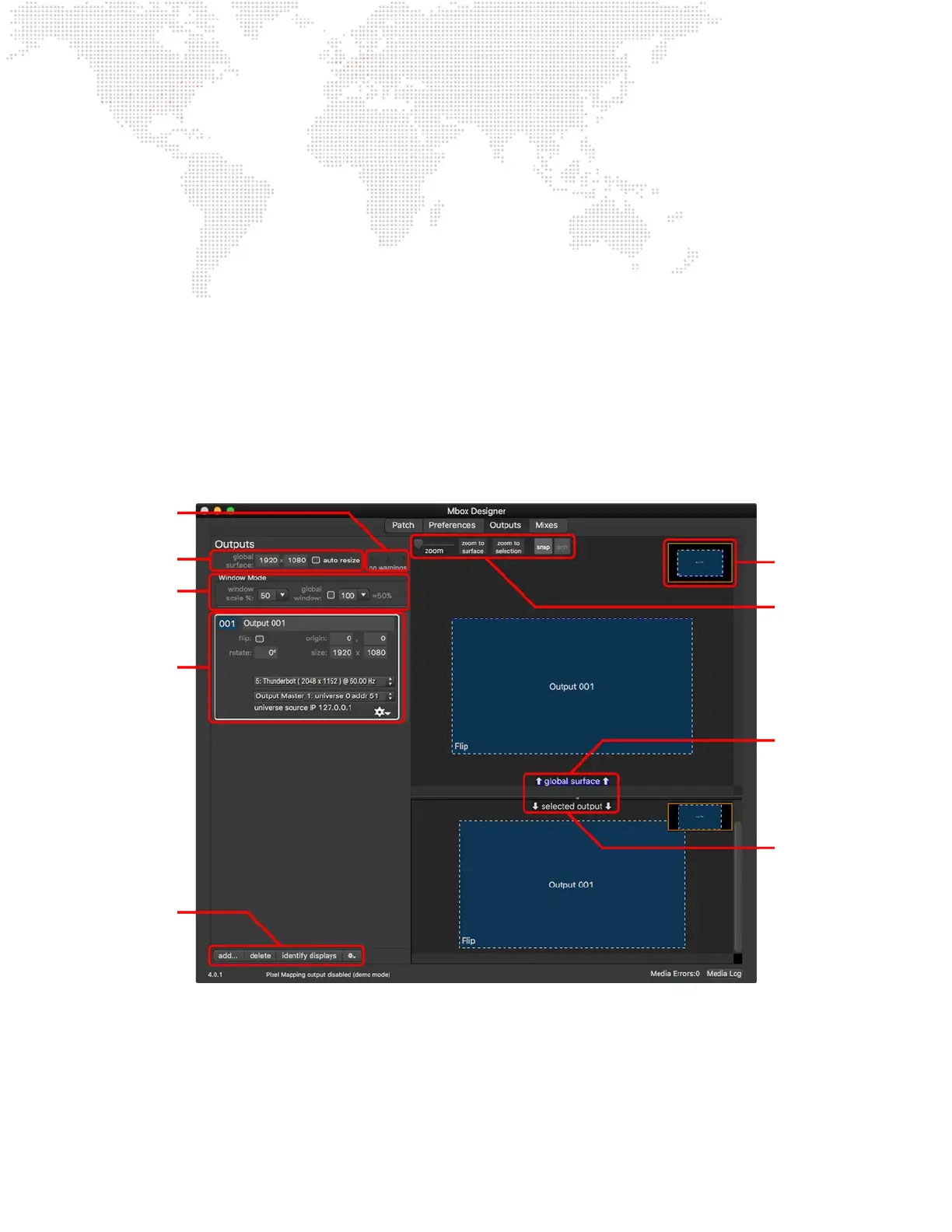
Outputs Tab
The Outputs Tab of the Mbox application is used to:
+ Add, delete, and congure video outputs for the server
- Edit index, name, origin, size, rotation, and ip value of output
- Assign display to output
- Assign output master to output
- Congure output t mode and window grouping properties
+ Adjust the size of the Global Surface
+ Adjust the scale of the output windows shown in Window mode
+ Identify connected displays
+ Archive and recall output/mix congurations
Global Surface
conguration options.
Window Mode
conguration options.
Output tile with
conguration options.
Buttons to add/delete
Outputs, Identify
Displays, and archive/
recall congurations.
Mini-map to show
zoomed area of overall
layout.
Zoom, Snap, and Ortho
controls used when
manipulating outputs on
the layout view.
Top half of layout view
shows the selected
output on the Global
Surface.
Bottom half of layout
view shows the selected
output on its parent
output (as applicable).
Indicator warns of
output issues.



 To Next Page