36
MBOX® USER MANUAL
At startup, the Mbox software performs a media scan to search all folders inside the /Mbox/Media and
/Mbox/Models folders on the hard-drive of the Mbox server. External media can be attached to these folders using
aliases, provided the following guidelines are observed:
+ Aliases must link to folders on the external drive; they cannot be aliased directly to les.
+ An alias cannot refer to another alias.
+ The /Mbox/Media, and /Mbox/Models folders cannot be aliases.
Each time the Mbox server completes a media scan, a text le is created with all media les found and their
corresponding combined le numbers. This text le can be found at /Mbox/Media_Report.txt
Note: The initial media scan allows the locations of les to be resolved at startup, therefore the “distance” of a le from
the main folder has no effect on the time required to nd a le. In addition, the content in the Media folder is allowed to
be nested (folders within folders) to a limit of 64 folders deep.
Folder and File Numbering
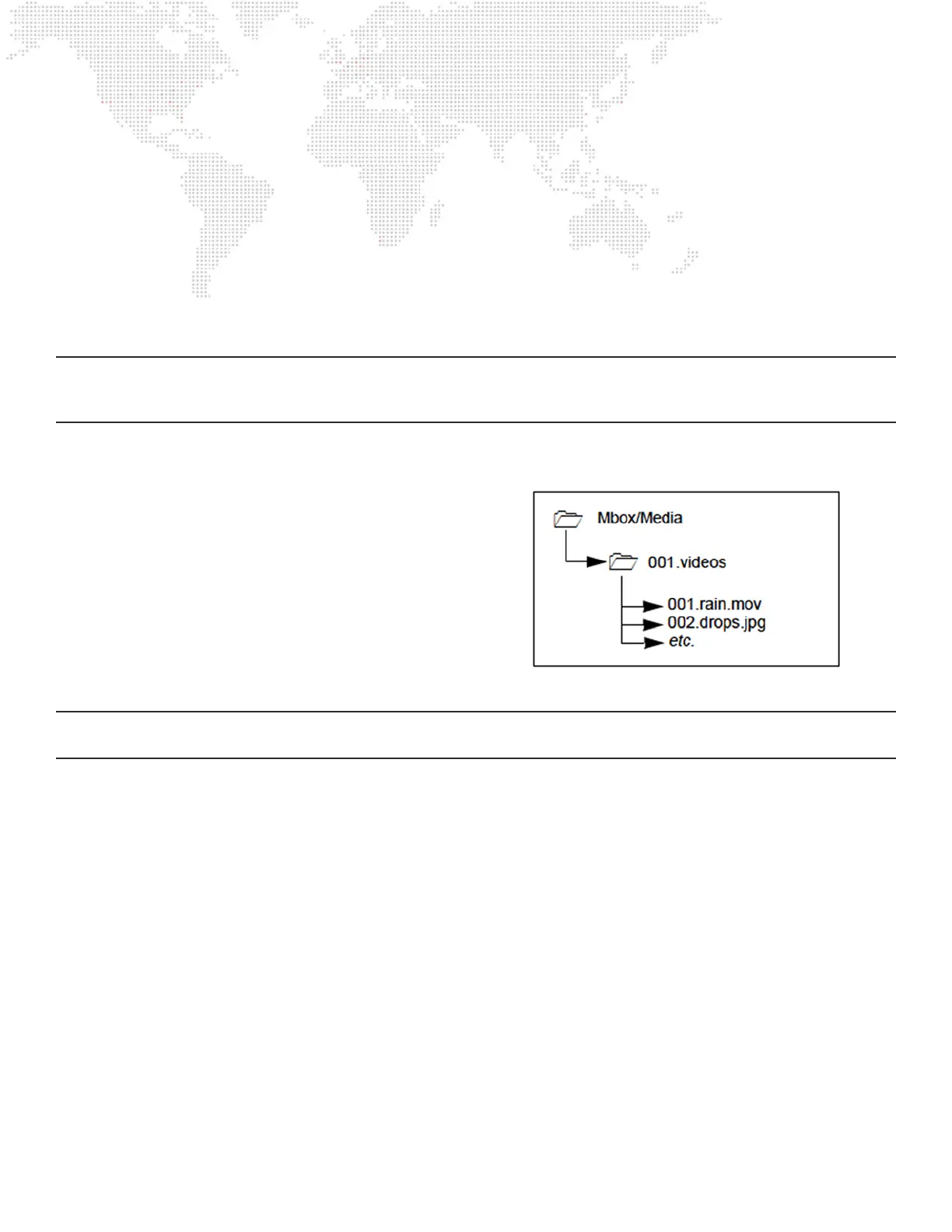
Media and object content les are arranged into individual
folders within the /Mbox/Media or /Mbox/Models folders
respectively. Each content folder within the Media or
Models folders must have a name that begins with a 3-digit
index value between 000 and 255. In turn, each le within
a content folder must be named using a 3-digit index value
between 000 to 255 as a prex. This structure provides
the means to select content by using two 8-bit numbers.
Separate control parameters on the console will be used to
select the content folder and the numbered content within
that folder.
Note: The combination of the folder and le numbers together is referred to in this manual as the le’s Folder.File index,
or more generically, as its index.
+ Content folders within the Media and Models folders must have an 8-bit numerical prex and can have a descriptive
name separated from the number by a period or a space. For example:
025.Central Park or 025 Central Park
+ Files within each folder must have a numerical prex, can have a descriptive name if desired, and must have a three-
letter le extension. Each of these parts should be separated by a period:
001.Great Lawn.jpg or 001.obj
+ Content folders and les don’t have to use numbers with padding zeros as shown in the examples above. Using a
numerical prex of “25” is exactly the same as using a prex of “025”. Likewise “1” and “01” are the same as “001”.
The primary reason for the padding zeros is to keep the folder and le names aligned more evenly when they are
viewed in the Finder.
+ Movies, still images, and image sequences may be numbered between 000 and 255 and placed in folders numbered
001 - 254. Models and digital gobos may be numbered between 000 and 255 and placed in folders numbered 001
- 255. Avoid using folders 000 and 255 in the Media folder or folder 000 in the Models folder, if at all possible, as
these folders hold some default content.



 To Next Page