39
MBOX® USER MANUAL
Adding Media Content
When adding content les, it is recommended that new, unique folder numbers be created for the custom content. It is
possible to have more than one folder with the same numerical prex, however, as long as the content les within such
folders do not have the same numerical prex. Also, folders need not have numerical prexes.
CAUTION! Numbered content les will be assigned a folder number that is equal to the numerical prex of their
immediate parent folder. Therefore, using folders without numbers requires caution.
A le at this location:
Media/022.Water/BlueWater/001.SomeWater.mov
- will be assumed to be in folder 000, because
the immediate parent of the numbered le has no numerical prex.
The correct method:
Media/BlueWater/022.Water/001.SomeWater.mov
- would work as desired, assigning the le to
folder 022.
To add movies or image les:
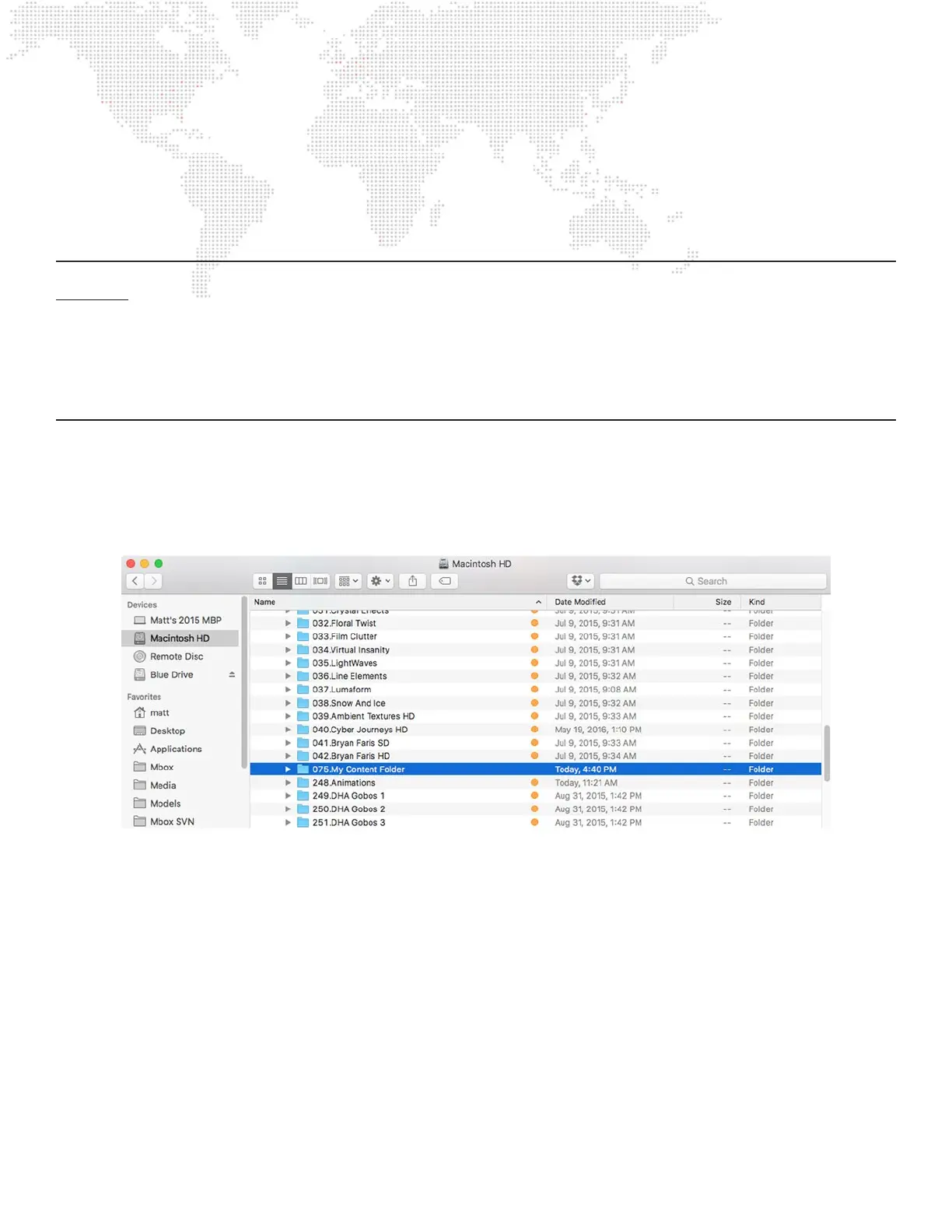
Step 1. On the computer’s content drive, open the /Mbox/Media folder.
Step 2. Using the Finder’s File menu, select New Folder and give the created folder a unique 3-digit number (that is
not already being used) followed by a descriptive name. For example, “075.My Content Folder”.
Step 3. Copy image and/or movie les into the new folder.
Step 4. For each le, add a unique 3-digit index value to each le (between 0-255) along with a descriptive name
that includes the le extension. For example, “001.earth.jpg”, “002.wind.mov”, “003.re.mov”, etc. (Note the
caution given above.)
To add 3D objects:
Step 1. On the computer’s content drive, open the /Mbox/Models folder.
Step 2. Using the Finder’s File menu, select New Folder and give it a unique 3-digit number (that is not already being
used) followed by a descriptive name. For example, “012.My Objects”.
Step 3. Place les into the new folder.
Step 4. For each le, add a unique 3-digit index value to each le (between 0-255) along with a descriptive name
that includes the le extension. For example, “001.man.obj”, “002.hammer.obj”, “003.airplane.obj”, etc.



 To Next Page