64
MBOX® USER MANUAL
Mixes Tab
The Mixes Tab of the Mbox application is used primarily to:
+ Add and congure mixes and sub-mixes: edit index, name, origin, size, and rotation of mix/sub-mix
The user interface of the Mixes tab also allows the following tasks, the same as on the Outputs tab:
+ View conguration of existing outputs
+ Adjust the size of the Global Surface
+ Adjust the scale of the output windows shown in Window mode
+ Identify connected displays
+ Archive and recall output/mix congurations
Mixes Tab: Overview
The Mixes tab of the Mbox v4 application is very similar to the Outputs tab both visually and conceptually. Some
controls are repeated between the two tabs, and the conguration of mixes is almost identical to that for outputs.
The reason for this is because mixes and outputs are almost the same thing. In fact, outputs are mixes, and the global
surface is a mix as well. These three items use the same structure within Mbox, but each has a slightly different set of
exposed functionality.
By denition, a mix is a rectangular area of the global surface that can be used by a layer for compositional purposes. A
layer can use a mix for positioning, cropping, scaling, and rotation. This makes it fast and easy to take the imagery from
a layer and arrange it exactly how it needs to be for the desired look.
Note: There are 256 mixes available for use within the Mbox application. The global surface is always Mix 0, outputs are
always Mixes 1 - 32, and “normal” mixes are Mixes 33 - 255.
Mixes are typically used to designate important areas of the global surface where content is going to be repeatedly
placed. These important areas could be:
+ The entire global surface: for creating a background spread across all outputs
+ An output: for limiting content to a specic display
+ Any other area: for formatting and limiting content to an are that corresponds to a particular LED wall
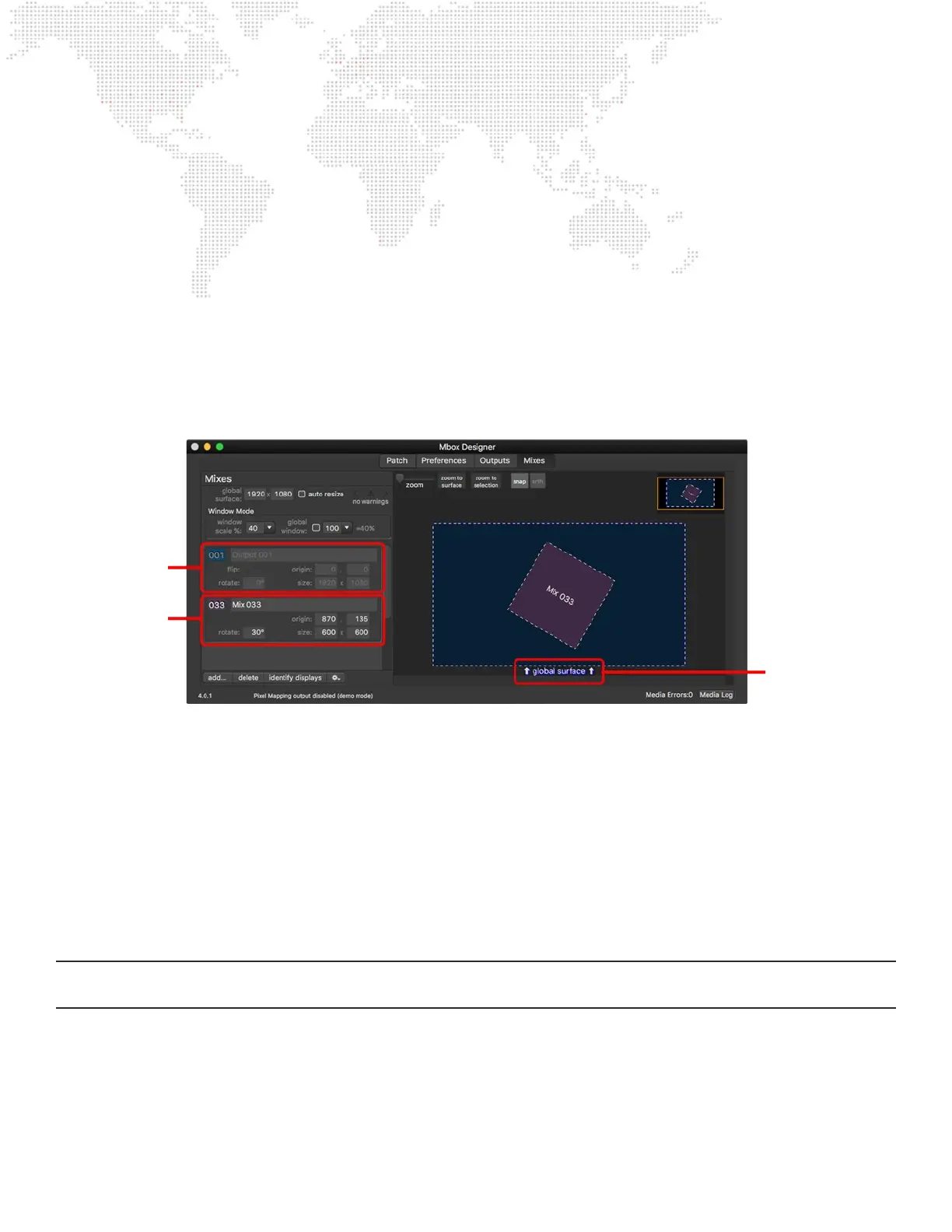
Layout view shows the
selected mix or output
on the Global Surface.
Mix tile with
conguration options.
Output tile
showing read-only
conguration options.



 To Next Page