111
MBOX® USER MANUAL
EFFECTS AND TRANSITIONS
Effects and Transitions with Additional Input Files
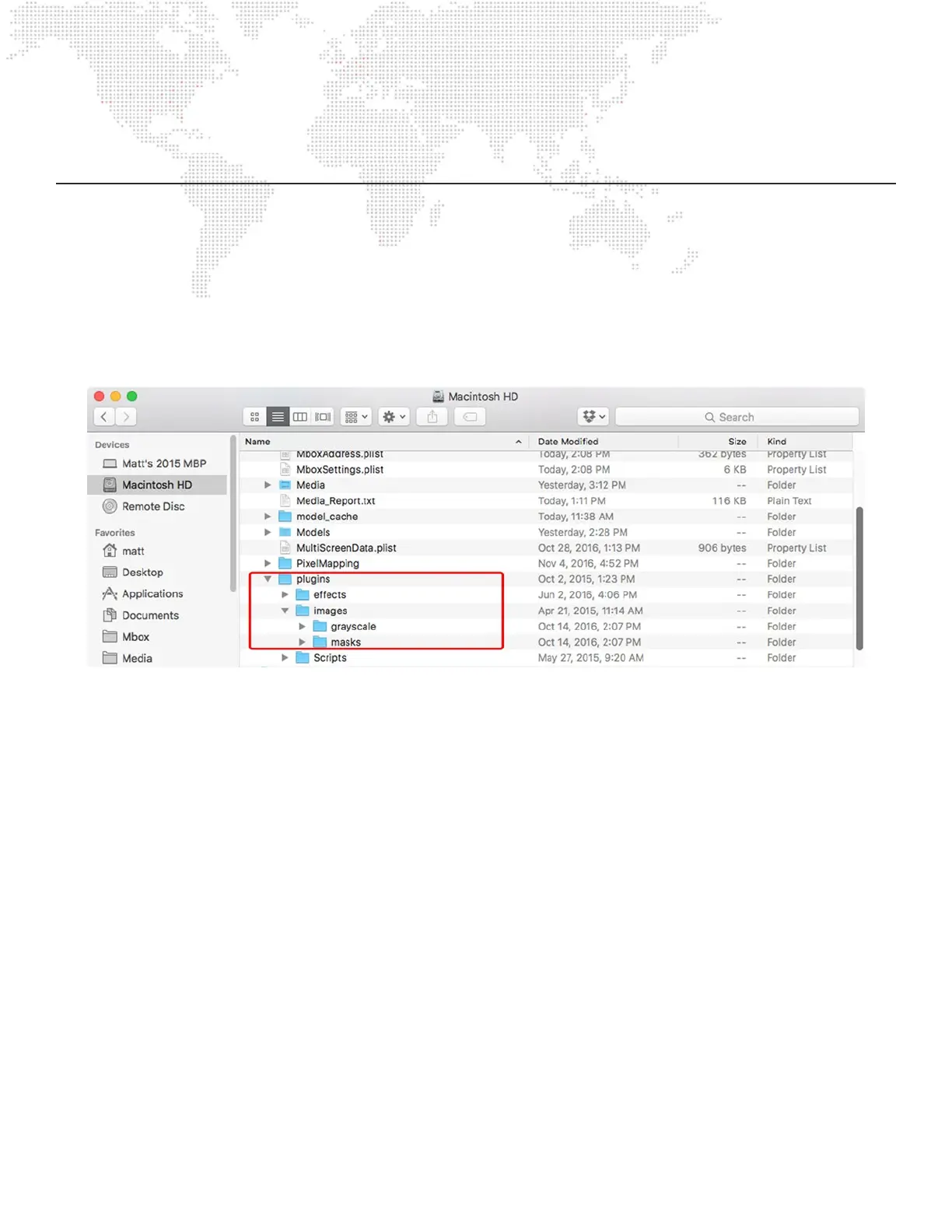
Effects and transitions that require additional image input les will use numbered les placed in a specic location inside
the Mbox folder. The actual parent folder of the image les will depend on the effect or transition in question:
+ Alpha Mask From File Effect - /Mbox/plugins/images/masks/
+ MetaImage Effect - /Mbox/plugins/images/masks/
+ Custom Wipe Transition - /Mbox/plugins/images/grayscale/
Within each of these folders, les will have 8-bit numbering. The Alpha Mask and MetaImage effects share the same
folder, there may be up to 255 les, numbered 001 – 255 to share between those effects. The Custom Wipe Transition
can only have up to 20 different input les – ten are used for hardedge wipes 001 – 010, and ten are used for soft-edge
wipes 011 – 020. Numbering, naming, and le extensions conventions follow the same rules as standard Mbox content.
[e.g. 001.MyFile.png]
Guidelines:
+ The input image les do not have to be the same size as the texture they are applied to (layer or master) because
they are automatically scaled to t. However...
- Alpha Mask effect: For best results with les used for accurate masking, the input image le should be exactly
the same size as the texture it will be applied to. Make sure the input image le is the same size as the content it
will be used on. i.e. Masking content that is 1024 x 768 would require a mask le that is also 1024 x 768.
- Custom Wipe transition: Input image les that are not the same aspect ratio as the texture on the layer may lead
to undesirable results. For best results the outgoing and incoming textures should also be the same size.
+ The Alpha Mask input image le should be a PNG le saved with an alpha channel. The effect uses the alpha
channel information in the input le to generate the mask.
+ The Custom Wipe input image le can be a JPG or PNG and can be grayscale or color. No alpha channel is
required. A grayscale le will provide the best indication of how the transition will work, as this effect uses luminance
values to create the wipe. The darker areas will start to show the incoming content rst, followed by lighter areas.



 To Next Page