110
MBOX® USER MANUAL
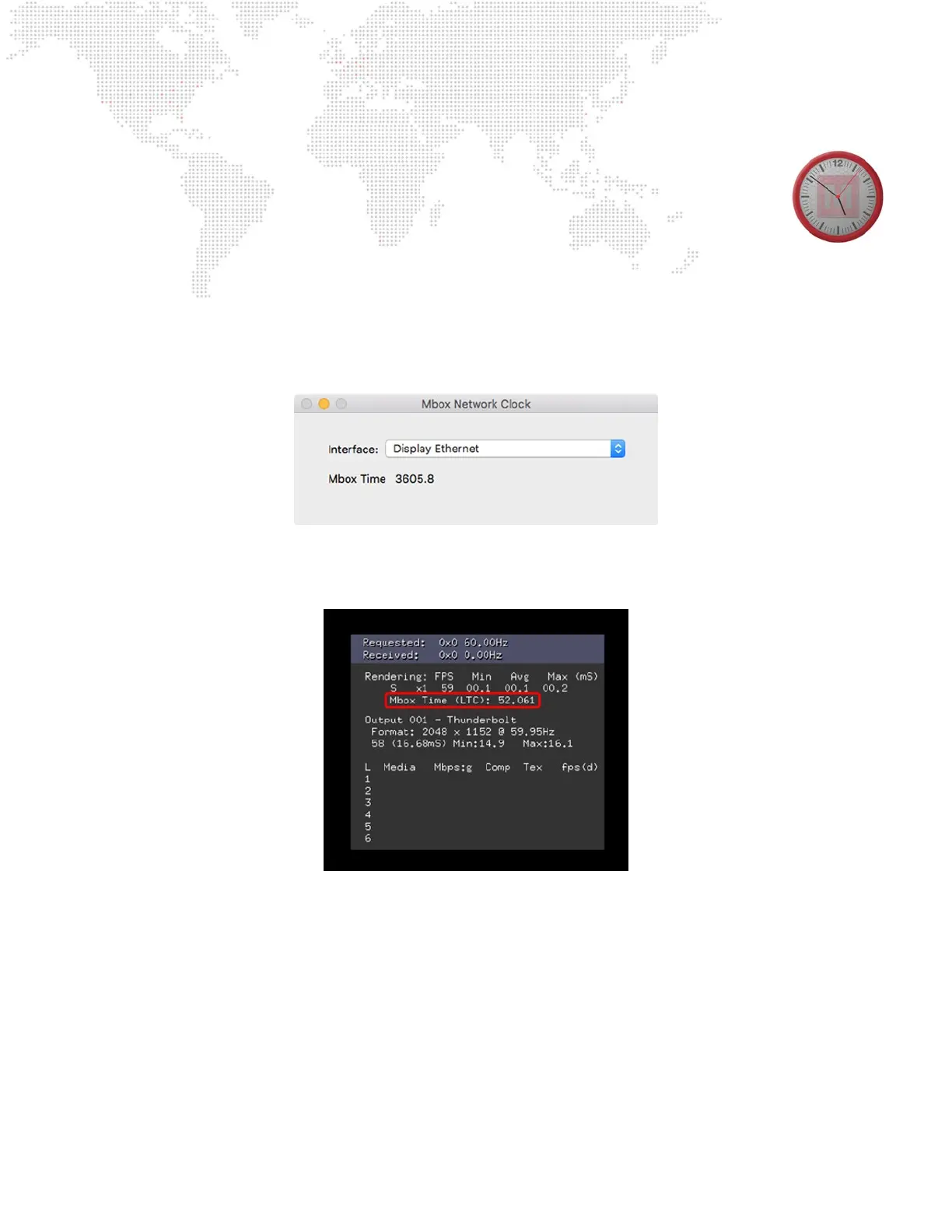
+ When received as a network signal, the timing reference must come from the Mbox Network Clock
application.
- The Mbox application does not need to have its audio input preference congured, but it is OK
if an interface is congured for use with timecode sync for playback.
- Mbox Network Clock can run locally on an Mbox or on a separate computer, transmitting over
the network.
- There can be only one computer running Mbox Network Clock on each installation! Multiple instances will cause
serious issues.
- The Mbox Network Clock application starts running automatically when launched. The only conguration
required is to set the desired network interface for the timing reference to be transmitted from.
+ When using MboxTime from either a SMPTE source or the Mbox Network Clock application, it is possible to check
that the Mbox application is receiving MboxTime by bringing up the [F9] HUD. The MboxTime value and type
(Network or LTC) will be reported in the HUD:
Mbox Network Clock



 To Next Page