9
MBOX® USER MANUAL
Fixture and Layer Overview
The Mbox environment is based on the concept of output masters and layers. Mbox supports up to 32 output masters
and 24 active layers at a time (Studio and Mini have fewer layers and output masters), each having its own particular
parameters. The parameters include settings such as opacity, texture, intensity, color, blending, rotation, and many
more. The manner in which all playback layers are combined across one or more outputs results in the nal “look” of the
server’s output.
For typical control purposes, component parts of Mbox are grouped into “xtures” and patched on the console. Proles
for some consoles may choose to group the xtures listed below differently. Each xture is made up of one or more
parameters which are then controlled by mapping them to channels on the console. An appendix at the end of this
manual contains tables for all parameters used with the Mbox software.
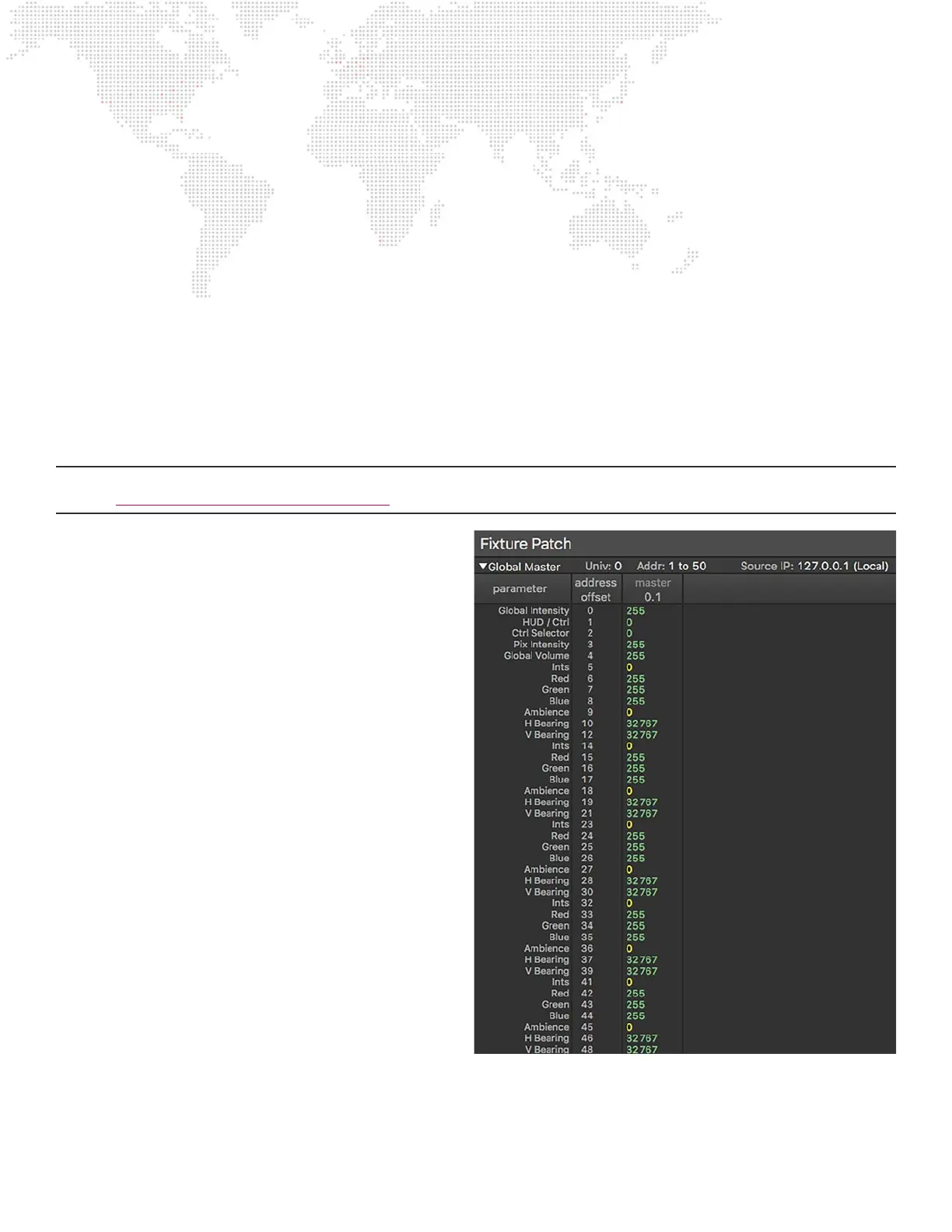
The standard xtures and their controllable parameters are outlined below. To help illustrate these concepts, an image of
the corresponding Patch tab feedback data is shown. The Patch tab provides feedback regarding the values assigned
to individual control parameters. The Patch tab will be covered in more detail later in this manual.
Note: The tables below show features and parameters that are not supported by all versions of the Mbox software.
Refer to “Appendix C: Fixture Prole Reference” on page 173 for information on supported parameters.
GLOBAL
+ Fixture: Global Master
- Global Intensity
- HUD/Macro Control
- Control Selector
- Pixel Map Intensity
- Global Volume
+ Fixture: Lighting (Designer/Studio only)
- Intensity
- Red
- Green
- Blue
- Ambience
- Horizontal Bearing
- Vertical Bearing
Color Indications:
+ Green - at default value
+ Yellow - not at default value



 To Next Page