10
MBOX® USER MANUAL
OUTPUT MASTER
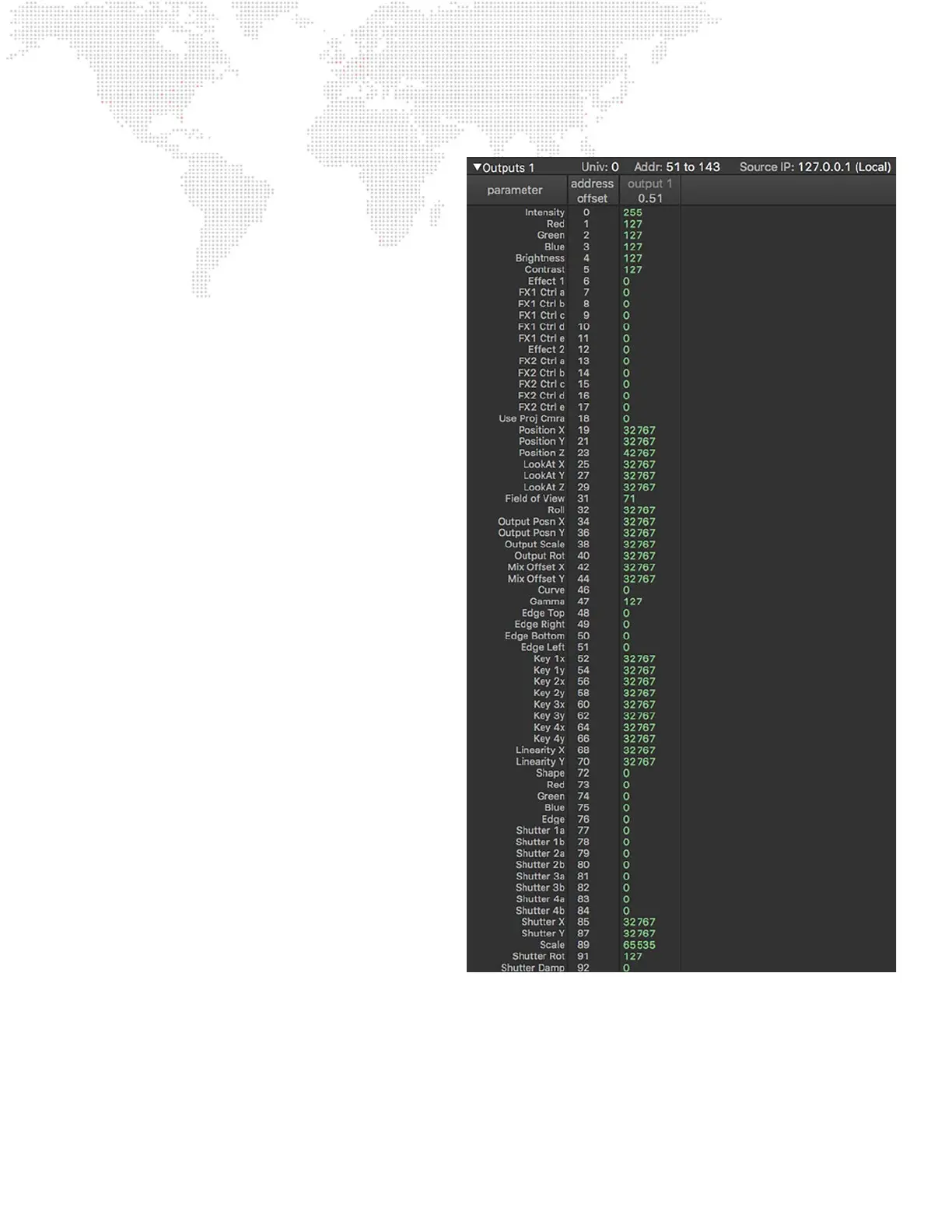
+ Fixture: Output Master
- Output Intensity
- Color Mix - Red, Green, Blue
- Brightness and Contrast
+ Sub-Fixture: Output Effect
- Effect Selector
- Modiers - A, B, C, D, E
+ Fixture: Output Camera (Designer only)
- Enable Projection Camera
- Camera Position X, Y, Z
- Lookat Position X, Y, Z
- Field of View
- Roll
+ Fixture: Output Geometry (Designer/Studio only)
- Output Position X, Y
- Output Scale
- Output Rotation
- Mix Offset X, Y
+ Fixture: Output Keystone (Limited in Studio/Mini)
- Keystone Mode/Curve
- Gamma
- Edge - Top, Bottom, Right, Left
- Keystone Corners (8)
- Linearity X, Y
+ Fixture: Output Shutter (Limited in Studio/Mini)
- Shutter Mode/Shape
- Shutter Color - Red, Green, Blue
- Shutter Controls (8)
- Shutter X, Y
- Shutter Scale
- Shutter Rotation
- Shutter Damping



 To Next Page