47
MBOX® USER MANUAL
Patch Tab: Fixture Patch
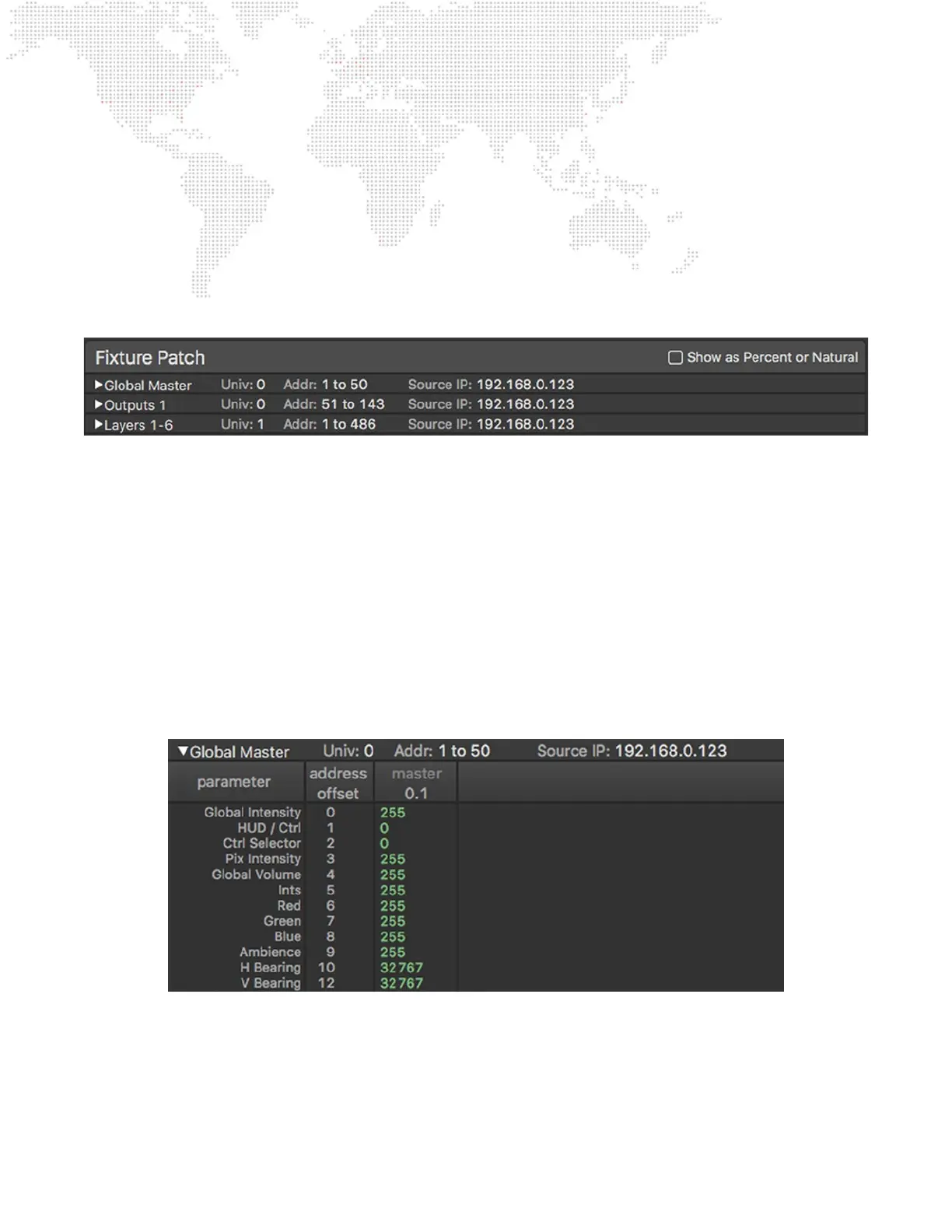
The right-hand side of the Patch tab has a Fixture Patch table that can be used to see more information about the
patched “xtures” that make up Mbox v4 and the individual parameters that make up each xture. While Mbox v4 can
be considered as one xture as a whole, it is generally split up into multiple xtures for control by consoles and Director.
The patch table follows PRG’s standard conventions for splitting Mbox v4 into multiple xture groups, though the xtures
contained in each group may have different names and do have different parameters to prior versions. The three groups
are: Global Master (overall mastering plus lighting), Outputs (intensity/color, 3D camera, geometry, keystone, shutter,
effects), and Layers (texture plus object).
Each of the header rows for the three major xture groups shows the name of the group, the universe it is patched to, the
range of channels on that universe that it is using, and the IP address of the source that is sending that universe to Mbox
at present. Each of these header rows has a disclosure arrow to allow it to be expanded to show more detail.
Note: Each row is limited to one xture group, or to a single universe of control for a xture group. e.g. Layers 1-6 will
have its a row, and Layers 7-12 will have a separate row.
At the top-right of the table is a checkbox that allows the parameter values in the table to be shown using percent or
“natural” notation rather than the default decimal notation. When this is checked, parameters like intensity, color, or
opacity will show percentage values (e.g. 100%), while parameters like scale will show a multiplier (e.g. 2.5x) and rotation
will show an amount in degrees (e.g. 45°).
Clicking on the disclosure arrow to expand a group reveals the individual parameters that are used by xtures in that
group. In the case of the Global Master, this is a single column - master then lights.



 To Next Page