106
MBOX® USER MANUAL
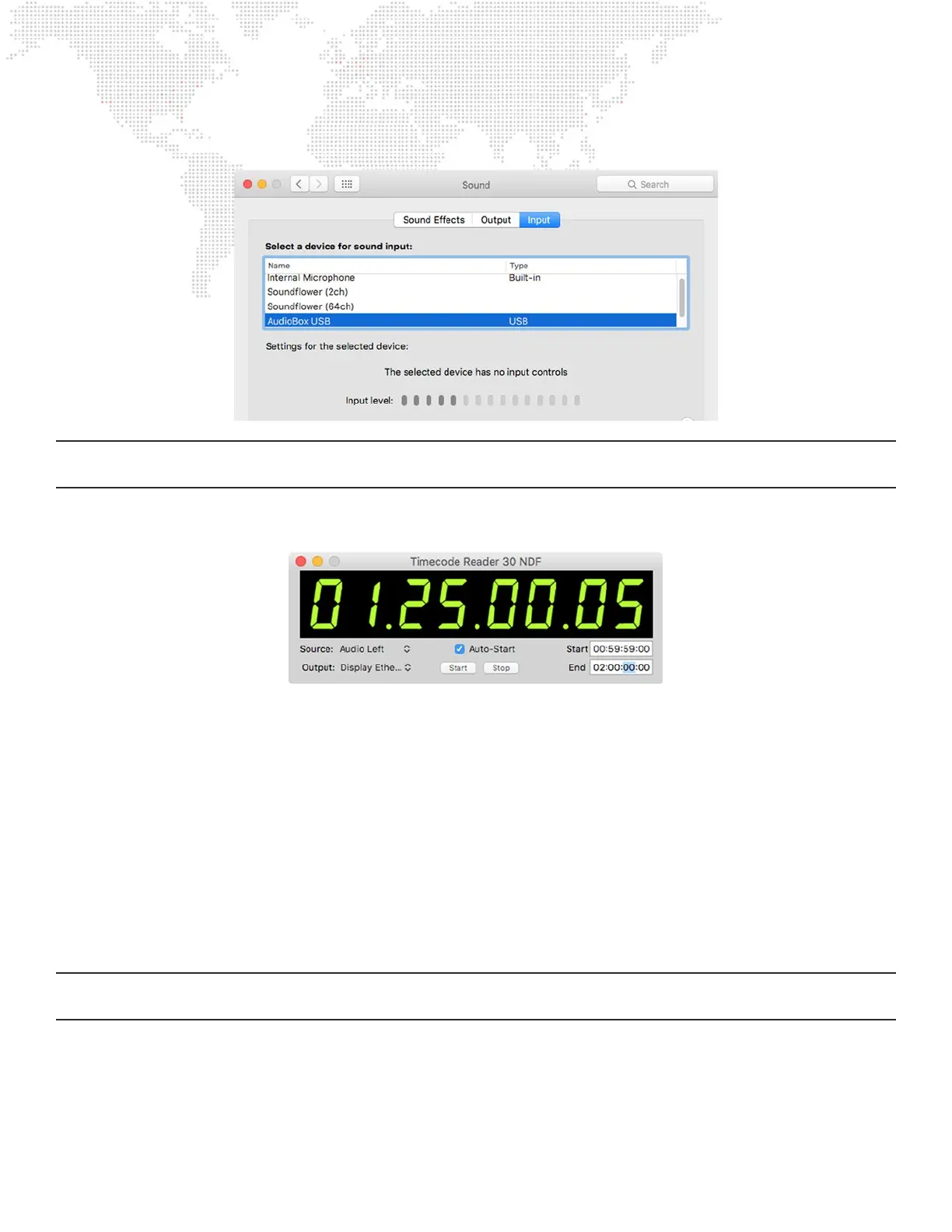
The default audio input to the computer is set in the System Preferences > Sound pref pane of the computer.
CAUTION! For TC Reader, the default audio input needs to be selected before the application is launched. If changes
are made to the default input, then the application will need to be quit and relaunched.
The TC Reader application has a single window. The timecode window displays the incoming timecode and has several
settings and buttons:
+ Source – choose the appropriate source for timecode: Generator, Audio, or MTC. TC Reader has separate
selections for Audio Left and Audio Right.
+ Output – Local (internal routing only), or an active Ethernet interface (for sending timecode over the network).
+ Auto-Start – checking this box will cause timecode be active as soon as the TC Reader application launches.
Depending on the source setting, the application will immediately begin generating or listening for external timecode.
+ Start – starts generating code from Start Time value if generator is selected, otherwise will start listening for external
code.
+ Pause – pauses/resumes generating internal code or listening for external code (toggle action).
+ Start – species a time where the internal generator will start.
+ End – species a time where the internal generator will loop back to the start time.
Note: The timecode window does not have to be visible onscreen to function. When the Mbox application is receiving
timecode, this can be monitored using the [F10] HUD or through the main window of the Mbox Remote application.



 To Next Page