136
MBOX® USER MANUAL
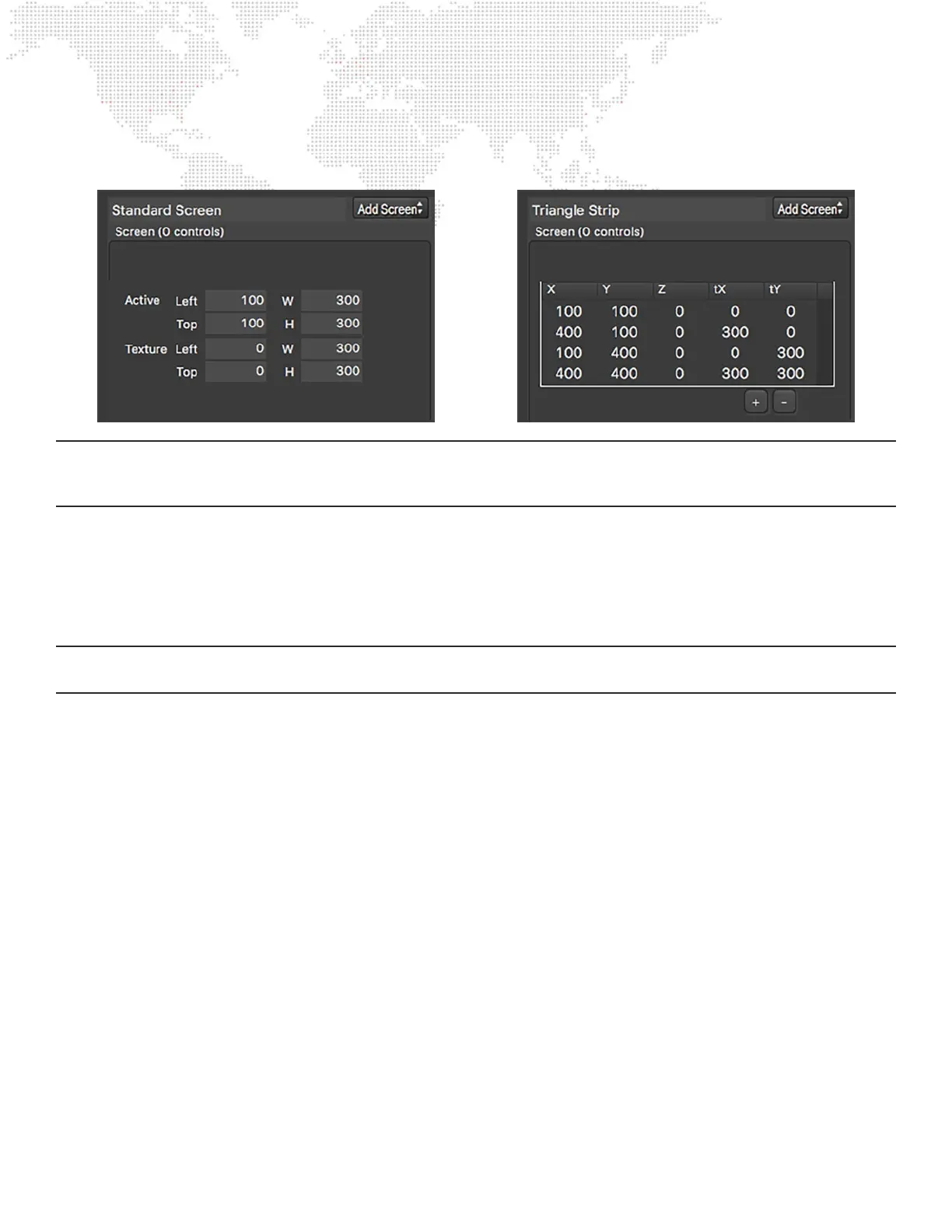
Once a screen object has been converted to a triangle strip, four separate coordinates are required, one for each vertex
that was a corner of the original screen object.
Note: The vertices are not ordered in a circular fashion around the perimeter the rectangle, but rather such that each
set of three consecutive vertices describes a closed triangle. In the right-hand illustration above, the rst through third
vertices create the left-hand triangle, and the second through fourth vertices create the right-hand triangle.
By editing the X and Y coordinates of the triangle strip, it becomes possible to create differently sized triangles. Editing
the tX and tY coordinates adjusts the texture mapping to the vertices of the screen object. Textures will be stretched as
required to match the coordinates, be careful, otherwise the texture may be distorted!
The + and - buttons can be used to add or delete individual vertices so as to create shapes that are not four-sided.
Remember that each vertex that is added will be associated with the two previous vertices to create a new triangle.
Note: There is no need to edit the Z value for triangle strips or fans, as doing so will have no impact on the resulting
triangle or its texturing.



 To Next Page