68
MBOX® USER MANUAL
Pixel Mapping Previsualization
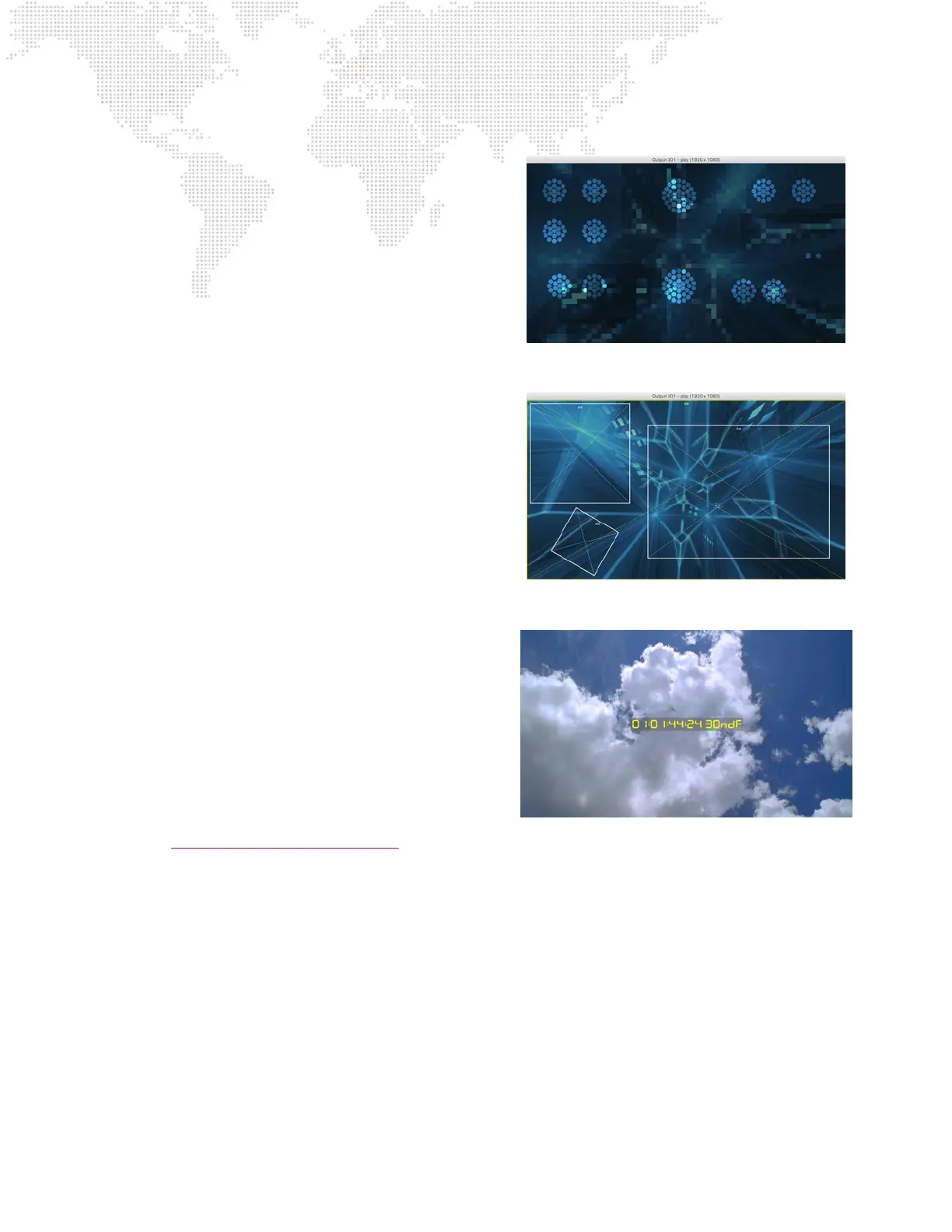
When using the pixel mapping features of the Mbox
application it can be useful to view the subsampling and
xture layout for contexts that are using outputs as their
source. Pressing [F5] will toggle through previsualization of
all outputs, followed by each output (1-9) in order.
The Mbox Remote application is able to show more pixel
mapping previsualization that the Mbox application. Refer
to the Mbox Remote user manual for more information on
conguration and monitoring of pixel mapping.
Output and Mix Overlay
When setting up a conguration of outputs and mixes in
advance, or performing the same tasks onsite, it can be
helpful to view the outlines of outputs and mixes on Mbox’s
outputs. These outlines can be used a helpful guide when
adjusting the conguration of LED processor sampling,
or when trying to identify important onscreen regions for
mix setup. Pressing [F7] will turn on and off an overlay
that shows the outlines and index numbers of outputs and
mixes. Outputs will have a yellow outline and mixes will
have a white outline.
Activity/Timecode Monitoring
Program activity and timecode input can be monitored using
the [F10] HUD. This HUD provides an on-screen indication
of current timecode input, and because show programming
may cause to go completely black at certain points in
time, this HUD also provides an indication that the Mbox
application is running.
Pressing [F10] will cycle through the ve display positions
for the Timecode/Activity HUD: center, top-right, top-left,
bottom-left, and bottom-right. The HUD position can also
be set using the “Global Master Control Channel” (page 204).
The green activity indicator moves across the gray notication eld from left to right, indicating program activity. When
timecode is being received, the current timecode value (HH:MM:SS:FF) is displayed in the notication area - colored
yellow for good code and red for bad code. If timecode stops, the timecode notication will go away, but the green
activity indicator will continue to move.



 To Next Page